

Yardbook is a good starting point if you need free lawn care scheduling software. For businesses managing multiple crews, Jobber, GorillaDesk, and Service Autopilot offer more scheduling and routing features.
The main difference is how much you'll pay to optimize routes.
Most entry-level plans cost between $29 and $59 per month. They generally cover scheduling and invoicing, but automatic route optimization usually requires a more expensive plan. Jobber offers it on Connect, GorillaDesk on Pro, and Service Autopilot on Pro.
That price difference matters when you're scheduling dozens of properties each week.
A solo operator might handle 40 to 80 lawns, while a two-person crew could cover 60 to 120. Manually arranging those stops takes time, especially when customers reschedule or rain interrupts the week.
Before paying for software, check whether it can handle your recurring schedule, arrange stops into an efficient route, and move appointments after a cancellation. Those features will affect how much time you spend managing the calendar.
Steps at a glance
- Best lawn care scheduling software compared
- 7 best lawn care scheduling software options
- What lawn care scheduling software actually does
- How much does lawn care route optimization cost?
- Other lawn care scheduling tools worth considering
- How to schedule recurring lawn care jobs
- How to reschedule lawn care jobs after rain
- Does route optimization keep the same stop order each week?
- What lawn care scheduling software costs for different team sizes
- Which lawn care scheduling software should you choose?
- What to test before switching lawn care scheduling software
- Frequently asked questions
Best lawn care scheduling software compared
The table covers seven lawn care scheduling tools, including their entry prices and the plans required for route optimization.
Prices are in USD, based on published vendor information available November 2, 2026. They exclude taxes and may change with promotions or billing terms.
| Software | Best for | Starting price | Route optimization | Free plan or trial |
|---|---|---|---|---|
| Yardbook | Solo lawn care operators | Free | Free basic routing | Permanent free plan |
| Jobber | Growing lawn care businesses | Core, $49/mo | Connect, approximately $99–$139/mo | 14-day trial |
| GorillaDesk | Businesses managing fixed crews | Basic, $49/route | Pro, $99/route | 14-day trial |
| Service Autopilot | High-volume recurring services | Startup, $49/mo | Pro, $199/mo | Demo |
| Housecall Pro | Home-service scheduling and dispatch | Basic, $59/mo annually | MAX, $299/mo annually | 14-day trial |
| QuoteIQ | Businesses focused on estimates | Essentials, $29.99/mo | Elite, approximately $249.99–$299.99/mo | 14-day trial |
| Arborgold | Tree care and multi-service landscaping | Starter, approximately $129/mo | Included in Starter | Demo |
Yardbook's free plan includes basic route ordering, but it doesn't offer advanced route optimization or density planning.
GorillaDesk charges per route rather than per user. Its Basic plan supports up to 25 stops per route, but the Drive Matrix optimizer requires Pro.
QuoteIQ has a pricing discrepancy worth checking. Its public pricing page lists Elite at approximately $299.99, while its help documentation has shown prices as low as $249.99. Both identify Elite as the plan required for route optimization and customer self-booking.
7 best lawn care scheduling software options
1. Yardbook
Yardbook is a practical option for solo lawn care operators who need scheduling, customer management, and invoicing without paying a monthly subscription.
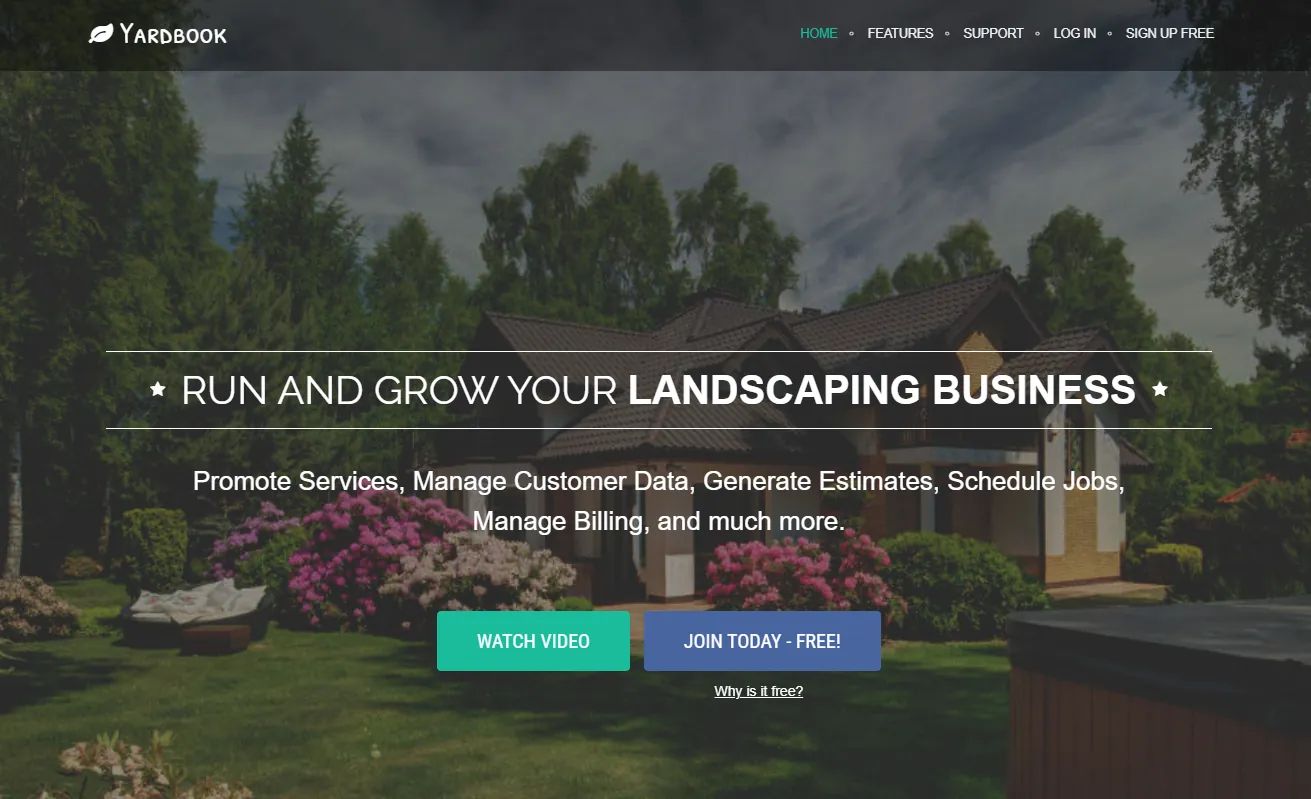
Its Starter plan is permanently free. You can create recurring appointments, manage estimates, send invoices, process card payments, and measure properties.
Yardbook also includes basic routing, allowing you to organize daily stops. It doesn't provide the advanced optimization or route-density planning needed by businesses managing larger service areas.
Paid plans add features such as GPS tracking, bulk customer messaging, invoice reminders, chemical program management, and QuickBooks integration.
Yardbook pricing
| Plan | Monthly price | Features |
|---|---|---|
| Starter | Free | Scheduling, estimates, invoicing, customer management, and basic routing |
| Business | $34.99 | GPS tracking and bulk messaging |
| Enterprise | $49.99 | QuickBooks sync and a branded customer portal |
Yardbook doesn't publish its full pricing details until account creation. The paid prices above come from third-party listings, so confirm current costs and user limits before subscribing.
Who should use Yardbook?
A solo lawn care operator with a relatively small customer list who wants to manage appointments and invoices without a monthly software bill.
It's also worth considering if you can arrange your own routes and don't need automatic optimization.
2. Jobber
Jobber combines customer scheduling, estimates, invoicing, payments, and online booking.
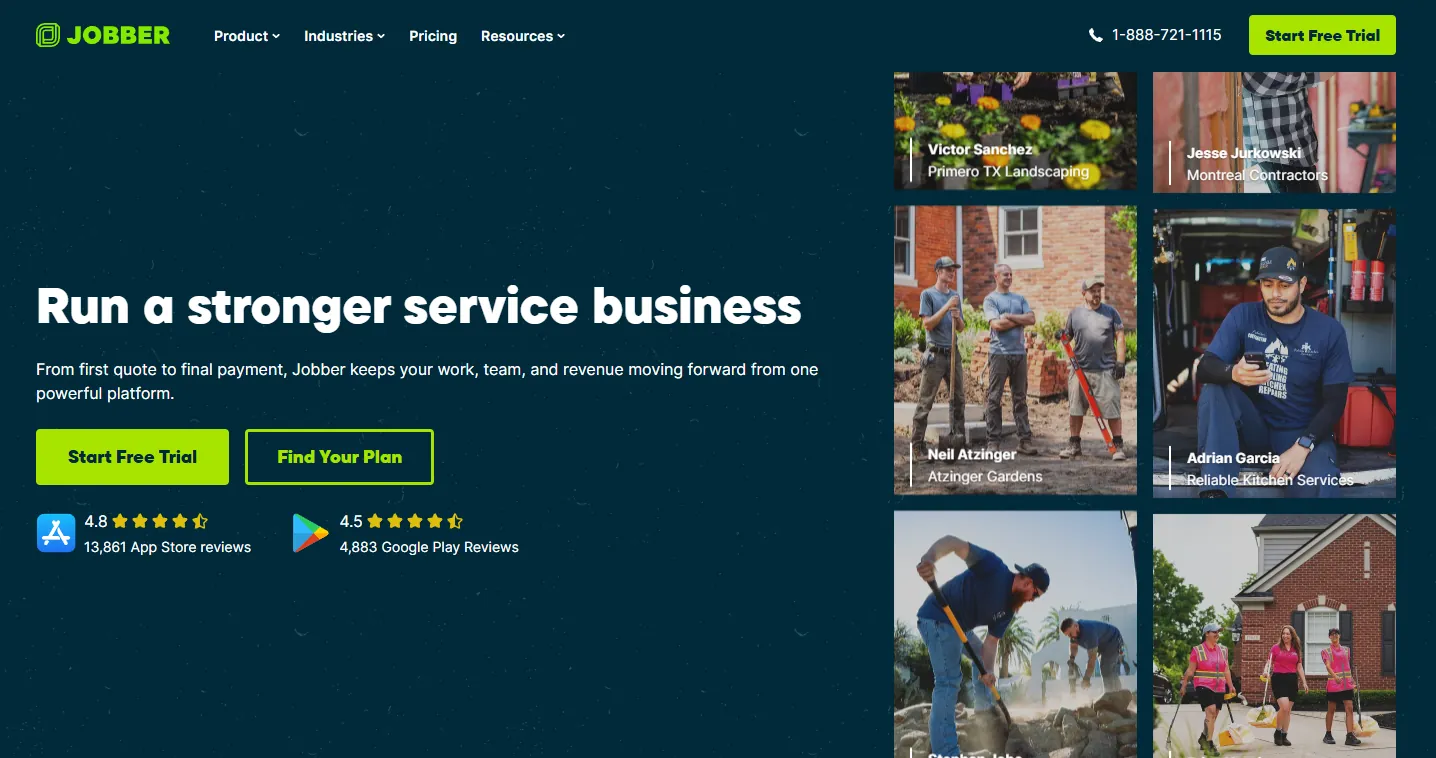
It's suited to businesses that have started hiring employees and need to manage customer appointments alongside crew routes.
The Core plan covers everyday scheduling and billing. Connect adds route optimization, GPS, QuickBooks integration, and a customer-facing booking page.
Jobber also has two routing systems that can affect how stop order is maintained. Its older master-route system stores a default property order, while its newer schedule-based optimizer arranges the stops assigned to a particular day.
You'll want to test which routing system your account uses if your crews follow a fixed sequence each week.
Jobber pricing
| Plan | Starting monthly price | Features |
|---|---|---|
| Core | $49 | Scheduling, estimates, invoicing, and payments for one user |
| Connect | Approximately $99–$139 | Route optimization, online booking, GPS, and QuickBooks integration |
| Grow | Higher-tier pricing | Additional reporting, job costing, and team features |
| Plus | Higher-tier pricing | Larger team allowances and advanced business features |
Connect pricing depends on billing terms and team size. Core doesn't include route optimization.
Who should use Jobber?
A lawn care business with one to five employees that wants to handle quoting, customer booking, scheduling, and route planning in one system.
Connect is the plan to evaluate if automated routing is a requirement.
3. GorillaDesk
GorillaDesk charges for routes instead of individual employee accounts.

That pricing model can suit lawn care companies running several fixed crews with office staff managing appointments.
The Basic plan includes scheduling, invoices, customer management, and basic routing.
Pro adds the Drive Matrix optimizer, QuickBooks integration, a customer portal, and review generation.
Every plan allows unlimited office staff and devices. Your base subscription cost depends on how many routes you need.
GorillaDesk pricing
| Plan | Price per route/month | Features |
|---|---|---|
| Basic | $49 | Scheduling, invoicing, and basic routing for up to 25 stops |
| Pro | $99 | Drive Matrix optimization, QuickBooks, customer portal, and review generation |
| Growth | $149 | Higher-tier functionality |
Moving from Basic to Pro adds $50 per route each month. Additional routes increase your total subscription cost.
GorillaDesk doesn't charge setup fees or require contracts. Its 14-day trial is available without entering a credit card.
Who should use GorillaDesk?
Businesses with one or more mowing crews that prefer to pay according to the number of routes they operate.
It's worth comparing with Jobber when you have several employees assigned to each truck, since the two products calculate subscription costs differently.
4. Service Autopilot
Service Autopilot is built for service businesses managing large numbers of recurring appointments.
Its scheduling features cover dispatch, customer billing, multi-day jobs, and route planning. Higher tiers add job costing and more extensive business automation.
Startup handles basic scheduling and invoicing. Pro introduces route optimization, multi-day job management, and job costing.
Pro Plus adds an automation engine and marketplace. These features are intended for businesses that want to automate more of their recurring operations.
Service Autopilot pricing
| Plan | Monthly price | Features |
|---|---|---|
| Startup | $49 | Scheduling, dispatch, and invoicing |
| Pro | $199 | Route optimization, multi-day jobs, and job costing |
| Pro Plus | $499 | Advanced automation and marketplace |
| Elite | Custom | Custom higher-tier offering |
Service Autopilot charges a one-time sign-up fee on every plan and uses annual billing.
Who should use Service Autopilot?
Established lawn care companies with multiple crews, high customer volume, or recurring fertilization and treatment programs.
A solo mowing business with a simple weekly calendar probably won't use enough of the advanced automation to justify the higher subscription tiers.
5. Housecall Pro
Housecall Pro combines appointment scheduling, customer booking, dispatch, and invoicing.
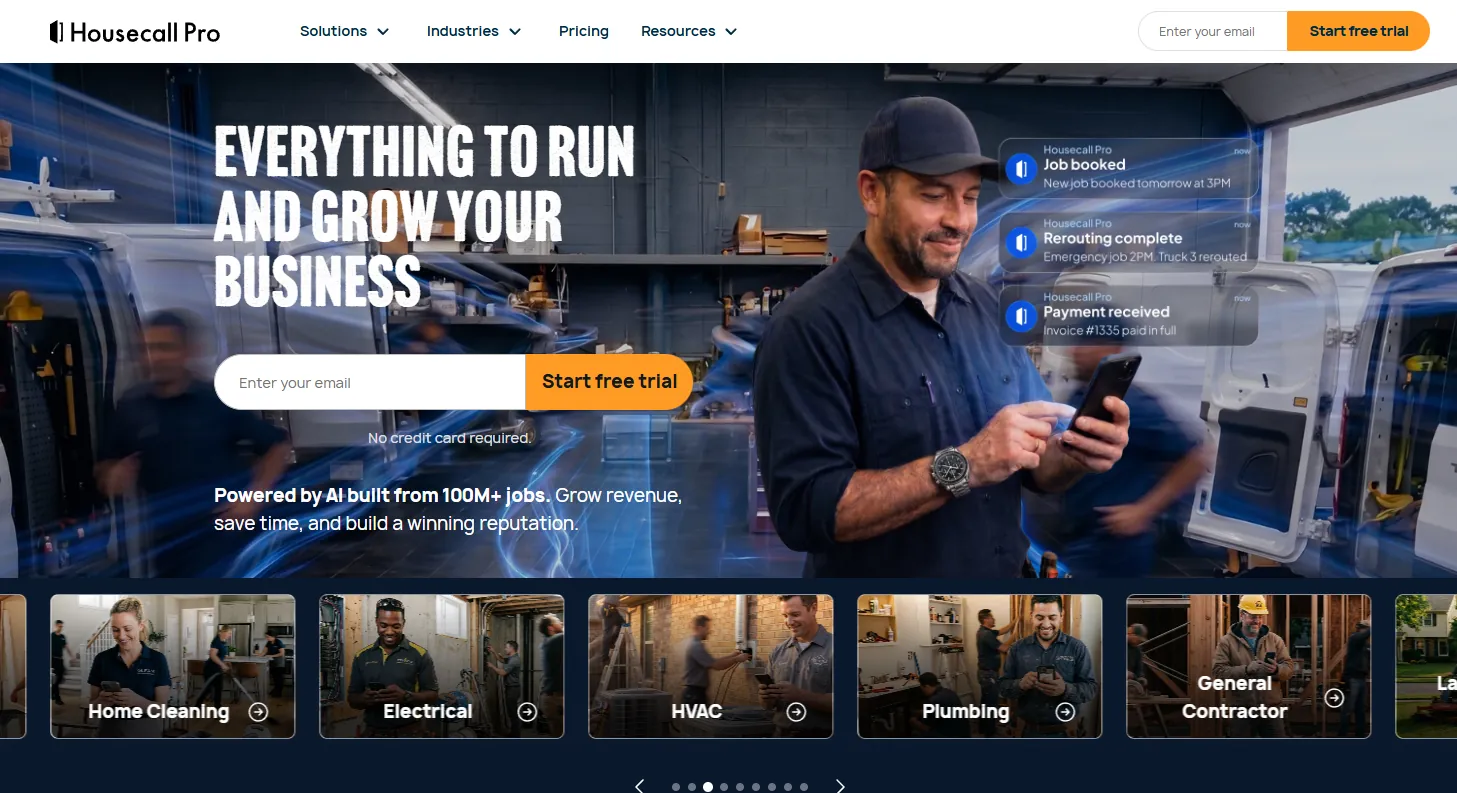
Its mobile app allows field technicians to manage assigned jobs, while office staff can organize appointments and communicate with customers.
The Essentials plan includes GPS and route ordering. Businesses that need one-click route optimization with drive-time and live-traffic information must subscribe to MAX.
MAX also includes recurring service plans.
Housecall Pro pricing
| Plan | Annual billing (per month) | Monthly billing | User allowance |
|---|---|---|---|
| Basic | $59 | $79 | 1 user |
| Essentials | $149 | $189 | Up to 5 users |
| MAX | $299 | $329 | Up to 8 users |
Basic covers scheduling, dispatch, invoicing, and online booking.
Essentials adds GPS and route ordering, while MAX provides one-click route optimization using drive-time and live-traffic information.
Who should use Housecall Pro?
Home-service businesses that handle customer bookings and dispatch alongside lawn maintenance.
For companies mainly interested in route optimization, the $299 MAX starting price is worth comparing against lower-cost routing options before committing.
6. QuoteIQ
QuoteIQ covers the process from preparing estimates to scheduling jobs, invoicing, and collecting payments.

It's useful for businesses that prepare frequent quotes and want to keep the resulting work organized.
The Essentials plan covers basic estimating, scheduling, and payments.
Higher tiers introduce satellite property measurements and photo documentation. Elite adds route optimization and InstaSchedule, which lets customers book appointments online.
QuoteIQ pricing
Essentials costs $29.99 per month for one user.
Route optimization and InstaSchedule are available on Elite, but published prices are inconsistent.
QuoteIQ's public pricing page has listed Elite near $299.99 per month, while its help documentation has shown figures as low as $249.99. The exact Elite and Max prices should be confirmed with QuoteIQ before subscribing.
Essentials doesn't include route optimization or online self-booking.
QuoteIQ also offers flat pricing without per-user charges on the relevant team offering.
Who should use QuoteIQ?
Lawn care companies that prepare a high number of estimates and want scheduling, billing, and quoting in one product.
If route optimization or customer self-booking is essential, check the current Elite price first.
7. Arborgold
Arborgold is built for businesses offering several types of property maintenance.
A company handling mowing, tree care, and other landscaping services can manage jobs and estimates alongside scheduling and route planning.
Companies selling multiple service types can also use our landscaping marketing strategies guide when planning how to attract the right projects.
Its features include drag-and-drop scheduling, route optimization, job management, and coordination between different service lines.
Arborgold pricing
Starter costs approximately $129 per month with an annual contract, or about $149 on the monthly pricing basis shown in the original comparison.
Scheduling and route optimization are listed in Starter. Additional user licenses require a quote.
Who should use Arborgold?
Established landscaping businesses that manage tree care and lawn maintenance together.
Its annual commitment and broader job-management features make it less suitable for a solo operator running a single mowing route.
What lawn care scheduling software actually does
Lawn care scheduling software helps businesses arrange customer appointments, assign work to crews, and manage recurring visits.
Depending on the product and subscription, it may also handle estimates, invoices, route planning, customer communication, and employee schedules.
Six features are commonly grouped under scheduling software, even though they handle different tasks.
| Feature | What it does |
|---|---|
| Recurring job scheduling | Automatically creates weekly, biweekly, or monthly customer visits |
| Crew scheduling | Assigns working hours and shifts to employees |
| Online booking | Lets customers request or book appointments |
| Map view | Displays scheduled properties on a map |
| Route optimization | Automatically arranges stops to reduce driving between properties |
| Customer management and invoicing | Stores customer records, tracks completed work, and manages payments |
For a lawn care business mowing the same 50 properties throughout the season, recurring scheduling is particularly useful. You can create the service schedules once and have future appointments generated automatically.
If you are building your customer list from scratch, our guide to starting a lawn care business covers the setup and first-customer steps.
Route optimization handles a different task. It determines the order in which crews should visit those properties to reduce unnecessary driving.
A map showing customer addresses doesn't necessarily optimize routes. Some products let you view and manually reorder stops without calculating a more efficient sequence.
Employee scheduling software is another separate category. Connecteam, for example, handles employee shifts, GPS time tracking, and team communication. It doesn't optimize routes between customer properties or manage customer invoicing.
If your main problem is organizing employees, crew scheduling may be enough. If you're spending hours planning mowing routes, look specifically for route optimization.
For businesses still working on customer acquisition, our lawn care marketing guide covers how to attract customers before adding them to your schedule.
How much does lawn care route optimization cost?
Route optimization generally costs more than basic scheduling because vendors reserve it for higher subscription tiers.
| Software | Entry-level plan | First plan with route optimization |
|---|---|---|
| Jobber | Core, $49/mo | Connect, approximately $99–$139/mo |
| Service Autopilot | Startup, $49/mo | Pro, $199/mo |
| GorillaDesk | Basic, $49/route | Pro, $99/route |
| Housecall Pro | Basic, $59/mo annually | MAX, $299/mo annually |
| QuoteIQ | Essentials, $29.99/mo | Elite, approximately $249.99–$299.99/mo |
Service Autopilot is a clear example of the pricing difference. Its Startup plan costs $49 per month and covers scheduling and invoicing. Businesses needing route optimization must move to Pro at $199 per month, approximately four times the entry price. A one-time sign-up fee also applies.
Housecall Pro has a similar gap. Basic costs $59 per month with annual billing, but one-click route optimization is available on MAX at $299 per month.
GorillaDesk's pricing works differently. Basic costs $49 per route and includes basic routing for up to 25 stops. Pro costs $99 per route and adds the Drive Matrix optimizer. The total increases as you add routes.
Pro tip: When comparing plans, look for the exact feature name route optimization. A plan advertising routing, route maps, or stop ordering may still require you to arrange visits manually.
Other lawn care scheduling tools worth considering
The seven products above cover most small-business scheduling needs. Larger treatment companies and landscaping contractors may need software built around their particular operations.
RealGreen by WorkWave
RealGreen focuses on lawn treatment and fertilization businesses handling high volumes of recurring customer visits.
It includes scheduling, dynamic route planning, treatment-program management, and mobile apps for field employees.
Pricing is available through a custom quote.
RealGreen is better suited to established treatment companies than small mowing operations.
FieldRoutes
FieldRoutes is designed for larger recurring-service operations, including pest control and lawn services.
Its scheduling features include a dynamic scheduler and intelligent routing within a broader business management platform.
FieldRoutes doesn't publish standard pricing. Businesses must request a quote.
It's an option for companies whose route volume has grown beyond what smaller scheduling platforms can handle.
LMN
LMN focuses on landscape estimating, job costing, and crew planning.
It includes scheduling, but its main appeal is managing project estimates and labor costs for landscaping businesses.
Starter costs approximately $297 per month, while Professional is around $648 per month.
LMN is worth considering for established landscaping contractors where estimating and job costing take priority over recurring mowing route optimization.
Connecteam
Connecteam handles workforce scheduling rather than customer appointment routing.
It provides employee shift scheduling, GPS time tracking, and team communication.
A free plan is available. Paid subscriptions depend on the selected modules and team size.
Connecteam doesn't automatically arrange customer visits into optimized routes or manage customer invoicing.
A lawn care company could use it alongside a field-service scheduling tool to manage employee hours and communication.
How to schedule recurring lawn care jobs
Recurring scheduling should allow you to create a customer's service plan once and automatically generate future appointments.
For example, a customer might need mowing every Monday, while another property requires service every second Thursday. The software should place those appointments on the correct dates without manual entry every week.
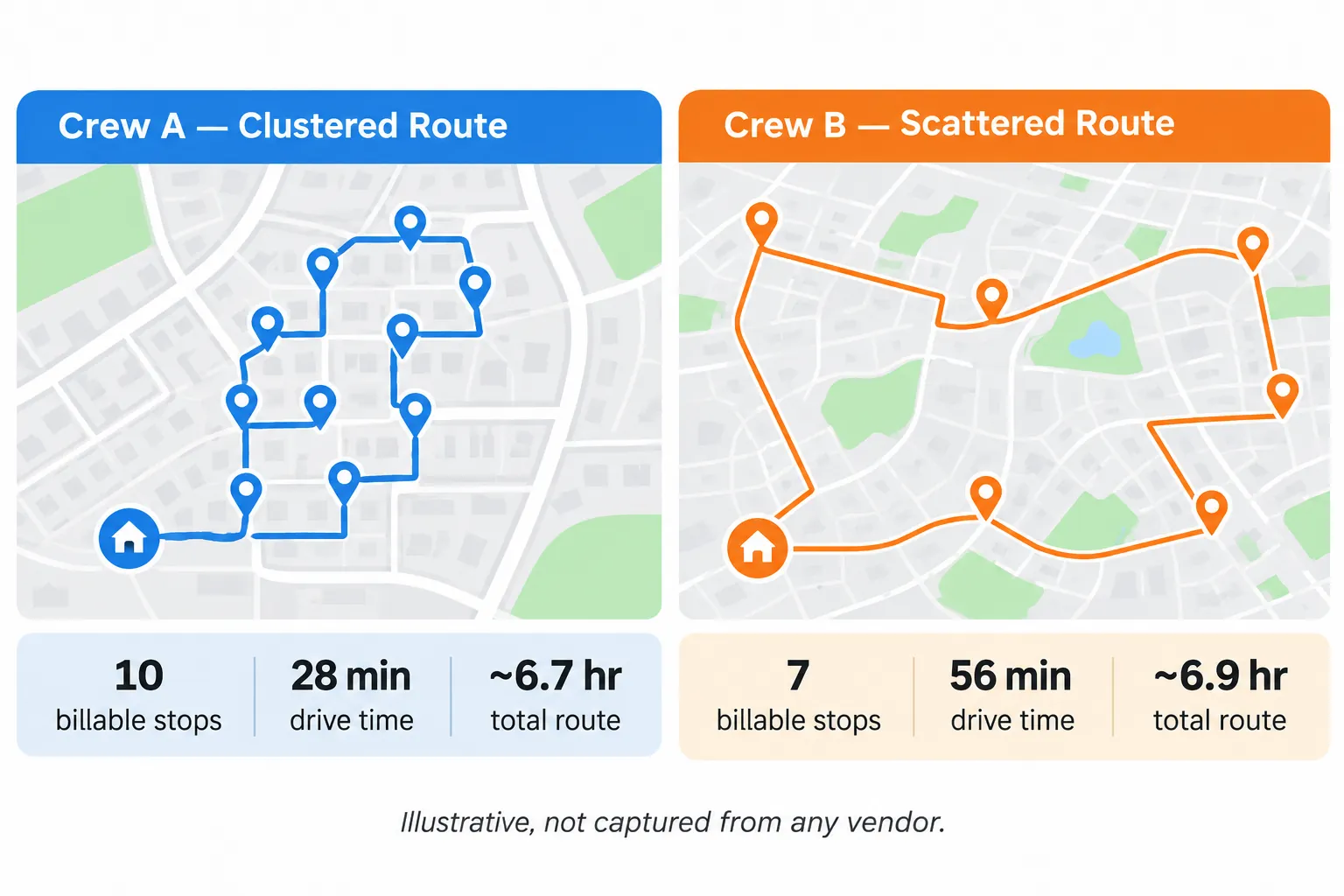
Before subscribing, test the recurring schedule with a realistic workload.
Test a schedule with 50 customers
Create 50 customer records in the software:
- 35 customers needing weekly mowing
- 15 customers needing biweekly mowing
Assign the properties to two mowing crews. Add the expected service duration for each property so the schedule accounts for how long each job takes.
Then assign any fixed-day appointments. A commercial property, for example, might allow mowing only on Mondays.
Generate the schedule for the next four weeks.
Check whether the software places all 50 customers on the correct dates. Biweekly customers should appear on alternating weeks without needing to be recreated.
Next, change one customer from weekly to biweekly mowing.
The system should update their future appointments without changing the schedules of the other 49 customers.
Check how skipped appointments affect billing
Recurring service scheduling also needs to work with your invoicing system.
For a closer comparison of invoices, payment collection, and recurring billing, see our lawn care billing software guide.
Suppose a customer skips a mowing visit because they're away for a week. You should be able to mark the appointment as skipped and have billing follow the agreed payment arrangement.
For per-visit billing, the software should avoid charging for work that wasn't completed.
For flat monthly billing, it should continue charging according to the customer's agreed service plan.
The easiest way to test this is to create five recurring appointments, deliberately skip one, and review the resulting invoice.
Doing this before importing your entire customer list can prevent billing problems later.
How to reschedule lawn care jobs after rain
Rain can cancel an entire mowing day, leaving crews with appointments they still need to complete.
The scheduling software should let you move affected jobs to another available day without changing each appointment individually.
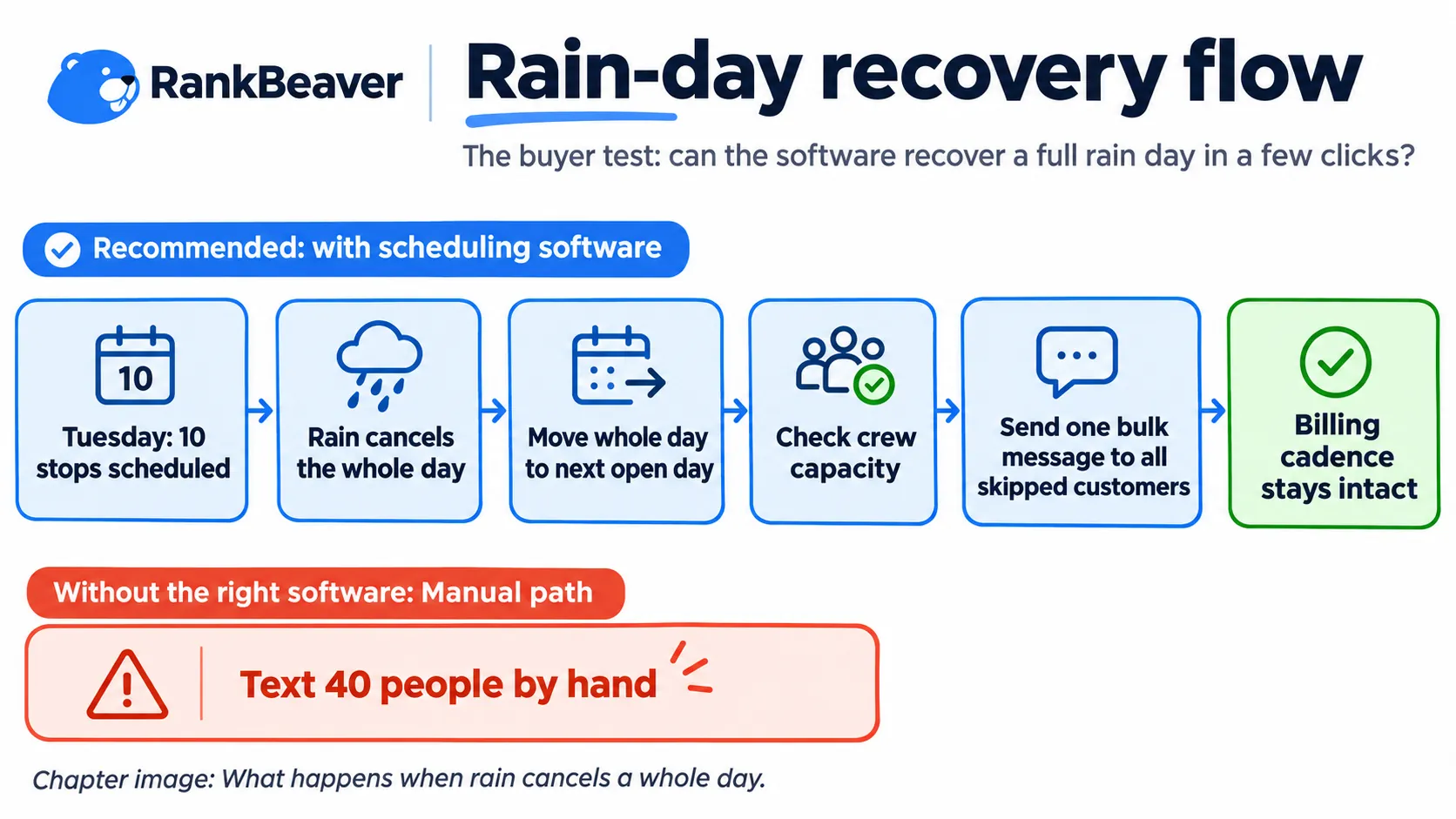
It should also account for crew availability and help you notify customers about the delay.
Test a full-day cancellation
Suppose your crews have 10 mowing appointments scheduled for Tuesday.
Heavy rain makes it impossible to complete the work.
Try moving all 10 appointments to the next available day.
The software should allow you to reschedule those jobs together. Check whether it warns you if Wednesday is already full or if a crew would be assigned more work than it can complete.
Next, check customer communication.
Can you send one message to all 10 affected customers, or do you need to open each customer record and send an individual text?
The message should explain that the visit was missed because of weather and provide the revised service date.
Finally, review the invoices and recurring schedules. Moving Tuesday's appointment to Wednesday shouldn't create an extra charge, remove an expected charge, or interfere with the next recurring visit.
Also check any fixed-day customers whose appointments could be affected by the revised route.
Some products support bulk rescheduling and customer notifications. Others require more manual work. Count how many actions each product needs during its trial.
Keep a makeup day available
Benjamin Brasel, owner of Benjamin Lawn and Landscaping in Prairie Village, Kansas, manages five crews mowing approximately 350 properties each week.
He has operated the business for 20 years.
During a wet spring, Brasel told FOX4 Kansas City that his company deliberately leaves Fridays open for jobs delayed by rain.
"We won't deliberately schedule anything on Fridays, so we have one makeup day for the week."
He also described using bulk messages to notify affected customers when their service dates change.
Instead of contacting every customer separately, the business can send one communication to the customers whose lawns were skipped.
That approach is worth testing in scheduling software.
A reserved makeup day gives crews room to complete postponed visits. Bulk messaging reduces the work involved in notifying customers, particularly when rain affects dozens of properties.
Leaving one day unscheduled each week can also help when several wet days occur close together.
Does route optimization keep the same stop order each week?
Not always. Some lawn care scheduling tools recalculate the route when appointments change, which can alter the order of stops you've already arranged.
This matters when crews follow regular routes and certain properties need to be visited at specific times.
How Jobber handles route order
Jobber has used two routing systems.
Its legacy master-route system lets users set a default order for properties.
Its newer schedule-based route optimizer arranges stops according to the appointments scheduled for a particular day.
The difference affects whether a stop you've manually placed at the beginning of a route stays there when the schedule changes.
Before relying on a route sequence, run this test:
- Create a route with several customer properties.
- Manually set the stop order.
- Change an unrelated appointment elsewhere in the week's schedule.
- Open the route for the following week and see whether your original sequence remains.
If the software automatically changes the sequence, check whether you can lock specific stops or preserve the order for recurring visits.
This is especially relevant for businesses with established routes.
Jim Beveridge, owner of Yards Done Right in Westlake, Ohio, adopted routing software to increase route density across his customer base.
For businesses organizing stops around geographic clusters, it's useful to know whether the software maintains that arrangement or requires additional adjustments when appointments change.
What lawn care scheduling software costs for different team sizes
Monthly subscription costs depend on the number of users, the number of routes, and the features you need.
Some providers include multiple employees in one subscription. Others charge for each route or limit the number of users on a plan.
Customer texting, additional licenses, sign-up fees, and annual billing terms can also affect the amount you pay.
The following examples use the published prices discussed above. They're illustrative budgets, not vendor quotes.
Solo operator with one user
A solo operator mowing approximately 60 properties each week may need recurring scheduling and route optimization.
Possible costs include:
| Software | Monthly cost | Routing |
|---|---|---|
| Yardbook Starter | Free | Basic routing |
| Jobber Connect | Approximately $99–$139 | Optimized routing |
For paid route optimization, expect approximately $99 to $139 per month based on these options.
If you can arrange your stops manually, Yardbook offers a free alternative.
A solo business with a compact service area may find manual planning sufficient, especially if the route changes only occasionally.
Two crews with five users
A business running two mowing crews needs to consider both employee access and route allowances.
GorillaDesk Pro charges $99 per route, so the total depends on how many routes you run. Customer SMS credits may add to the cost.
Jobber Connect supports routing and can cover up to five users at approximately $139 per month, depending on the subscription.
Housecall Pro Essentials allows up to five users, but its route optimization feature requires MAX at $299 per month with annual billing.
The resulting subscription budget for these examples is approximately $139 to $299 per month, with the final amount depending on route count and other charges.
Before choosing, calculate how many separate routes your crews will need. A per-route subscription can cost substantially more as the fleet grows.
Three crews with 10 users
Businesses with three crews and around 10 employees may need more scheduling capacity and automation.
Service Autopilot Pro starts at $199 per month and includes route optimization. It also has a one-time sign-up fee.
Pro Plus costs $499 per month and adds the automation features.
GorillaDesk's pricing increases according to the number of routes. A three-route operation on Pro will cost more than the $199 level.
RealGreen and FieldRoutes are also possibilities, although both require custom quotes.
For budgeting, the original comparison places this type of operation in the approximate $199 to $500 monthly range, before additional fees or custom enterprise pricing.
Check employee limits carefully. Some plans that appear affordable for a small crew won't accommodate 10 users without an upgrade.
Additional costs to check
Subscription pricing may exclude expenses that affect your monthly bill.
Service Autopilot charges a sign-up fee. GorillaDesk uses per-route pricing. Other products may charge for employees beyond the plan's user allowance.
Some customer messaging features require additional SMS credits.
Monthly subscriptions can also cost more than plans billed annually.
Pro tip: Before comparing totals, ask each vendor for pricing based on your actual employee count, route count, billing preference, and expected messaging volume.
Which lawn care scheduling software should you choose?
The right product depends mainly on how many customers you serve, how your crews operate, and which parts of the schedule you want to automate.
| Business type | Recommended software | Reason |
|---|---|---|
| First-year solo operator | Yardbook Starter | Free scheduling and basic business management |
| Solo operator with 60+ lawns | Jobber Connect | Optimized routing for a growing customer list |
| Business with 1–3 mowing crews | GorillaDesk Pro or Jobber Connect | Route-based or user-based plans for managing crews |
| High-volume recurring service business | Service Autopilot | Route scheduling and advanced automation |
| Home-service business offering online booking | Housecall Pro | Customer booking, dispatch, and mobile job management |
| Landscaping and tree care company | Arborgold | Scheduling across multiple service lines |
| Business preparing frequent estimates | QuoteIQ | Estimating, scheduling, and flat team pricing |
For businesses with limited budgets, start by determining whether basic routing is enough.
Before expanding to new neighborhoods, check whether customers can find your business on Google. Our Google Business Profile optimization guide covers the setup and service-area details.
If you mow 60 properties in a small geographic area and already know the most efficient visiting order, a free scheduling tool may cover your needs.
A company with several crews covering different service areas has more reason to pay for optimization, especially when stops change frequently.
Automation is another consideration. Service Autopilot's upper tiers make more sense when a business has enough recurring work to use those features.
Compare the monthly cost of the routing plan with the driving and administrative time it could realistically save.
What to test before switching lawn care scheduling software
Moving scheduling software can involve transferring customer records, previous invoices, and recurring service plans.
Test the new product with a small set of actual customer data before moving everything.
Use the following checks during a free trial.
1. Import customer records
Import a sample of your customer list.
Check whether customer names, addresses, contact information, and service details appear correctly.
Record how much manual work is needed to prepare and clean the imported records.
2. Create and edit recurring appointments
Set up five recurring mowing jobs.
Change one from weekly to biweekly and check whether future appointments update automatically.
Confirm that the other jobs remain unchanged.
3. Check route-order persistence
Create a route with a specific stop order.
Change an appointment elsewhere in the schedule, then review the following week's route.
Check whether the stop order remains as you arranged it.
4. Reschedule an entire day
Cancel a day's appointments to simulate a rain delay.
Move the jobs to another day and check for crew conflicts.
Count how many clicks it takes to reschedule the work and notify affected customers.
5. Test the mobile app with poor connectivity
Open the mobile app in an area with weak mobile reception.
Check whether employees can access job details or continue working without a stable connection.
Confirm which features, if any, work offline.
6. Export customer and billing data
Check whether you can export customer records, historical invoices, and recurring service plans.
A usable format such as CSV makes it easier to transfer information to another product later.
Also confirm how the software handles QuickBooks synchronization and automated customer reminders if your business relies on those features.
Pro tip: Customer data export is worth checking before signing an annual contract. A product that makes it difficult to retrieve your records can make switching expensive and time-consuming.
Frequently asked questions
Q.1 Is there free lawn care scheduling software that actually works?
Yes. Yardbook Starter offers free scheduling features for lawn care businesses.
Yardbook includes customer management, estimates, invoicing, recurring appointments, and basic routing.
Businesses that require automatic route optimization should compare paid plans, while Yardbook can handle basic stop ordering.
Free software can work well for a solo operator with a small customer list, particularly when routes are easy to arrange manually.
Q.2 What's the difference between booking and scheduling software?
Booking software lets customers choose or request appointment times online.
Scheduling software organizes those appointments into a working calendar and assigns jobs to employees or crews.
A booking page can help customers arrange one-time lawn services. Recurring scheduling automatically generates future appointments for customers who need weekly or biweekly maintenance.
Some products offer both features, although they may be available on different subscription tiers.
Q.3 Can lawn care scheduling software manage 50 recurring customers?
Yes. Jobber, GorillaDesk, Service Autopilot, Housecall Pro, and Yardbook can support recurring service schedules for this type of workload.
However, free plans may have customer or user limits.
Before subscribing, create a mix of weekly and biweekly appointments and generate the schedule several weeks in advance.
Check whether appointments repeat correctly and whether changes to individual customer schedules carry forward.
Q.4 Which lawn care scheduling plan includes route optimization?
The required plan varies by provider.
Jobber offers route optimization on Connect, while GorillaDesk and Service Autopilot require Pro.
Housecall Pro offers one-click route optimization on MAX. QuoteIQ requires Elite.
Yardbook includes basic routing on its free plan but doesn't offer advanced route optimization.
Check the exact routing feature included in each plan before subscribing.
Q.5 How can I reschedule lawn care appointments after rain?
Use bulk rescheduling to move affected appointments to another available day, if your software supports it.
Check the new schedule for double bookings, fixed-day appointments, and crews that may already be at capacity.
Then notify affected customers using a bulk message rather than contacting everyone separately.
It's also worth reserving a makeup day each week so postponed visits have somewhere to go without disrupting the rest of the schedule.
Q.6 Can I export my data if I switch scheduling software?
That depends on the product and its export features.
Before subscribing, confirm that you can download your customer records, historical invoices, and recurring service plans in a usable format such as CSV.
Some systems make these exports easier than others.
If you have a large customer list, test an export before committing. Having your data available in a standard format can reduce the amount of manual entry needed when moving to another provider.
Before you pay for a subscription
Choose a plan based on the number of routes and employees you'll actually manage.
For a solo mowing business, free scheduling software may be enough. Once you're running several crews or frequently changing appointments, route optimization and bulk rescheduling become more useful.
Test at least one recurring schedule and one full-day rain cancellation before subscribing. Those two situations will show how much manual work the software requires.
Your service area also affects scheduling. Adding customers across distant neighborhoods can increase driving time, even when routes are optimized.
If you're planning to expand into new areas, use our local rank grid to check where your business appears in local search results across your service territory. You can compare those areas with the neighborhoods your crews can realistically serve.
If you want help improving the visibility of your lawn care business in nearby searches, explore RankBeaver’s local SEO and Google Business Profile services.