
Lawn care invoice software should let you bill customers for completed jobs without entering the same information twice. For a business mowing 60 lawns a week, that can save hours of manual invoicing.
The difficulty comes when the schedule changes. A customer cancels because of rain. Someone requests an extra hedge trim. Another customer pays only part of their bill. Your invoicing software needs to handle these situations without creating incorrect charges or leaving you to fix everything manually.
Start by checking whether the software can generate invoices from completed jobs, collect recurring payments, handle cancellations, and record payments correctly in your accounting system.
Free invoicing software may be enough for a solo operator with a few customers. Once you're managing a full weekly route, automatic invoicing and payment collection become worth paying for.
On this page
- How much does lawn care invoice software cost in 2026?
- Lawn care invoice software worth comparing in 2026
- What to compare in lawn care invoice software
- How lawn care billing schedules work
- What should a lawn care invoice include?
- How to test lawn care invoice software before buying
- Which lawn care invoicing setup fits your business?
- Frequently asked questions
- Before you subscribe
How much does lawn care invoice software cost in 2026?
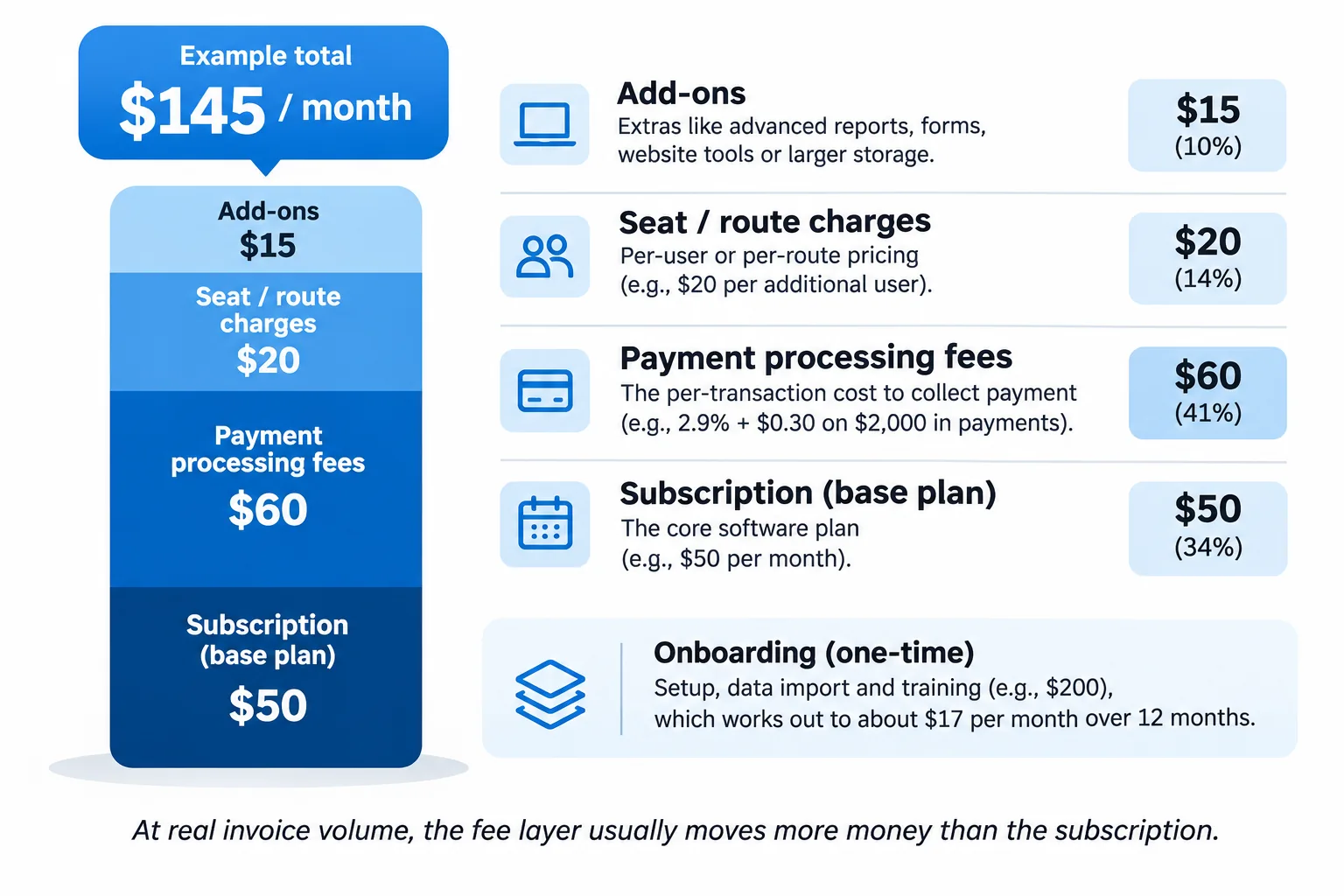
Some invoicing tools offer free plans. Paid software in this comparison starts at $34.99 per month for Yardbook Business, while platforms built for established landscaping operations can cost several hundred dollars per month. The total cost depends on the subscription plan, number of users or routes, payment processing fees, and any required add-ons.
The prices below are recorded November 2026 figures. They are provided for comparison and should be confirmed on each vendor's website. Promotional discounts, annual billing requirements, and changes to subscription plans can affect the final price.
| Software | Starting price and plans | Features or restrictions to check |
|---|---|---|
| Yardbook | Free Starter; Business $34.99/month; Enterprise $49.99/month | Automatic reminders on Business; QuickBooks sync on Enterprise |
| Jobber | Core $49/month ($29/month annually); Connect $139/month ($99/month annually) | Automatic collection and QuickBooks sync on Connect |
| Square Invoices | Free $0; Plus $49/month per location | Processing rates differ by plan |
| Wave | Free Starter; confirm current paid pricing | Payment processing fees are separate |
| QuickBooks Online | Simple Start $38/month; Essentials $85/month | Recurring transaction templates on Essentials |
| GorillaDesk | Basic $49/month for the first route; Pro $99/month for the first route | Subscription billing and QuickBooks on Pro |
| Housecall Pro | Basic $59/month, billed annually | Recurring service plans require a higher tier |
| Service Autopilot | Startup $49/month billed annually; Pro Plus $499/month billed annually | Signup fee and higher-tier workflow automation |
| LMN | Starter $297/month billed monthly | Onboarding fee; job-linked invoicing and collections |
When is free invoicing software enough?
Free software can work for a solo lawn care business that sends relatively few invoices and handles billing manually. For example, if you mow 10 lawns each week and send monthly invoices, you may not need a paid field-service platform. The limitations become more noticeable as your customer list grows.
Features such as generating invoices from completed jobs, automatically charging customers, sending payment reminders, and synchronizing transactions with accounting software are frequently restricted to paid plans. Before upgrading, identify which manual tasks the paid version would actually eliminate. A free tool may remain suitable if you're comfortable managing the work yourself.
Don't overlook payment processing fees
Subscription prices are only one part of the expense. Every card payment may carry a processing fee. The amount depends on the provider and the payment method. Consider a lawn care company collecting 100 payments of $50 each month.
That's $5,000 in monthly revenue. Here's how two illustrative card processing rates compare:
| Card processing rate | Fee per $50 payment | Total for 100 payments |
|---|---|---|
| 2.9% + $0.30 | $1.75 | $175 |
| 3.3% + $0.30 | $1.95 | $195 |
| Difference | $0.20 | $20 |
The lower rate saves $20 per month at this transaction volume. If reaching that rate requires upgrading to a $49 monthly subscription, the processing savings alone won't cover the upgrade. Check what other features are included before paying more.
ACH payments can reduce collection costs
ACH payments transfer money directly between bank accounts and often cost less to process than credit cards. For a commercial lawn care customer paying $800 per month, a 3% credit card processing fee comes to $24 per payment. That's approximately $288 over a year for that customer alone.
If the customer pays through ACH or check, you may avoid most of those card processing costs, depending on your provider's charges. Consider offering ACH to recurring residential and commercial customers, particularly those making larger payments. Card payments can still be convenient for new customers or one-time services.
Check how the software charges for additional users or routes
Some platforms charge according to the number of users. Others base pricing on the number of routes. A company operating one route with two employees may face a different subscription cost from a company operating two routes with one employee assigned to each.
GorillaDesk, for example, lists prices for the first route. When comparing subscriptions, calculate the cost for your actual number of employees and routes. Also account for any setup or onboarding fees.
Lawn care invoice software worth comparing in 2026
The following products cover lawn care management, standalone invoicing, accounting, and general field-service operations. The prices and features are based on the November 2026 comparison above. These products have not been independently tested for this article, so confirm their capabilities with the vendor and through a trial before subscribing.
Lawn care and landscaping management software
Yardbook
Yardbook combines customer management, scheduling, estimates, and invoicing in one lawn care management system. Its free Starter plan makes it an option for solo operators who need basic invoicing without another monthly subscription. Paid plans add features for businesses that need more automated billing. Automatic reminders are listed under the Business plan, while QuickBooks integration is listed under Enterprise.
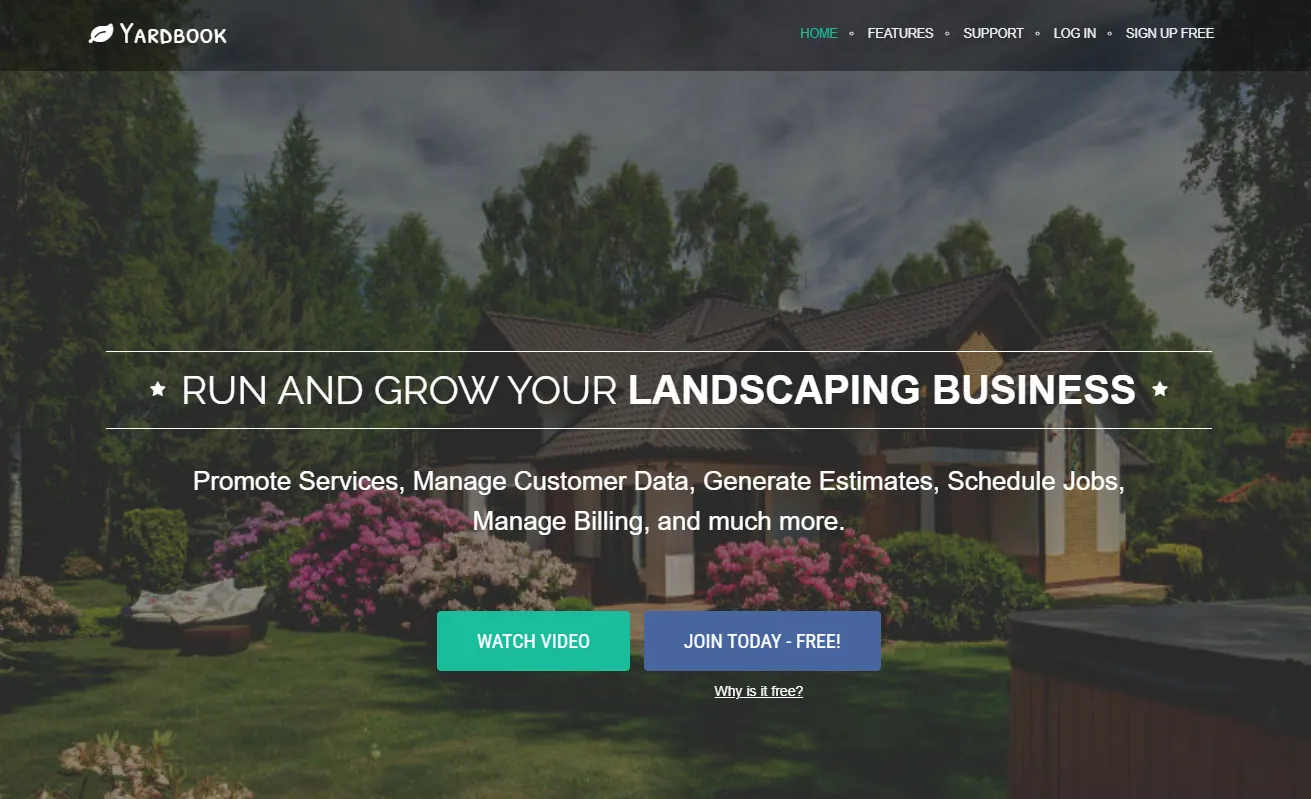
Pricing: Free Starter; Business at $34.99 per month; Enterprise at $49.99 per month.
Best for: Solo lawn care operators and small companies looking for a free starting option with paid upgrades available.
Jobber
Jobber connects field-service scheduling with invoicing. When a job is completed, its details can be used to create the customer invoice. This makes it relevant for growing lawn care companies that want billing tied to their daily work schedule.
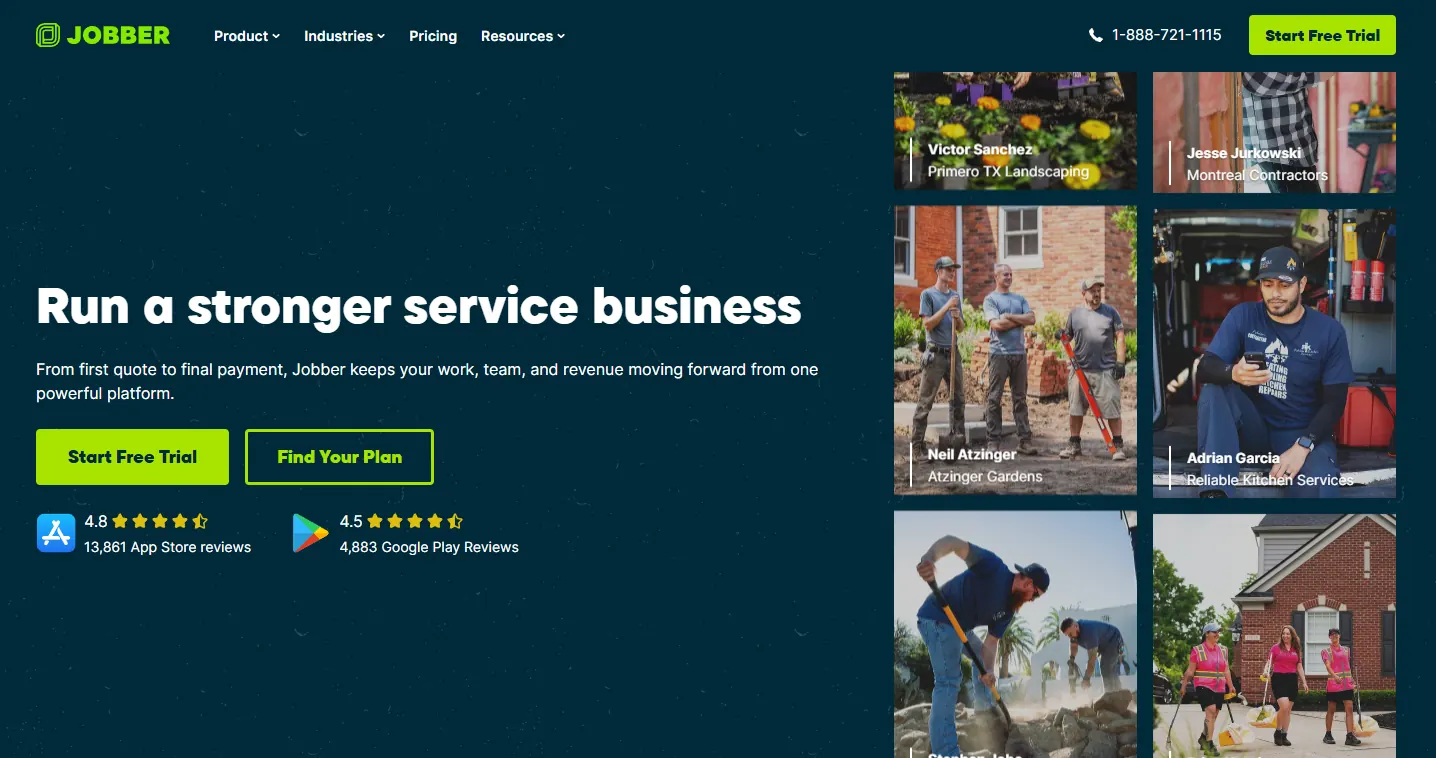
Jobber also supports online payments. Automatic payment collection and QuickBooks synchronization are listed under the Connect plan. Those features affect the subscription cost considerably, so compare the Core and Connect plans against the billing tasks you need to automate.
Pricing: Core at $49 per month, or $29 per month with annual billing. Connect costs $139 per month, or $99 per month billed annually.
Best for: Growing lawn care businesses that want job-based invoicing and automatic payment collection.
Service Autopilot
Service Autopilot combines lawn care scheduling and route management with invoicing and workflow automation. Its higher subscription tiers cover more involved operational processes, including job costing and automation for businesses managing several crews. The entry subscription may not include the advanced features you're considering the platform for. There is also a signup fee to include in your budget.
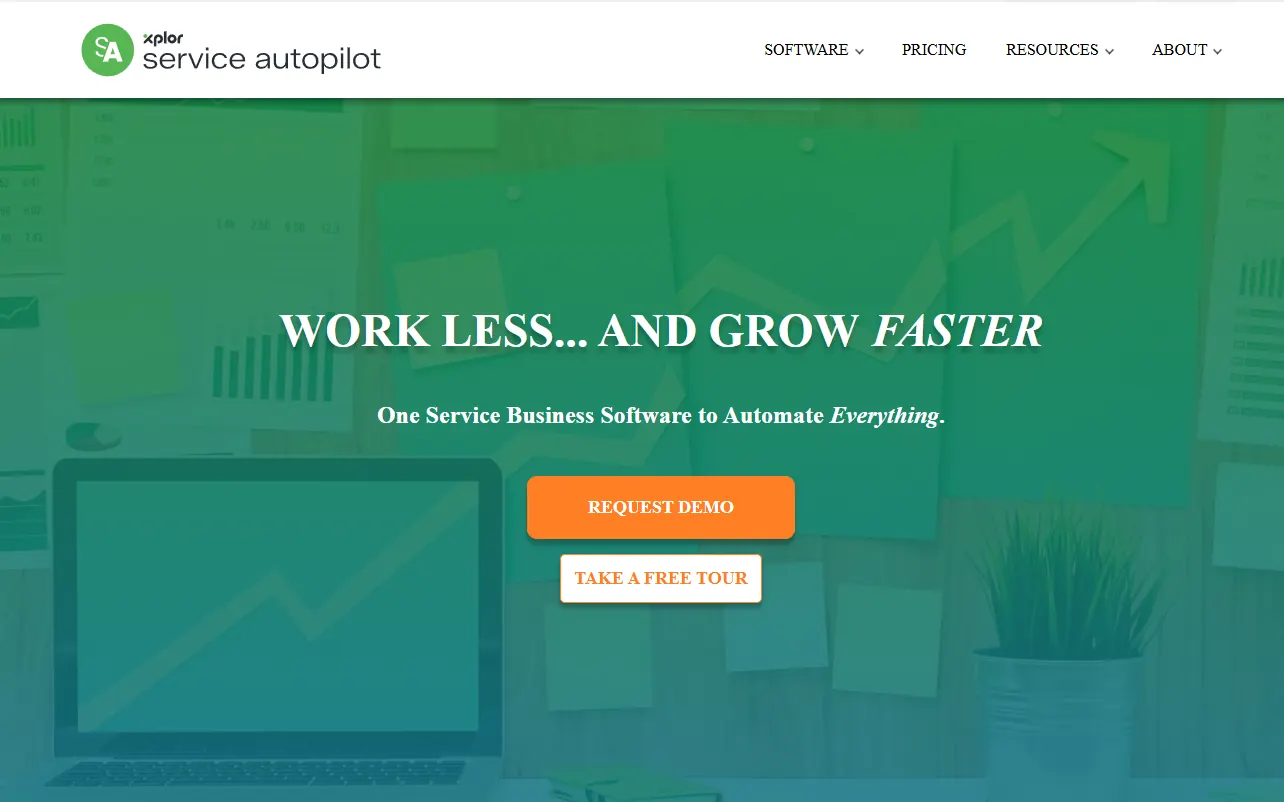
Pricing: Startup at $49 per month billed annually; Pro Plus at $499 per month billed annually. A signup fee applies.
Best for: Established lawn care companies operating multiple crews and managing recurring service schedules.
LMN
LMN focuses on landscaping companies that need estimating, job costing, crew management, and billing connected within the same system. Its invoicing features include job-linked automatic invoices and payment collection. The platform is suited to businesses that need to track the costs of completing jobs alongside the amounts they bill customers. Its subscription and onboarding costs make it a more substantial investment than basic invoicing software.
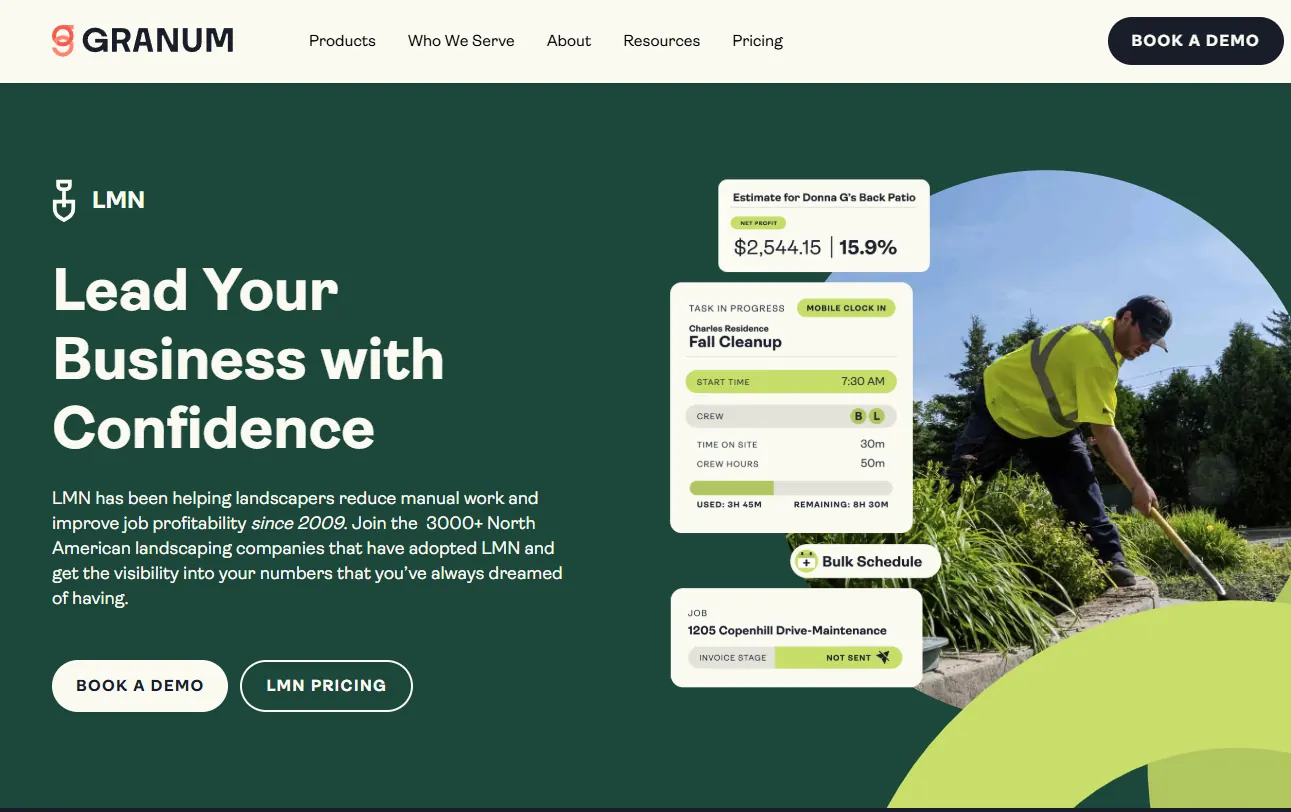
Pricing: Starter at $297 per month billed monthly, with an onboarding fee.
Best for: Established landscaping companies that need invoicing connected to estimating and job costing.
Standalone invoicing and accounting software
Square Invoices
Square Invoices lets you create invoices and accept payments without adopting a complete lawn care management system. It supports online invoicing, card payments, ACH payments, and recurring invoices.
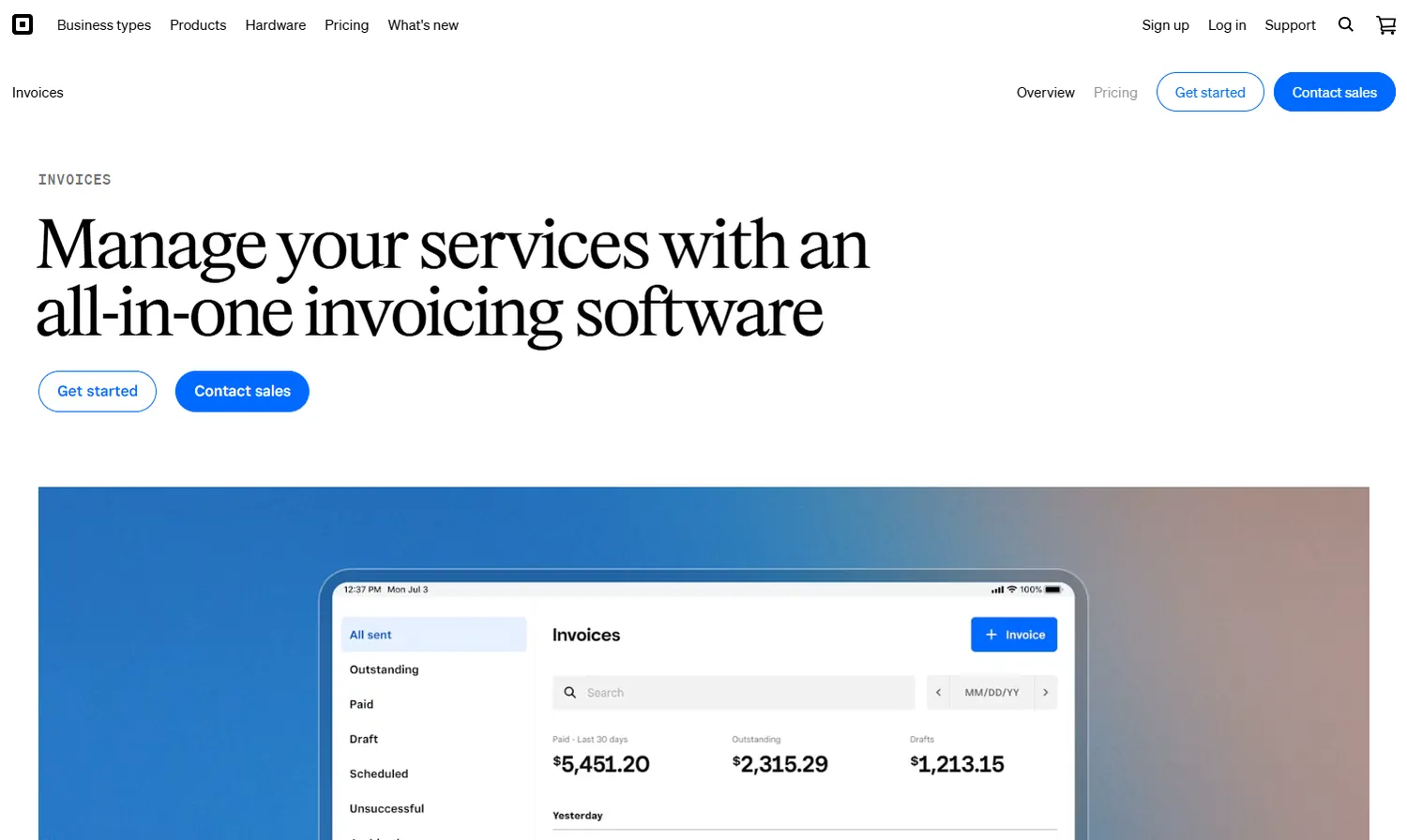
Square does not provide the same lawn care scheduling and completed-job billing workflow as a dedicated field-service platform. You would need to handle that part separately. The Plus subscription changes payment processing rates, which makes it worth comparing the fee structures against your transaction volume.
Pricing: Free at $0; Plus at $49 per month per location.
Best for: Lawn care operators who need basic invoicing and payment collection without route management software.
Wave
Wave combines invoicing and accounting, making it an option for owners who prefer handling customer bills and bookkeeping in the same application. It offers a free Starter plan. Payment processing comes with separate transaction fees. Wave focuses on accounting rather than field operations, so you'll still need to manage mowing schedules and completed visits outside its invoicing workflow.
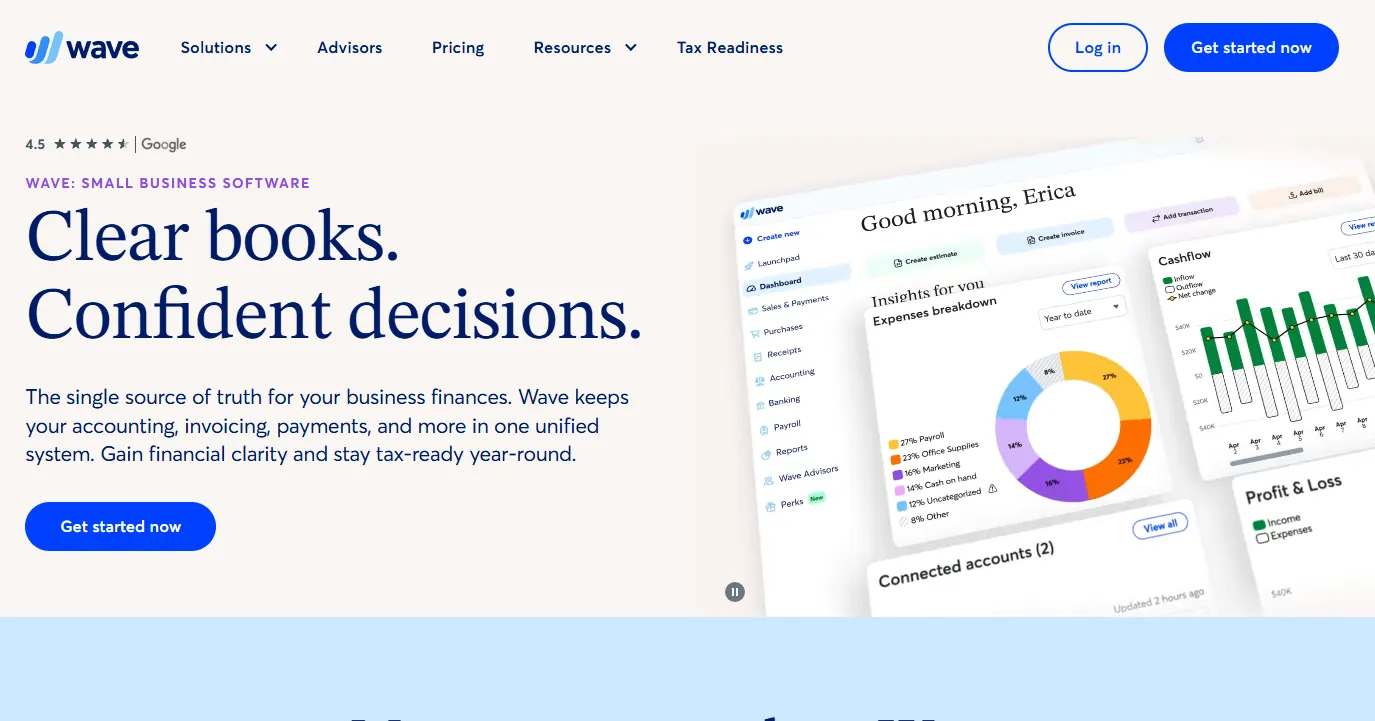
Pricing: Free Starter plan. Verify current prices for paid subscriptions.
Best for: Solo lawn care business owners who want invoicing connected directly to their bookkeeping.
QuickBooks Online
QuickBooks Online allows businesses to create invoices within their accounting system. This can be convenient if you're already using QuickBooks to manage business finances and want to avoid transferring invoice records between separate applications.
It includes invoicing and accounting reports. Recurring transaction templates are available on the Essentials plan and above. QuickBooks Online does not independently generate invoices from completed mowing jobs. You would need to enter the service information or connect a compatible field-service platform.
Pricing: Simple Start at $38 per month; Essentials at $85 per month.
Best for: Lawn care businesses already using QuickBooks for accounting.
General field-service software
GorillaDesk
GorillaDesk is a field-service management platform that organizes scheduling and billing around routes. It includes invoicing and payment management, with subscription billing and QuickBooks integration listed on the Pro plan. Unlike software priced by individual users, GorillaDesk's published starting prices are based on the first route. That matters when calculating costs for businesses with multiple trucks or routes.

Pricing: Basic at $49 per month for the first route; Pro at $99 per month for the first route.
Best for: Route-based service companies that want billing organized around their daily routes.
Housecall Pro
Housecall Pro combines service scheduling with invoicing and payment collection across different trades. It may suit businesses that offer lawn mowing alongside other property maintenance services.

The platform supports invoicing across those service types. Recurring service plans are available at a higher subscription tier. Check the recurring billing capabilities before subscribing if most of your customers follow weekly or seasonal schedules.
Pricing: Basic at $59 per month billed annually.
Best for: Businesses offering lawn care alongside other property maintenance or field services.
For a broader comparison of these platforms and their billing features, see our best lawn care billing software guide.
What to compare in lawn care invoice software
There are five main features to check when comparing lawn care invoicing software. The first is how an invoice gets created.
1. Creating invoices from completed jobs
Look for software that can generate an invoice when you mark a mowing job as complete. Ideally, the invoice should already contain the customer's details, property address, service date, and agreed price. You should only need to review it before sending it.
Some systems can generate invoices directly from completed jobs. Others require you to enter the job details again, even when that information already exists in the scheduling system.
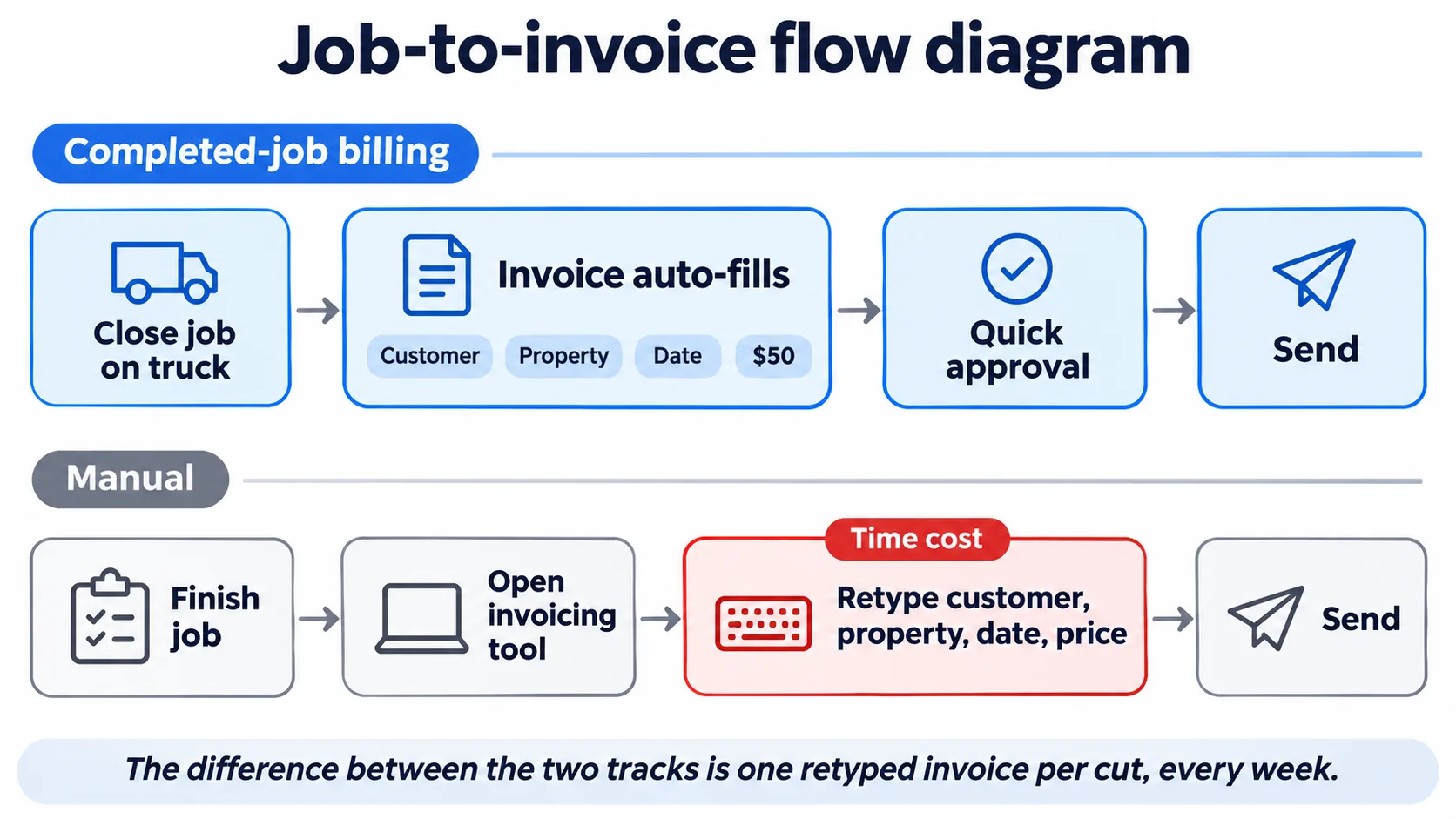
For a company completing 60 mowing jobs every week, manual entry means creating 60 individual invoices or transferring those records into a monthly billing batch. Check whether the software also lets you approve invoices before sending them. That gives you a chance to catch an incorrect charge or a service that wasn't completed.
Since most lawn care work happens away from the office, mobile access matters. You should be able to create and edit invoices from your phone, attach property information or photos, send bills, and check outstanding payments without opening a laptop. If you're also comparing scheduling platforms, our lawn care scheduling software guide covers how completed jobs become billable records.
2. Support for your billing schedule
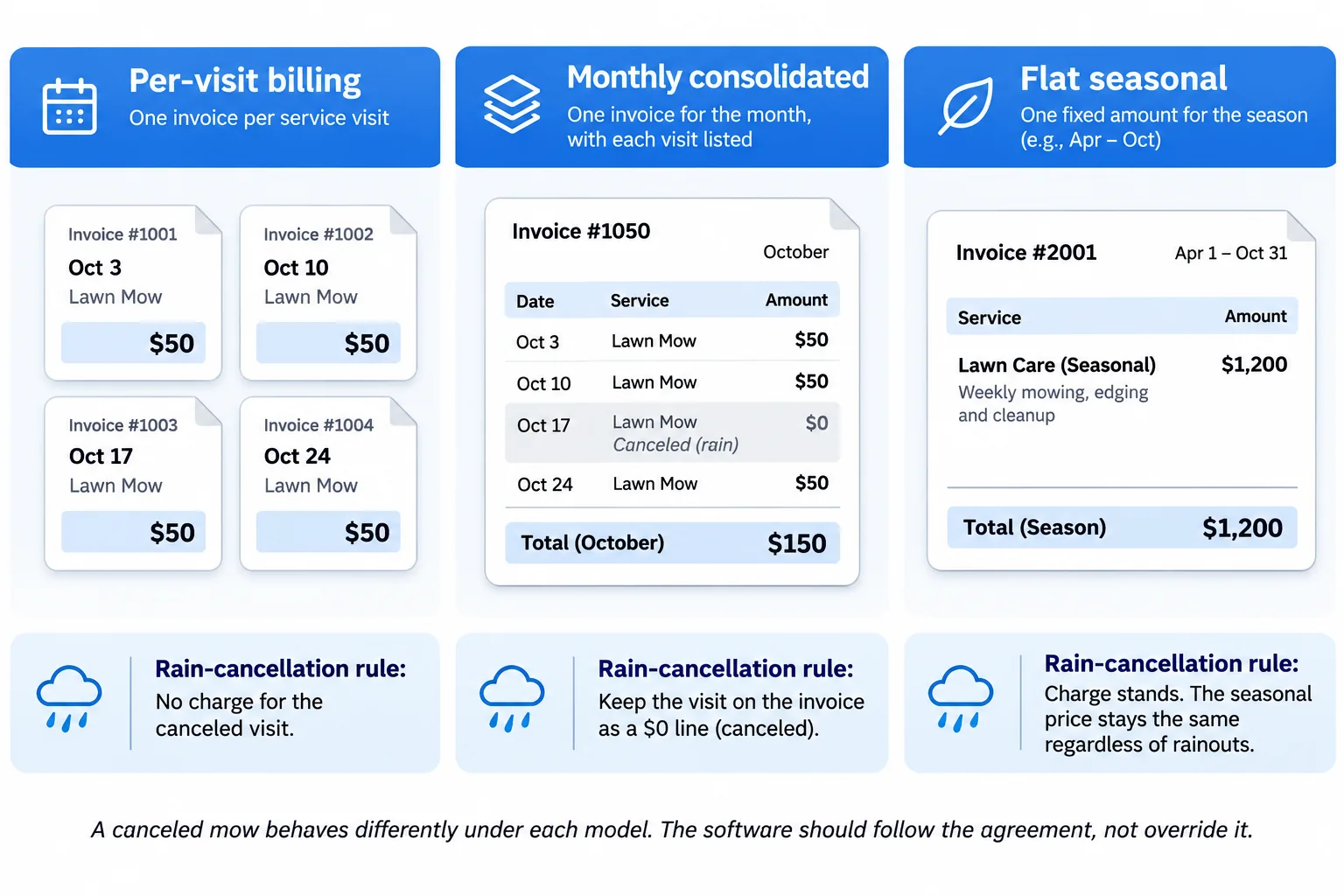
Lawn care businesses generally use per-visit billing, consolidated monthly invoices, or fixed monthly and seasonal agreements. Your software should support the billing arrangements you offer. For example, a customer who pays after every mow needs an individual invoice for each completed visit. Another customer might prefer one invoice covering every service completed during the month.
Seasonal contracts work differently. The customer pays an agreed amount even when the number of mowing visits changes. Before choosing software, check how it handles each billing arrangement. This becomes especially relevant when your customers use different payment schedules.
3. Recurring invoices and automatic payments
Recurring invoicing and automatic payment collection are separate features. A recurring invoice is generated and sent according to a schedule. For example, the software might send a $200 lawn maintenance invoice on the first day of every month.
Automatic payment collection, often called autopay, charges a customer's saved card or authorized bank account. Some platforms support recurring invoices without automatically collecting the money. Your customer still needs to open the invoice and pay it.
If you want payments collected automatically, confirm that the software supports saved payment methods and automatic charging. These features may require a higher subscription plan. Also check what happens when a payment fails. You need to know whether the software records the failed attempt, alerts the customer, and allows you to collect the outstanding amount.
4. Handling cancellations, partial payments, and refunds
Your invoicing system needs to handle changes after a job has been scheduled or billed. Suppose a customer owes $235 but pays only $150. The software should record the payment and show an outstanding balance of $85.
Now suppose you accidentally bill a customer for a visit canceled because of rain. You should be able to issue a credit or correct the charge without losing the payment history. Check how the software handles:
- Partial payments and outstanding balances
- Canceled or rescheduled services
- Credits for work that wasn't completed
- Refunds and payment reversals
- Disputed charges
Ask to see these features during a demonstration. Editing an invoice after sending it should not leave the customer's balance or accounting records inconsistent.
5. Accounting integration
If your business uses QuickBooks or another accounting platform, check exactly what the invoicing software transfers. Some integrations synchronize invoices and payments automatically. Others may require exports or support only certain types of transactions. The main concern is whether the records remain accurate when a customer makes a partial payment, receives a refund, or cancels a service.
An invoice should not appear twice in your accounting system simply because you updated it in the field-service software. Before subscribing, test the integration with one customer and check the result inside your accounting platform.
One question worth asking the vendor: Which subscription plan includes invoicing from completed jobs, automatic payment collection, and QuickBooks synchronization?
Get the answer in writing. The availability of these features can change between subscription tiers.
How lawn care billing schedules work
The billing schedule determines when customers receive invoices and how individual services appear on them.
Per-visit billing
With per-visit billing, customers receive an invoice after each completed service. For example, if you mow a customer's lawn every Friday for $50, they receive a $50 invoice after each visit. This makes individual charges easy to verify because each invoice corresponds to a specific job. The drawback is the number of invoices.
A business completing 60 jobs per week could generate around 240 invoices over four weeks. Without automatic invoicing or payment collection, this requires considerable administrative work. Per-visit billing works well for residential customers who prefer paying after each service. Automatic payment collection makes it easier to manage as the number of customers increases.
Consolidated monthly billing
Monthly billing combines several completed services into one invoice. For example, a customer who received four mowing visits in October would get one invoice in early November showing all four visits. Instead of issuing four separate invoices, you issue one.
The invoice should list each service date and its individual charge. This lets customers check exactly what they received. An invoice showing only "October lawn care — $200" provides less detail and may lead to questions about which visits were included. If you use monthly billing, confirm that your software can combine completed jobs while keeping their original dates and prices.
Fixed monthly or seasonal billing
Some lawn care businesses charge customers a fixed amount under a service agreement. For example, a customer could pay the same monthly fee during a month with four mowing visits and another month with five.
The invoice amount follows the agreement instead of the number of completed visits. Your software should be able to generate these charges without requiring a separate completed job for every invoice. This is particularly worth checking in field-service platforms that primarily calculate invoices from completed work.
How should you bill a rain-canceled visit?
Follow the terms of the customer's service agreement. For per-visit customers, a canceled mowing job generally should not generate a charge because the service wasn't completed. For customers on fixed seasonal agreements, the monthly charge will usually remain unchanged if the contract states that weather-related cancellations are included in the agreed seasonal price.
A clear agreement might state: "Seasonal customers are billed a flat monthly rate regardless of weather cancellations. Per-visit customers are billed only for completed mowing services." The software should apply the appropriate rule to each customer's billing arrangement. Test this before moving your recurring customers onto a new platform.
What should a lawn care invoice include?
A lawn care invoice should identify the customer, the property serviced, the work completed, and the amount owed. Include the following information:
- Your lawn care business name and contact details
- Customer name and service address
- Unique invoice number
- Invoice date and payment due date
- Individual services, dates, and charges
- Applicable taxes
- Total amount and remaining balance
- Accepted payment methods
If you provide several services during the same billing period, record them separately.
Example of a monthly lawn care invoice
Suppose a residential customer normally pays $50 per mowing visit. During October, you complete three mowing jobs, cancel one because of rain, and provide an additional hedge-trimming service. The invoice could look like this:
| Service date | Description | Amount |
|---|---|---|
| October 2 | Lawn mowing | $50 |
| October 9 | Lawn mowing | $50 |
| October 16 | Canceled due to weather — no charge | $0 |
| October 23 | Lawn mowing | $50 |
| October 23 | Hedge trimming | $85 |
| Total before applicable tax | $235 |
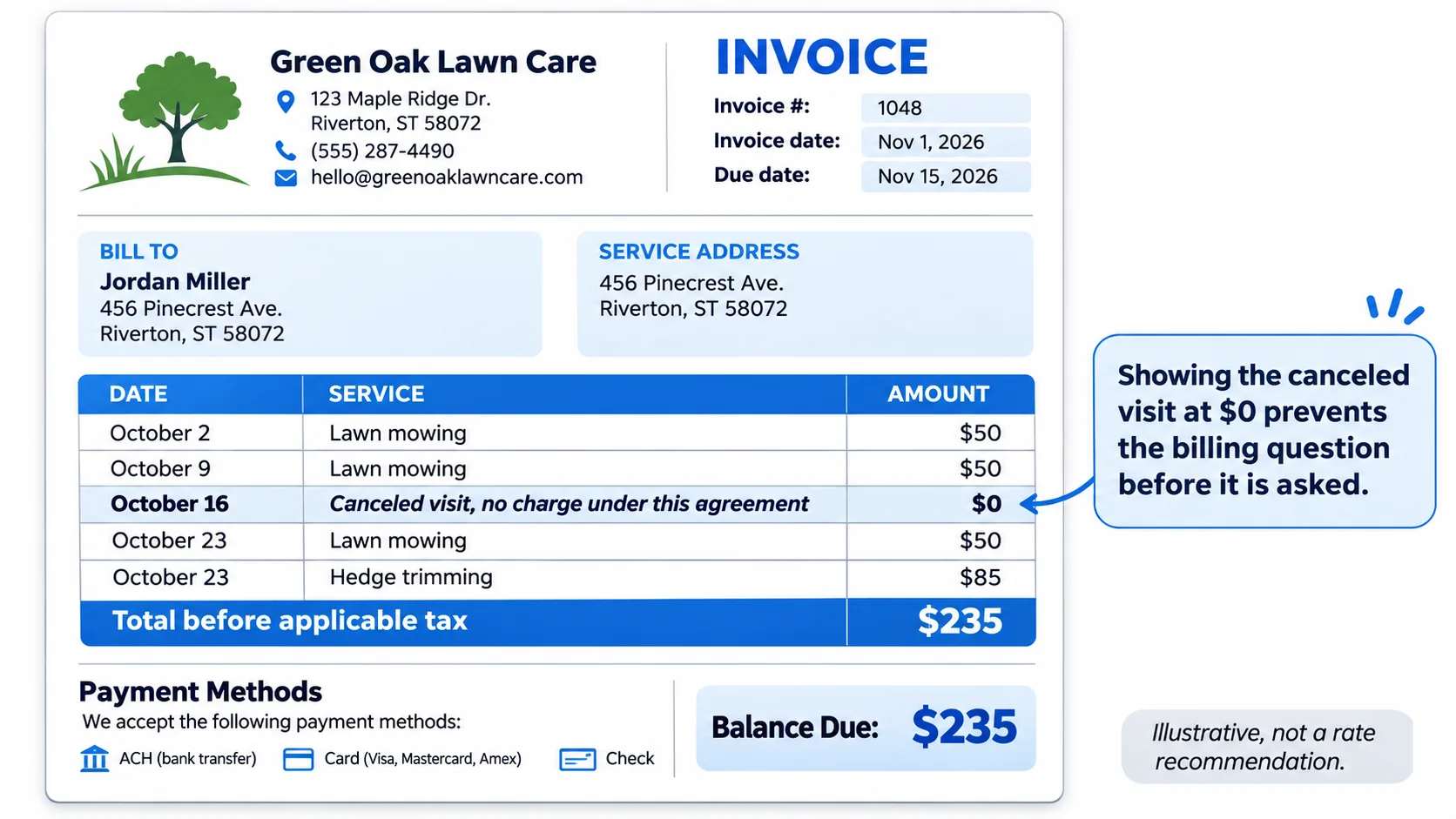
The canceled visit appears as a $0 line item. This gives the customer a record of the scheduled visit and confirms that no mowing charge was added. The $85 hedge-trimming charge appears separately because it was an additional service.
These amounts are illustrative. They aren't recommended lawn care rates or universal cancellation policies.
Sales tax rules for lawn care and landscaping services vary by state and sometimes by service type. Check your state's department of revenue or speak with your accountant before adding tax to an invoice.
How to test lawn care invoice software before buying
Use the free trial to process examples from your actual billing routine. A software demonstration may show how to create an invoice under ideal conditions. You also need to see what happens when a job gets canceled, a customer makes a partial payment, or the accounting integration transfers a transaction. These six tests cover those situations.
| Test | What to do | Expected result |
|---|---|---|
| Completed mowing job | Mark a $50 mowing job as complete | An invoice appears with the correct customer, property, service date, and $50 charge |
| Rain cancellation | Cancel the next scheduled mowing visit | No incorrect charge is created, and rescheduling follows the customer's agreement |
| Additional service | Add $85 for hedge trimming | The invoice includes a separate $85 line item and updates the total correctly |
| Monthly invoicing | Combine three completed $50 mowing jobs | One $150 invoice lists all three service dates |
| Partial payment | Record a $150 payment against a $235 invoice | The customer has an outstanding balance of $85 |
| Accounting synchronization | Send the invoice and payment to your accounting software | Both records appear correctly without duplicate entries |
Run every test on the subscription plan you intend to purchase. A feature that works during a trial of the highest plan may not be available on the lower plan you're considering.
Pay particular attention to cancellations
Start with a scheduled visit and cancel it because of rain. For a per-visit customer, check that no charge is generated for the canceled service. If you reschedule the work, make sure the completed visit can be billed normally.
Repeat the process for a customer with fixed monthly or seasonal billing. The result should follow that customer's agreement without requiring you to manually rebuild the invoice.
Check how partial payments appear
Create an invoice for $235 and record a $150 payment. The remaining balance should show $85. Check what the customer sees when they open the invoice or receive their next statement.
You should also be able to find the payment in the customer's transaction history. This is worth testing because incorrect outstanding balances can lead to unnecessary reminders or confusion when the customer makes another payment.
Verify accounting records separately
Complete the accounting test after creating the invoice and recording its payment. If the platform integrates with QuickBooks or Wave, open the accounting application and review the transferred records. Confirm that the invoice and payment each appear once.
Try a partial payment and a refund as well. Check that changes made in the invoicing software are recorded correctly in your books. A successful synchronization notification doesn't confirm that the accounting entries are correct. You need to inspect the actual records.
Which lawn care invoicing setup fits your business?
Your customer count, billing schedule, and existing software will help narrow the options.
| Business requirements | Software to consider | What to verify |
|---|---|---|
| Solo operator looking for free invoicing | Yardbook, Wave, Square | Free plan restrictions, recurring invoices, payment methods, and mobile access |
| Small lawn care business needing automated invoices | Jobber, Yardbook | Whether an invoice can be generated from a completed job |
| Business wanting automatic saved-card payments | Jobber, GorillaDesk | Subscription requirements, customer payment authorization, and declined-payment handling |
| Business already using QuickBooks | QuickBooks Online, Jobber, Yardbook, GorillaDesk | Integration availability, refund handling, and duplicate prevention |
| Larger company managing recurring routes and crews | LMN, Service Autopilot | Batch invoicing, job costing, onboarding costs, and setup requirements |
If you're working alone and only send a few invoices each week, a free tool may be sufficient. For a growing lawn care company, the ability to generate invoices after completed jobs and automatically collect payments can reduce the amount of manual administration.
Businesses with multiple crews may also need job costing and route management connected to billing. Those features are available in platforms such as LMN and Service Autopilot, although their higher subscription costs need to be justified by the work they'll handle. Consider how much time you currently spend preparing invoices and collecting outstanding payments. Compare that with the subscription cost of the plan that can automate those tasks.
Frequently asked questions
Q.1 What is the difference between lawn care invoicing software and billing software?
Lawn care invoicing software primarily handles creating invoices, sending them to customers, and recording payments. Billing software may include additional features for recurring charges, subscription agreements, and scheduled payment collection. The terms are often used interchangeably. Compare the actual features instead of relying on the product description.
Q.2 Can free software handle recurring lawn mowing invoices?
Some free invoicing plans support recurring invoices, but the available features vary by provider. Yardbook, Wave, and Square offer free invoicing options. Check whether the free plan allows invoices to repeat automatically and whether you can collect payments from saved cards. Features such as automatic reminders, completed-job invoicing, and automatic collection may require a paid subscription.
Q.3 Can lawn care software automatically create an invoice when a job is completed?
Yes. Some field-service platforms can create invoices using information from completed jobs. For example, when you mark a mowing job as complete, the system can use its customer details, property address, service date, and price to prepare the invoice.
Availability depends on the software and subscription plan. Confirm whether you can review the invoice before it's sent to the customer.
Q.4 Can I send one monthly invoice for multiple lawn mowing visits?
Yes. Consolidated monthly invoicing combines several visits into one bill. For example, if a customer receives four mowing services in October, the software can prepare one invoice in November showing all four service dates and charges. Check that each visit appears separately so the customer can identify what they're paying for.
Q.5 Is a recurring invoice the same as charging a saved credit card?
No. Recurring invoicing creates and sends invoices automatically according to a schedule. Automatic payment collection charges an authorized saved card or bank account.
Some invoicing tools provide recurring invoices without automatic collection. Check both features separately before subscribing.
Q.6 Which lawn care invoicing platforms integrate with QuickBooks?
Jobber, Yardbook, and GorillaDesk list QuickBooks integration on applicable subscription tiers. You can also invoice customers directly through QuickBooks Online. Confirm which plan includes the integration and what information it transfers. Test an invoice with a partial payment and refund, then review the records inside QuickBooks to make sure the amounts are correct and no duplicate entries were created.
Q.7 Should customers be charged for mowing visits canceled because of rain?
The charge depends on your service agreement. Per-visit customers generally shouldn't be charged for mowing that wasn't completed. Customers on fixed seasonal agreements may still owe the agreed monthly amount if the contract covers weather-related cancellations.
For per-visit billing, you can include the canceled service as a $0 line item to explain why the visit wasn't charged. Make sure your agreement clearly explains how weather cancellations affect billing.
Before you subscribe
Shortlist two or three platforms that support your billing schedule and fit your budget. Test them using completed jobs, cancellations, additional services, monthly invoices, partial payments, and accounting synchronization. Record the results alongside the subscription plan required for each feature. Pay particular attention to canceled visits, outstanding balances, and accounting records, since errors in these areas can take time to find and correct.
If you also need to manage crew schedules and recurring routes, compare how the invoicing system connects with the scheduling features. Our guides to lawn care billing software and lawn care scheduling software cover those features in more detail.