

Running a lawn care business means billing many of the same customers every week. Some pay immediately after mowing, others expect an invoice at the end of the month, and a few need reminders before they settle their bills. Managing these payments becomes harder when you have several crews completing dozens of jobs each day.
Lawn care billing software helps you manage invoices, collect payments, and track outstanding balances. Some tools also connect billing with recurring schedules, so completed mowing visits can generate invoices without someone entering the job details again.
The challenge is finding software that supports the way your business charges customers. A basic invoicing tool may work for 20 residential accounts, whereas a company managing several hundred properties may need batch invoicing, automatic payment collection, and QuickBooks integration.
We compared six lawn care billing software options using their published pricing, billing features, payment options, and subscription limits. The comparison focuses on recurring mowing and property maintenance, including how each system handles the billing problems lawn care operators regularly encounter.
If you are still building your first recurring route, the RankBeaver guide to starting a lawn care business covers startup expenses, pricing, and the steps to getting paying customers before you need a larger billing system.
In this guide
- Best lawn care billing software at a glance
- 6 best lawn care billing software tools in 2026
- What does lawn care billing software do?
- How recurring lawn care billing should handle skipped visits and seasonal changes
- How much does lawn care billing software actually cost?
- Free vs. paid lawn care billing software
- Does lawn care billing software integrate with QuickBooks?
- What to check before buying lawn care billing software
- Which lawn care billing software should you choose?
Best lawn care billing software at a glance
The table compares the six products, their starting prices, and the subscription level needed for important billing features.
| Software | Best for | Starting price | Billing automation | Free option |
|---|---|---|---|---|
| Jobber | Small and growing lawn care teams | $29/month, billed annually | Connect: $99/month, billed annually, for automatic collection | 14-day trial |
| Yardbook | Solo operators and small businesses | Free | Business: $34.99/month for automatic invoice reminders | Free Starter plan |
| LMN | Established lawn care and landscaping businesses | $297/month, billed monthly (Starter) | Starter: automated invoicing; Per Visit and Per Season billing | No free plan; request demo |
| Service Autopilot | Established companies with larger routes | $49/month on annual pricing, plus signup fee | Pro Plus: $499/month for automation workflows | Trial advertised; confirm terms |
| Housecall Pro | Companies offering multiple home services | $59/month, billed annually | Max: $299/month annually for Recurring Service Plans | 14-day trial |
| QuickBooks Online | Companies prioritizing accounting | $38/month for Simple Start | Essentials: $85/month for recurring transactions | Limited free plan |
Prices are in USD and were checked against published vendor information on October 30, 2026. Promotional discounts, payment processing fees, applicable taxes, optional add-ons, and additional user charges are excluded. Monthly and annual subscriptions may have different rates.
Where billing automation starts
Starting prices and billing automation are not always on the same plan. These are the levels to compare for the billing feature described.
| Software | Plan | Billing automation unlocked |
|---|---|---|
| Jobber | Connect · $99/mo annually | Automatic payment collection |
| Yardbook | Business · $34.99/mo | Automatic invoice reminders |
| LMN | Starter · $297/mo | Automated invoices; Per Visit and Per Season billing |
| Service Autopilot | Pro Plus · $499/mo annual rate | Configurable workflow automation |
| Housecall Pro | Max · $299/mo annually | Recurring Service Plans |
| QuickBooks Online | Essentials · $85/mo | Recurring transactions |
US prices from the article’s October 30, 2026 comparison. Features, fees, and plan terms may change.
There are important differences behind these prices. Jobber offers invoicing on Core, but automatic payment collection requires Connect. LMN includes automated invoicing and both Per Visit and Per Season billing on Starter, while Housecall Pro puts Recurring Service Plans on Max.
QuickBooks Online also separates ordinary invoicing from recurring transactions. Simple Start handles standard invoices, but recurring transaction templates require Essentials or higher.
These distinctions matter because the cheapest subscription may lack the billing feature you intend to use every week.
6 best lawn care billing software tools in 2026
The following comparisons use published vendor documentation rather than hands-on testing. We have focused on the billing features available on each plan, the types of companies those features suit, and the functions worth checking during a trial.
Jobber
Jobber is field service management software that combines customer records with scheduling, invoicing, and payment collection. It is suitable for lawn care businesses that need office staff and technicians to work from the same job information.
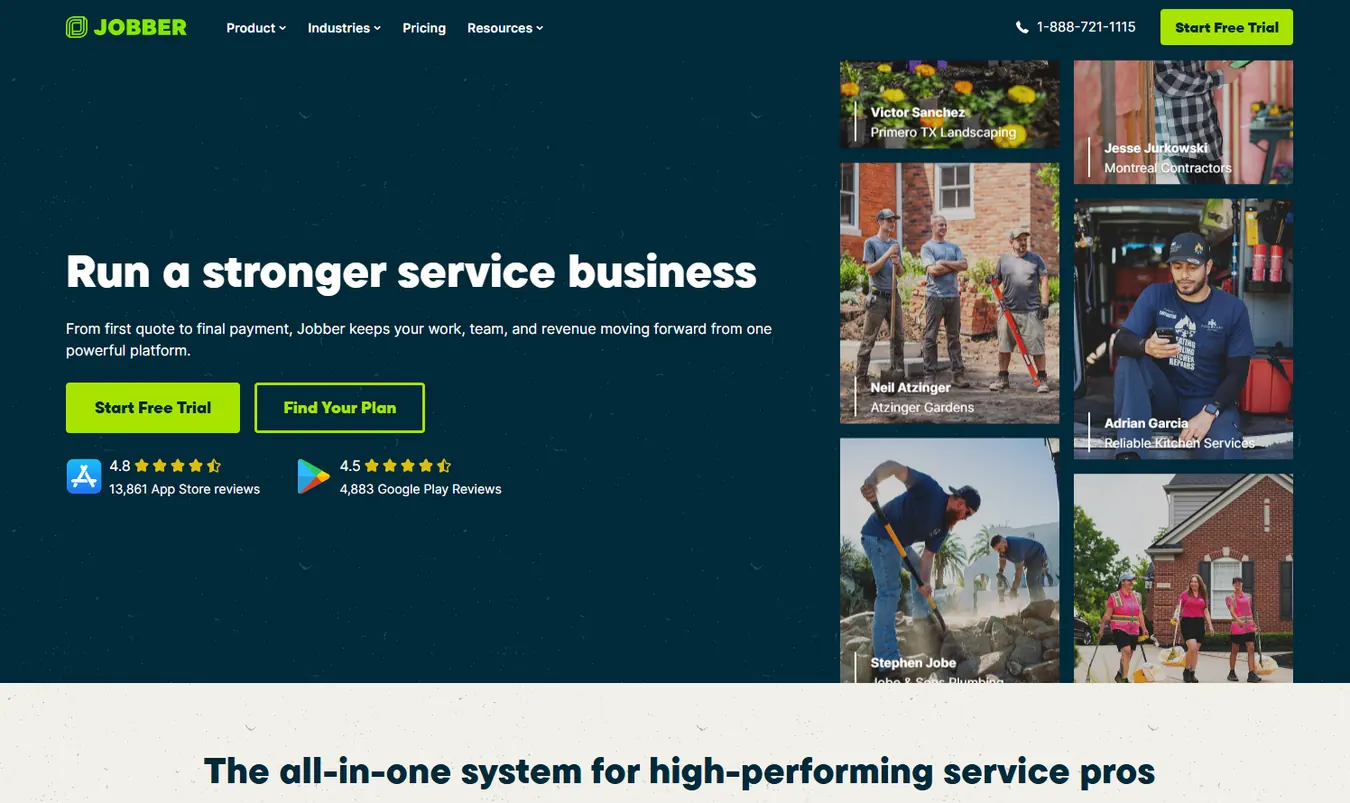
For example, a company running two mowing crews can use Jobber to keep track of customer appointments and completed visits. The office can review the work and prepare invoices without collecting separate paper job sheets from each crew.
Jobber also supports customer payment links and online payments, making it possible for homeowners to settle invoices without mailing checks or arranging in-person payments.
Jobber billing features
- Core plan: Jobber's Core plan includes invoicing, quotes, scheduling, and online payment acceptance. It also supports batch invoicing, so businesses can prepare bills for multiple completed jobs.
- Connect automation: Connect adds automatic payment collection and automated invoice follow-ups. Those features are useful for recurring lawn maintenance because customers can authorize saved-card payments, and overdue invoices can trigger reminders according to the configured settings.
- QuickBooks integration: Connect also includes QuickBooks Online integration, allowing job and billing information to connect with the company's accounting records.
- Mobile access: The mobile app supports field operations, although employee permissions determine which users can create invoices or collect payments.
Jobber pricing
| Plan | Regular monthly rate | Main billing consideration |
|---|---|---|
| Core | $49 monthly or $29/month billed annually | Invoicing and online payments |
| Connect | $139 monthly or $99/month billed annually | Automatic collection, follow-ups, QuickBooks sync |
| Grow | $199 monthly or $149/month billed annually | Adds job costing and expanded operational features |
| Plus | Team-size-dependent pricing | Advanced crew management and reporting |
The displayed prices for Core, Connect, and Grow refer to one-user configurations. Team plans include different numbers of users, so a business with several employees should calculate pricing for its actual staffing requirements.
Promotional offers can temporarily lower these rates. The regular subscription cost is a better basis for comparing long-term expenses.
Where Jobber fits
Jobber is worth considering when your business has multiple technicians, recurring residential customers, and an office employee responsible for billing. It keeps customer information connected to the work being scheduled and completed.
A company with 60 recurring accounts, for example, could use automatic invoice follow-ups to manage customers who do not pay immediately. The same customer history would also help the office distinguish regular mowing charges from occasional additional services.
Its field-service features may be unnecessary for a solo operator who already manages scheduling without difficulty and only sends a handful of invoices each week.
Before subscribing: Test automatic payment collection, batch invoicing, partial payments, and a canceled mowing appointment. If QuickBooks is part of your accounting process, confirm that an invoice and its payment appear correctly after synchronization.
Best fit: Growing lawn care companies that want scheduling and billing managed in one system.
Yardbook
Yardbook provides lawn care and landscaping business software with a free Starter plan. It includes customer records, estimates, scheduling, invoices, routing, expense tracking, and online credit card payments.
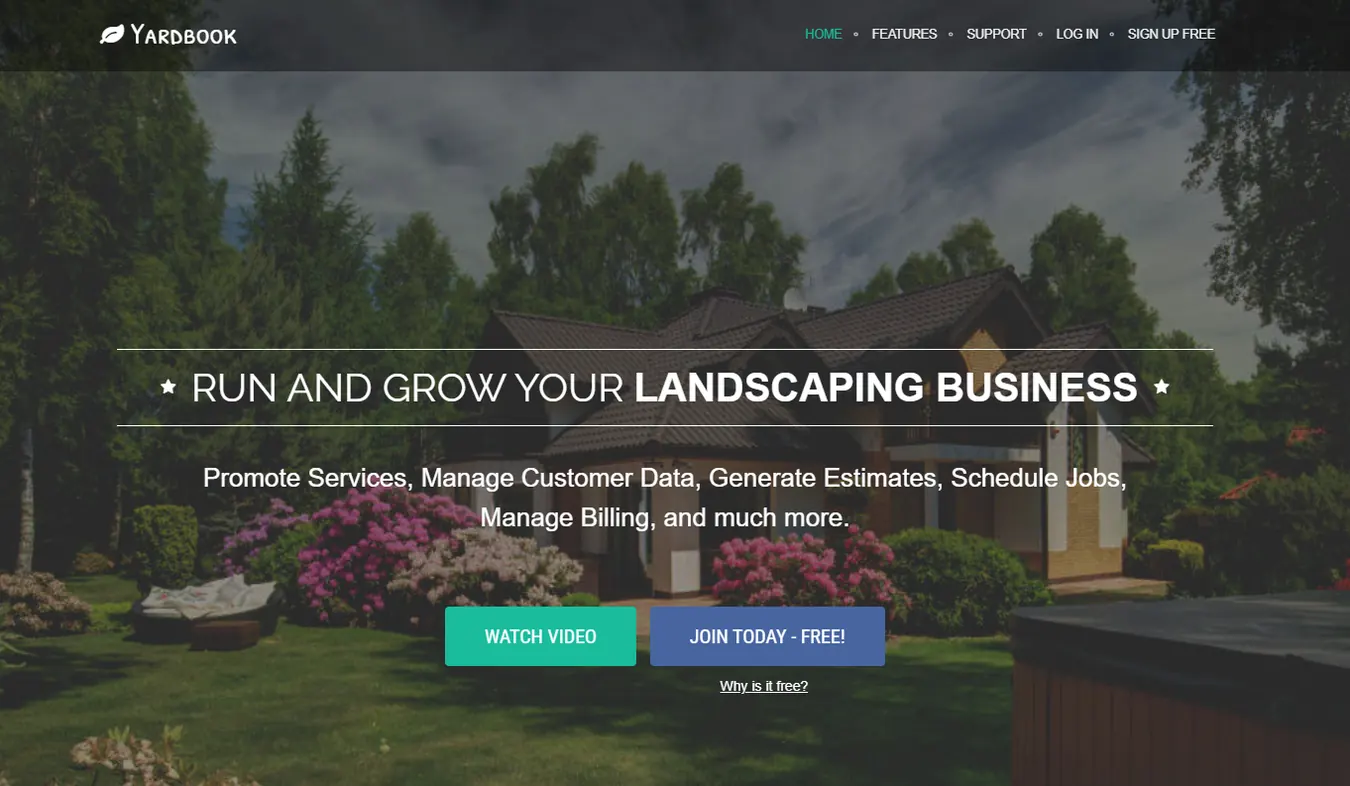
Its free plan makes Yardbook particularly relevant to lawn care operators who are still building their customer base. A solo mower maintaining 15 or 20 residential properties can use the system to record customer information and send invoices without paying a monthly software subscription.
Yardbook also offers paid plans for businesses that need additional communication features and accounting integration.
Yardbook billing features
- Starter plan: The Starter plan supports the essential invoicing process. Users can prepare estimates, convert customer work into invoices, and accept online card payments.
- Business plan: The Business plan adds automatic invoice reminders. This is useful when a company has customers paying on different dates and the owner no longer wants to check every outstanding invoice manually.
- Enterprise plan: Enterprise includes QuickBooks synchronization and a branded customer portal. It is intended for businesses that want their operational records connected to accounting software.
- Payment fees: An important part of Yardbook's pricing is its additional processing charge. According to its published terms, non-premium accounts pay a 1% Yardbook processing fee on online customer payments, in addition to the payment processor's fees. Business and Enterprise waive Yardbook's additional fee.
Yardbook pricing
| Plan | Monthly price | Relevant features |
|---|---|---|
| Starter | Free | Estimates, invoicing, scheduling, online payments |
| Business | $34.99 | Automatic reminders, additional communication features, Yardbook fee waived |
| Enterprise | $49.99 | QuickBooks sync, branded portal, Business features |
Yardbook lists employee access among its Starter features, although the available pricing information does not establish a precise included-user limit. Companies planning to give several crew members accounts should confirm their available permissions.
The additional processing fee deserves attention. If you receive most payments through cash or checks, it may have little effect. If customers regularly pay online, the surcharge can become more expensive than a paid subscription.
Where Yardbook fits
Yardbook works well for companies that need straightforward invoicing without committing to a larger field service platform.
For example, an owner performing 25 residential mowing visits each week may be able to manage invoices and customer balances through Starter. The absence of a monthly subscription keeps fixed software expenses low while the business establishes its routes.
As the company's online payment volume increases, Business may become financially preferable. Its automatic reminders also remove some manual follow-up work.
Before subscribing: Send a sample invoice to yourself, open the payment page on a mobile phone, and review the processing charges. Check how the system handles a canceled job and whether completed services can be grouped for invoicing.
Best fit: Solo operators and smaller lawn care companies that want a free invoicing system with paid upgrades available.
LMN
LMN by Granum is landscape business management software that connects estimating, scheduling, job tracking, invoicing, and payment collection. It is designed for landscaping companies managing recurring maintenance contracts, multiple crews, and larger customer accounts.

For example, a company maintaining 150 residential properties and several commercial sites may have different billing arrangements for each customer. Residential clients might pay after every mowing visit, while commercial properties receive fixed monthly invoices under annual maintenance contracts. LMN supports both billing methods, allowing businesses to manage their charges according to the services and agreements associated with each customer.
LMN also connects invoicing with crew activity, so office employees can use recorded service information when preparing customer bills.
LMN billing features
- Automated invoicing and bulk billing: LMN supports automated invoicing, job-based billing, and bulk invoice generation, including processing hundreds of invoices in a batch.
- Three billing methods: Its service estimates offer Per Season, Per Visit, and Per Hour/Unit billing.
- Per Visit billing: Recurring mowing charges can be generated when assigned services are marked complete.
- Per Season billing: Companies can divide a maintenance contract into scheduled payments, including fixed monthly commercial invoices when visit counts vary.
- LMN Pay: Powered by Stripe, LMN Pay lets customers pay online by credit card or ACH bank transfer. Businesses can send payment links and store authorized payment methods for recurring work.
- Automatic payment processing: LMN supports automatic charging when invoicing, with the payment matched to its invoice record and subject to customer authorization.
- QuickBooks integration: Starter supports QuickBooks Online, while Professional and Enterprise also support QuickBooks Desktop.
- Crew records: The LMN Crew mobile app records employee hours and service activity to help office teams verify work and review adjustments.
LMN pricing
| Plan | Starting monthly price | Included users |
|---|---|---|
| Starter | $297 | 1 office/crew lead license and 5 crew member licenses |
| Professional | $648 | 3 office/crew lead licenses and 15 crew member licenses |
| Enterprise | Custom pricing | Starts at 100 users |
Prices are in USD, billed monthly, and exclude a one-time onboarding fee. Additional user licenses are available at an extra cost.
Starter includes estimating, automated invoicing, scheduling, LMN Pay, and QuickBooks Online integration. It is intended for companies with fewer than 10 employees.
Professional adds real-time job costing, equipment and material costing, and additional integrations. Enterprise is intended for larger companies requiring multi-location management and expanded support.
LMN Pay also charges transaction processing fees. Granum does not publish a fixed universal rate on its payment page, so businesses should request the applicable card and ACH fees when evaluating the subscription.
Where LMN fits
LMN is worth considering for established lawn care businesses that manage recurring service contracts and need to connect invoicing with their field operations.
A company servicing 200 properties, for example, can use per-visit billing for residential mowing and scheduled contract invoices for commercial accounts. The office can track completed services, review adjustments, and issue multiple invoices without building each one from the beginning.
Its estimating and job-costing features also make LMN relevant to landscaping companies that provide maintenance alongside installation projects.
However, Starter costs $297 per month before onboarding and processing fees. A solo operator who only needs basic invoices may have difficulty justifying that expense. LMN becomes a more practical option when a company can use its scheduling, crew management, and contract billing features together.
Before subscribing: Create a recurring mowing contract and test both Per Visit and Per Season billing. Cancel a scheduled visit to verify how it affects invoicing, then process a partial payment and check the accounting records. Request a complete quote covering onboarding, additional licenses, and LMN Pay transaction fees.
Best fit: Established lawn care and landscaping businesses managing recurring maintenance contracts, several crews, and commercial properties.
Service Autopilot
Service Autopilot combines scheduling, dispatching, invoicing, payments, and customer management. It also offers higher-tier tools for companies that need to configure more detailed operational processes.
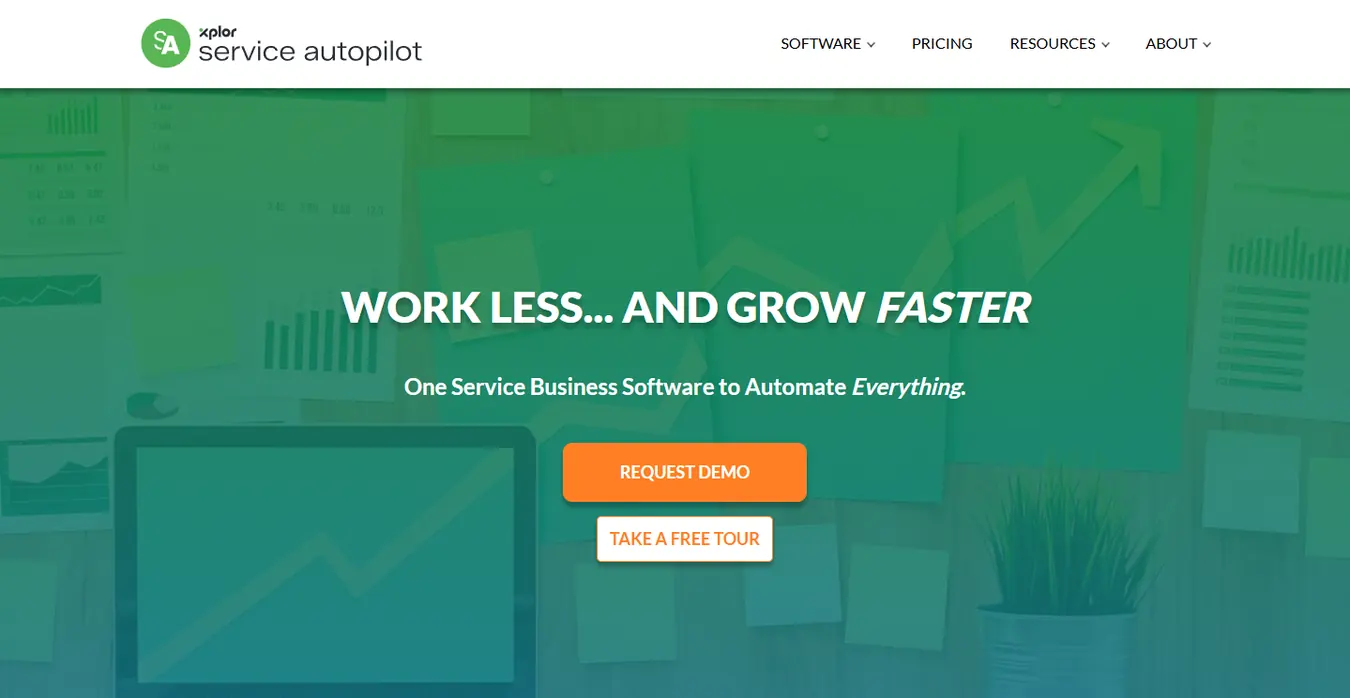
A larger lawn maintenance company may have several crews working different neighborhoods, with individual customers billed per visit and commercial accounts billed under monthly agreements.
Managing those arrangements requires consistent job records and a clear process for moving completed work into billing.
Service Autopilot is intended to support that kind of operation, although some of its automation functions sit on higher subscription tiers.
Service Autopilot billing features
- Startup plan: Startup includes invoicing, integrated payments, and customer management.
- Pro plan: Pro adds route optimization and job costing. These features help an operator connect service delivery with the costs associated with completing each job.
- Pro Plus: Pro Plus includes automation workflows. Businesses can configure processes around customer records and operational activity, subject to the triggers and actions supported by the product.
- Automatic card collection: The precise availability of automatically charging stored cards should be confirmed with Service Autopilot. Its published automation listing does not establish that every payment-collection action is included without additional configuration or services.
- QuickBooks integration: QuickBooks integration is listed with Elite and also appears as a quoted add-on in the detailed comparison. Companies already using QuickBooks should confirm the exact subscription requirement and integration cost.
Service Autopilot pricing
| Plan | Monthly price on annual-rate basis | Main features |
|---|---|---|
| Startup | $49 | Scheduling, invoices, integrated payments |
| Pro | $199 | Route optimization and job costing |
| Pro Plus | $499 | Automation workflows |
| Elite | Custom quote | Expanded integrations and management features |
The published plans include signup fees, but the pricing page does not provide a standard amount. This makes a written quotation necessary for calculating the first-year expense.
Service Autopilot also distinguishes between office users and mobile licenses. Startup lists one office user and one mobile license, while Pro Plus includes one office user and five mobile licenses.
For a company with multiple crews, this distinction matters when comparing subscription costs against tools that price users differently.
Where Service Autopilot fits
Service Autopilot is suited to established companies managing a larger volume of recurring services.
A company with 250 residential accounts and several commercial maintenance contracts may benefit from the combination of routing, job costing, and configurable workflows.
Its subscription cost and setup requirements need to be considered against the amount of work the company intends to automate. A business that only needs invoices and payment links may find those requirements unnecessary.
Before subscribing: Ask for the complete first-year cost, including signup fees, user licenses, integrations, and any payment-related add-ons. During the demonstration, test batch billing and the treatment of skipped visits. Confirm how changes to recurring contracts affect generated invoices.
Best fit: Established lawn maintenance businesses managing multiple crews and detailed billing arrangements.
Housecall Pro
Housecall Pro is field service management software covering several home-service industries. It combines scheduling, dispatching, invoices, and online payments.
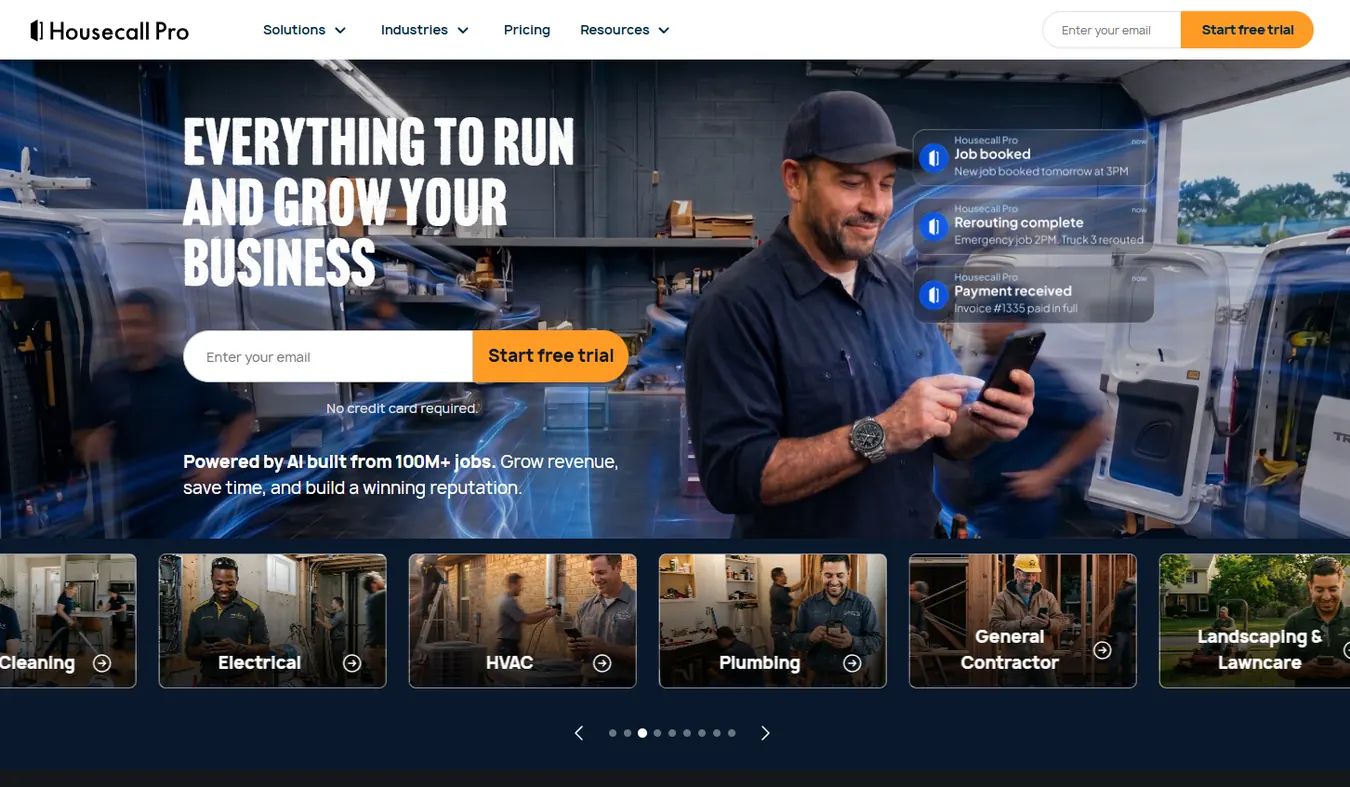
For a company offering lawn mowing alongside pressure washing, gutter cleaning, or other property services, Housecall Pro can keep different service types within one customer and scheduling system.
That can be useful when the same homeowner books regular lawn maintenance and additional work during the year.
Housecall Pro billing features
- Basic plan: The Basic plan includes estimates, invoices, and online payment collection. It also offers automated invoice reminders, which can help reduce the need for manual customer follow-ups.
- Essentials plan: Essentials adds route grouping and QuickBooks Online synchronization. It includes five users, making it worth considering for companies with several technicians or office employees.
- Max plan: Max includes Recurring Service Plans and route optimization. Recurring Service Plans support maintenance agreements, which are relevant to lawn care companies billing customers under ongoing arrangements.
- Payment collection: Housecall Pro accepts payments through its own payment system. Customers can pay invoices online, and businesses can manage the associated transaction records.
Housecall Pro pricing
| Plan | Monthly rate billed annually | Included users |
|---|---|---|
| Basic | $59 | 1 |
| Essentials | $149 | 5 |
| Max | $299 | 8 |
The Basic plan is also advertised at $79 with monthly billing. Additional user charges may apply, depending on the plan.
For a mowing company that specifically needs Recurring Service Plans, the Max price is the relevant starting point. Basic and Essentials provide other invoicing and scheduling functions but do not include that same contract feature.
Where Housecall Pro fits
Housecall Pro is a reasonable choice for companies that manage several property services under one operation.
For example, a contractor might maintain a customer's lawn every other week and perform pressure washing twice a year. Keeping those jobs together makes it easier for the office to review customer history and issue invoices for different services.
Businesses concentrating on recurring lawn mowing should also compare Jobber with LMN. Jobber may suit a growing crew, while LMN is designed for established firms that need contract billing, estimating, and crew activity in one system.
Before subscribing: Create a recurring maintenance agreement and add a separate one-time service for the same customer. Test invoice reminders, employee permissions, and payment reconciliation. If QuickBooks is required, check the Essentials integration before importing customer records.
Best fit: Home-service companies offering lawn maintenance alongside other property services.
QuickBooks Online
QuickBooks Online is accounting software that includes invoicing, payment collection, expense tracking, and financial reporting.
It is a different type of product from the field-service platforms in this comparison. QuickBooks concentrates on accounting records and customer payments, while lawn care scheduling and crew dispatch usually happen in a separate application.
A lawn care operator who already manages appointments effectively may prefer QuickBooks for financial administration, especially when a bookkeeper or accountant works directly with the company's records.
QuickBooks Online billing features
- Simple Start: Simple Start supports standard invoicing, income and expense tracking, and online payment acceptance through QuickBooks Payments.
- Recurring transactions: For recurring invoices, QuickBooks lists recurring transactions under Essentials, Plus, and Advanced. This is an important subscription distinction because Simple Start's ordinary invoicing features do not include the same recurring transaction functionality.
- Customer payment arrangements: Recurring invoices can use saved customer details and an established billing schedule. QuickBooks also offers recurring payment arrangements through its payment services, subject to customer authorization and the applicable payment setup.
- Work-completion check: QuickBooks does not inherently verify that a lawn was mowed before generating a scheduled recurring invoice. Companies billing per completed visit need to establish how their job records will determine invoice amounts.
QuickBooks Online pricing
| Plan | Standard monthly price | Relevant features |
|---|---|---|
| Free | $0 | Limited invoicing and basic financial features |
| Simple Start | $38 | Standard invoices, expenses, online payments |
| Essentials | $85 | Recurring transactions and additional accounting features |
| Plus | $140 | Project profitability and expanded reporting |
| Advanced | $340 | More extensive reporting, permissions, and batch tools |
QuickBooks Free generally limits users to two invoices per month, although Intuit describes conditions under which qualifying customers using QuickBooks Payments can access unlimited invoices. Businesses considering the free product should check their eligibility and whether the available functions suit their billing volume.
The paid plans may be advertised with temporary promotional discounts.
Where QuickBooks fits
QuickBooks is suitable for a business whose main problem involves accounting rather than field operations.
For example, an owner who schedules 35 residential customers using an existing calendar may want a system to monitor unpaid invoices, record expenses, and prepare financial information for an accountant.
QuickBooks can handle those financial tasks without requiring the owner to move scheduling into a new platform.
Companies with larger routes should consider whether a separate field-service application is still needed. If they use one, the integration must prevent duplicate records and handle adjustments correctly.
Before subscribing: Create a recurring invoice in an Essentials trial, verify the customer payment process, and generate an accounts receivable report. If another application supplies job data, test how its invoices and payments appear in QuickBooks.
Best fit: Lawn care businesses prioritizing accounting and financial records while managing field operations separately.
Another option worth considering: QuoteIQ
QuoteIQ is another field service management product with estimating, scheduling, invoicing, and payment features.
Its Essentials plan starts at $29.99 per month for one user. Higher plans include additional users and features, while extra seats cost $25 per user per month according to its published pricing.
QuickBooks integration is available on Pro, listed at $199.99 per month with four included users. QuoteIQ may be worth comparing against the six main products, particularly for businesses that need both estimating and invoicing.
What does lawn care billing software do?
Lawn care billing software records completed services, generates invoices, accepts payments, and maintains customer billing histories. More advanced products also handle recurring maintenance agreements, automated reminders, and accounting synchronization.
Consider a lawn care company maintaining 45 residential properties. Each customer receives a weekly mowing service, with prices ranging from $45 to $85 per visit. The company also performs occasional hedge trimming and seasonal cleanup work.
Without dedicated software, someone must review completed jobs, calculate each customer's charges, prepare invoices, and record payments. A missed visit or an incorrectly entered service price can create billing disputes.
With lawn service billing software, the operator can store each customer's agreed rate and associate it with their scheduled services. Depending on the product and subscription, a completed visit can create an invoice, send it for payment, and update the customer's balance.
A typical billing process involves seven stages:
- Estimate or agreement: The customer accepts a service price or recurring maintenance contract.
- Scheduling: The service is added to the calendar, including any repeat visits.
- Job completion: The technician records that the mowing or maintenance work is finished.
- Invoice creation: The system uses the agreed rate and completed work to prepare the charge.
- Invoice delivery: The customer receives an invoice by email, text, or another supported method.
- Payment collection: The customer pays online, or an authorized automatic payment is processed.
- Accounting: The payment is recorded against the invoice, with the transaction available for reporting or synchronization.
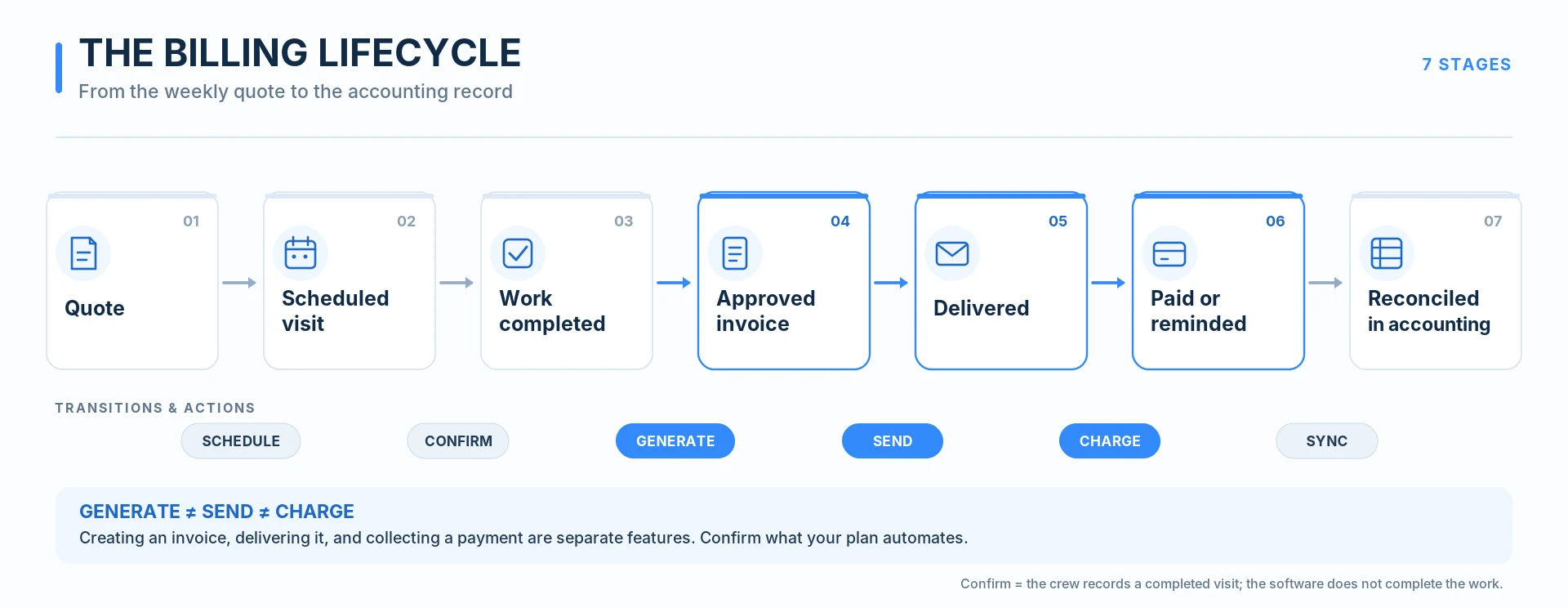
The extent of automation varies between products. Some handle the entire sequence, while others require the owner to approve invoices or collect payments manually.
Recurring scheduling, recurring invoices, and automatic payments
These features often appear together on software comparison pages, even though they perform different tasks.
Recurring scheduling creates repeat appointments. A customer who receives mowing every Thursday can remain on the calendar throughout the season without someone scheduling each visit individually.
Recurring invoicing creates invoices at an established interval or after a service event, depending on how the software works. The invoice might be sent automatically or remain available for review.
Automatic payment collection charges an authorized payment method according to an agreed schedule or billing event. Customers must authorize stored-card or bank-account payments before the business collects them.
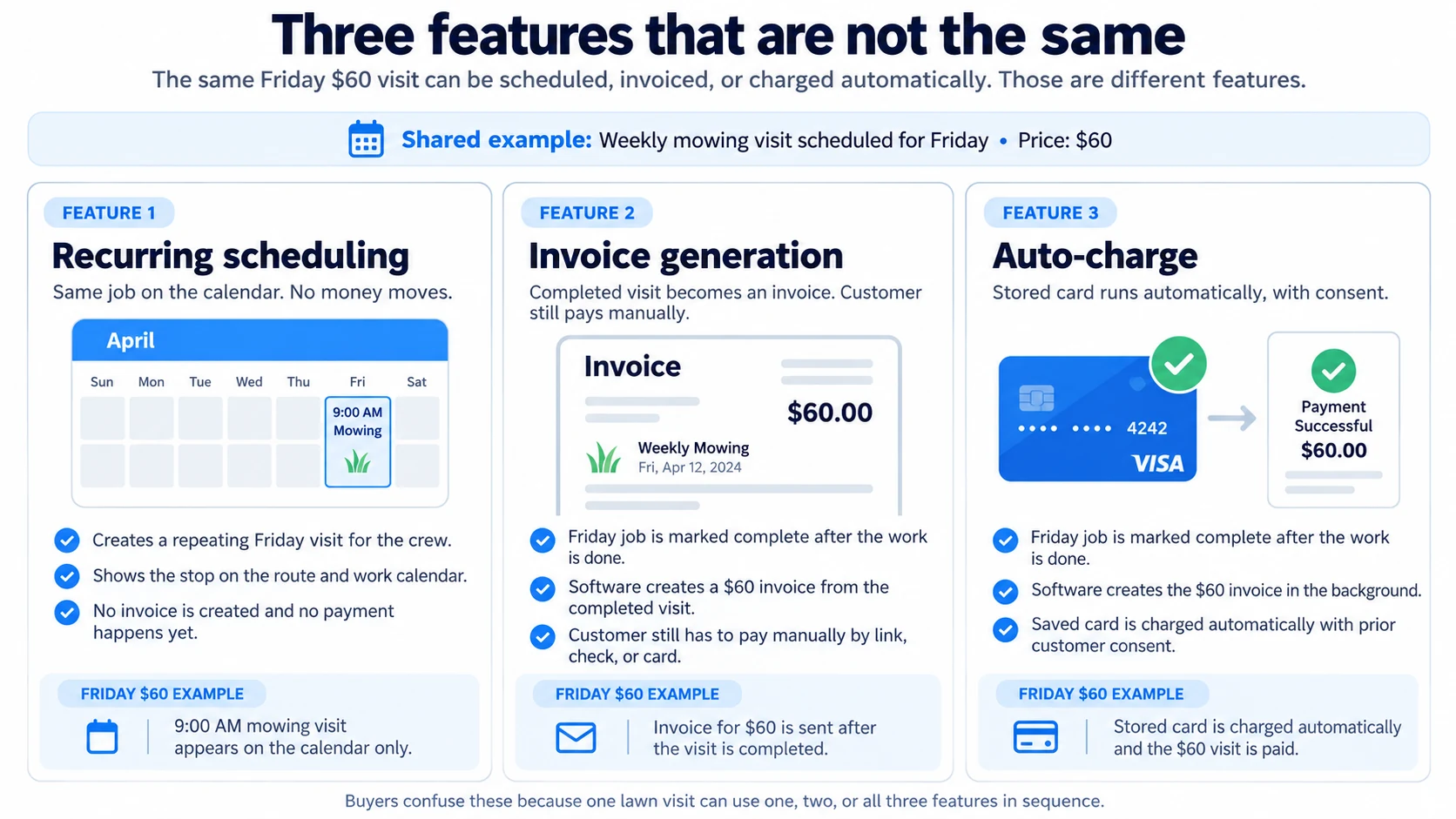
For example, a customer paying $60 per weekly mowing visit may receive an invoice every Friday. With automatic invoicing, the software can prepare and send that invoice. With automatic payment collection, the system can also charge the customer's saved card under the agreed billing arrangement.
A company that wants to stop manually chasing weekly payments should confirm the automatic collection feature before purchasing a subscription.
Batch invoicing
Batch invoicing lets a lawn care business prepare invoices for several customers in one operation.
Suppose a crew completes 28 residential lawns on Friday. Instead of opening 28 individual customer accounts, the office can select the completed jobs and generate the corresponding invoices together, provided the software supports that workflow.
Batch billing becomes particularly useful when a company invoices customers weekly or at the end of each month. The operator still needs a way to exclude canceled visits, review unusual charges, and correct service prices before invoices are issued.
How recurring lawn care billing should handle skipped visits and seasonal changes
Recurring lawn maintenance creates billing situations that ordinary monthly invoicing software does not always handle automatically.
Weather is one example. Heavy rain may prevent mowing on Thursday, and the crew might return on Saturday or skip the visit entirely. The invoice should reflect the agreement with the customer and the work actually performed.
A similar issue occurs when a homeowner temporarily pauses service or when the mowing season ends.
Before moving customer accounts into a new application, lawn care businesses should establish how their billing arrangements handle these events.
Per-visit billing
Under per-visit billing, customers pay for completed services.
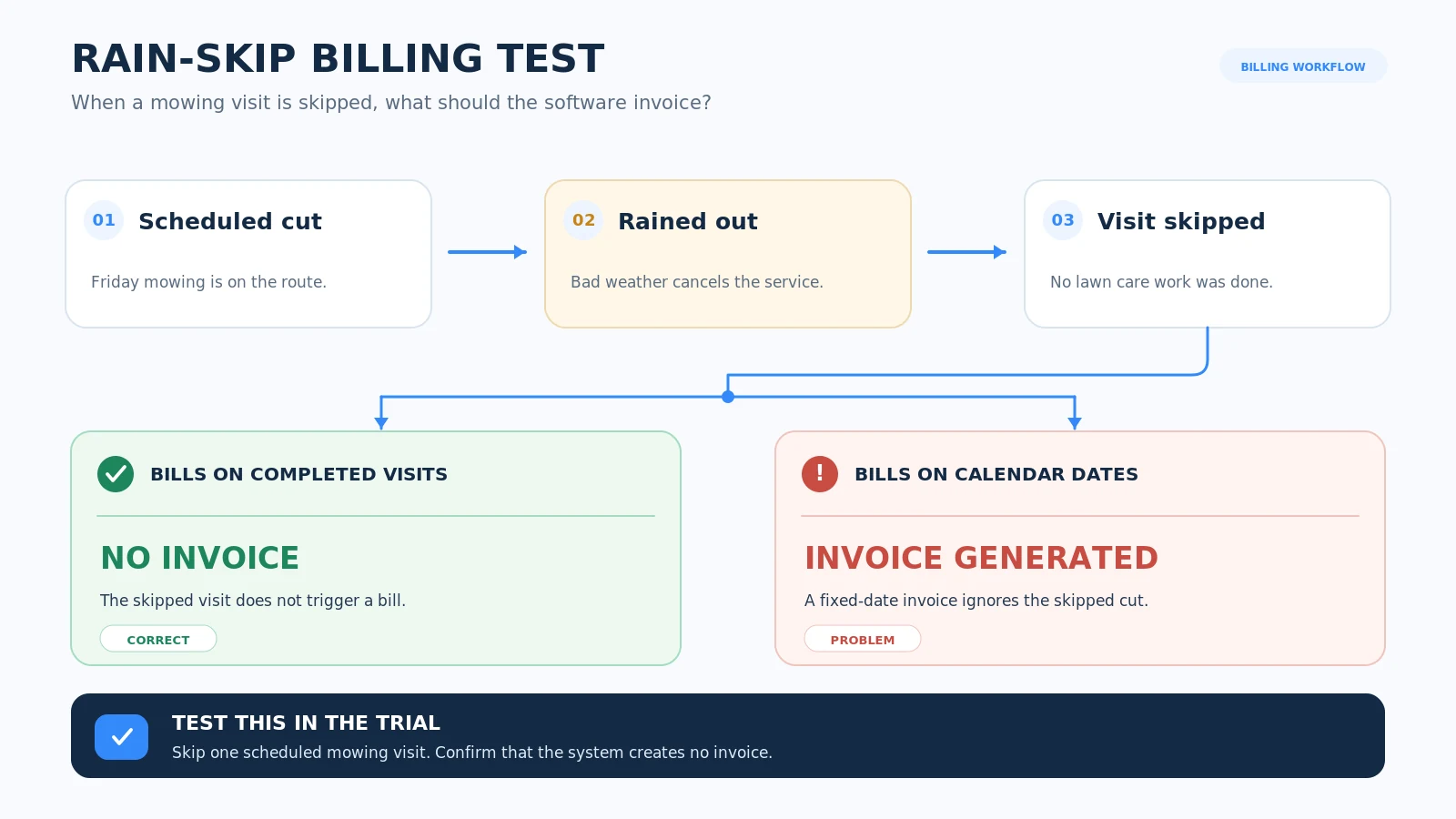
Suppose a customer agrees to $65 per mowing visit. Four completed cuts produce a $260 monthly charge. If rain prevents one visit and the service is not rescheduled, the month's charge should normally reflect the three completed visits, or $195, unless the customer agreement specifies another arrangement.
Software that creates invoices from verified job completion can make these adjustments easier to manage.
A fixed recurring invoice that sends $260 every month could create an incorrect charge if nobody reviews it after the canceled visit.
Businesses using per-visit billing should test whether the software generates charges from completed jobs or simply follows a calendar.
Level monthly billing
Level billing spreads a seasonal contract amount across equal payments.
Suppose a company agrees to provide 24 mowing visits during an eight-month season at $70 per service.
The contracted service value is:
24 visits × $70 = $1,680
If the customer pays in eight equal installments, the monthly charge becomes:
$1,680 ÷ 8 months = $210 per month
The customer receives consistent bills even when the number of visits varies between months.
This arrangement can make monthly revenue easier for the company to plan. It also requires a clear contract explaining what happens when weather prevents visits, the customer cancels, or services remain unused at the end of the season.
Level billing software should allow the business to track the agreement and make adjustments according to its terms.
LMN supports Per Season contract billing alongside Per Visit billing. Other products should be checked against the precise contract structure the business intends to use.
Seasonal pauses and cancellations
Lawn care demand varies with the climate. A company in a northern state may stop regular mowing during winter, while a company in a warmer region may maintain some properties for much of the year.
Recurring billing settings need to match those seasonal schedules.
A company should be able to pause services without losing customer information or having to recreate every maintenance agreement when the next season begins.
The same principle applies when a customer temporarily stops service. The account should retain its history, while future appointments and charges follow the agreed pause.
Test a canceled mowing visit before purchasing
Use a trial account to create a customer with weekly mowing scheduled at $60 per visit. Mark the first visit complete and process it through the invoicing workflow.
Cancel the second visit because of weather. Do not mark it complete.
Review the billing records to see whether the system generates another invoice, retains a draft, or requires manual intervention.
Next, reschedule the canceled service and confirm that the customer is charged only according to the agreed arrangement.
This test is particularly useful because a product can advertise recurring scheduling and automated invoicing without automatically handling every scheduling exception.
How much does lawn care billing software actually cost?
Monthly subscriptions are one part of the total expense. Lawn care companies also need to account for payment processing charges, additional users, and optional integrations.
These costs become more noticeable as the business processes a larger number of customer payments.
It also helps to compare billing costs with the cost of winning and keeping customers. Our lawn care marketing guide explains acquisition budgets, gross-profit customer value, and how to judge whether the work you book is worth the spend.
Credit card processing fees
Payment processors generally charge a percentage of each transaction, sometimes with a fixed amount added.
For illustration, consider a $60 mowing invoice paid with a card under a hypothetical fee structure of 2.9% plus $0.30.
The processing charge would be:
($60 × 2.9%) + $0.30 = $2.04
The business receives $57.96 before any other applicable fees.
If 150 customers paid identical $60 invoices during a month, the business would process $9,000 in card payments and incur $306 in processing fees under those assumed rates.
This example illustrates how transaction costs accumulate. Individual software providers and processors may charge different rates, so their published terms should be used when calculating actual expenses.
ACH bank transfer fees
ACH payments allow customers to pay using their bank accounts. Depending on the provider, ACH may cost less than card processing, particularly for larger invoices.
For a lawn care company billing commercial customers several hundred dollars at a time, the difference between card and ACH fees may be material.
ACH availability varies by provider and payment setup. LMN Pay supports ACH bank transfers, while Jobber lists bank payments through Jobber Payments. Request the fees and authorization requirements for your chosen plan.
When comparing payment options, check the transaction fee, any maximum charge, payment settlement timing, and how the provider handles failed or returned payments.
Why Yardbook's free plan can become more expensive
Yardbook offers a useful example of how payment volume changes software costs.
According to Yardbook's published terms, the Starter plan adds a 1% fee to online payments processed through non-premium accounts. Business costs $34.99 per month and waives that additional Yardbook fee.
Assume a lawn care company processes $9,000 monthly through payments subject to the surcharge.
The Starter surcharge would be:
$9,000 × 1% = $90 per month
With Business, the additional Yardbook fee is waived, and the subscription costs $34.99.
Under these assumptions, Business saves:
$90 − $34.99 = $55.01 per month
The approximate break-even point is:
$34.99 ÷ 0.01 = $3,499 in monthly qualifying online payments
| Monthly qualifying payment volume | Starter's 1% surcharge | Business subscription | Lower cost |
|---|---|---|---|
| $1,000 | $10 | $34.99 | Starter |
| $2,500 | $25 | $34.99 | Starter |
| $3,500 | $35 | $34.99 | Business, slightly |
| $5,000 | $50 | $34.99 | Business |
| $9,000 | $90 | $34.99 | Business |
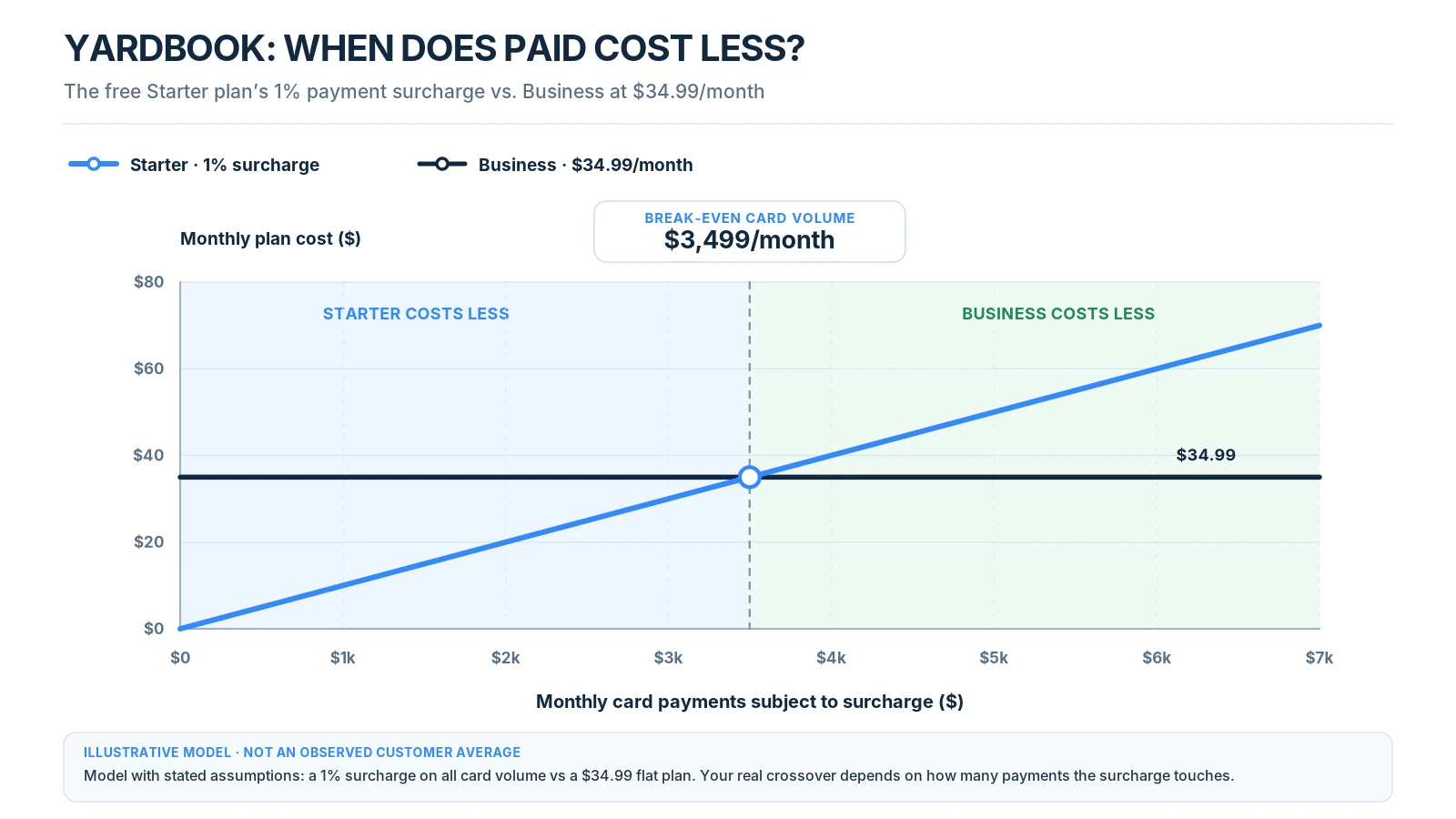
This calculation compares Yardbook's additional fee against the Business subscription. It assumes every dollar of the stated volume is subject to the surcharge and does not include the underlying processor's charges. Actual costs depend on the payment methods used and current account terms.
A business receiving mostly checks could remain on Starter without reaching the same break-even point. A company collecting thousands of dollars in online payments may benefit from Business even before considering its automatic invoice reminders.
Employee licenses and setup costs
Some software plans include only one user. Others bundle several office or field employees into the subscription.
A company with an owner, three technicians, and an office administrator needs to establish who requires a software account and what access each person needs.
The owner may need full billing permissions, while technicians may only need to view appointments and mark work complete.
Buying extra licenses for employees who do not need billing access can increase subscription expenses unnecessarily. Conversely, a plan with insufficient users may force staff to share accounts, making it harder to track who changed a job or invoice.
Service Autopilot also lists signup fees alongside its subscriptions, making the first-year cost higher than twelve monthly plan charges alone.
Before accepting a quotation, ask for the subscription total over twelve months, applicable setup charges, required add-ons, and the cost of all necessary employees.
Free vs. paid lawn care billing software
Among the six products in this comparison, Yardbook Starter has a permanent free plan with invoicing and scheduling. QuickBooks offers a more limited free accounting option, while LMN, Jobber, Service Autopilot, and Housecall Pro have paid subscriptions or temporary trials.
| Option | Monthly subscription | What to check |
|---|---|---|
| Yardbook Starter | $0 | Invoices and online payments included; a 1% Yardbook surcharge applies to qualifying online payments on non-premium accounts. |
| QuickBooks Online Free | $0, with restrictions | Invoice limits and eligibility; not a substitute for lawn route scheduling. |
| LMN Starter | From $297 | Automated invoicing, Per Visit and Per Season billing, crew licenses, and an onboarding fee. |
| Other paid field-service plans | Varies | Compare the plan that includes the recurring billing or payment feature, not only its entry price. |
A free plan continues within its restrictions. A free trial ends after its trial period. An invoicing limit can make a free accounting product unsuitable for a company sending weekly bills.
Yardbook users processing substantial online payment volume should compare the free-plan surcharge with the $34.99 Business subscription. For an established company considering LMN, the decision involves whether its estimating, contract billing, and crew features justify the subscription and onboarding expenses.
Does lawn care billing software integrate with QuickBooks?
Several products in this comparison connect with QuickBooks Online, but the integration may be available only on certain plans or through an additional service.
The purpose of the connection is to transfer relevant financial records between the field-service application and the accounting system.
Without an integration, an owner may have to enter the same customer invoice into both systems. This creates extra work and gives staff another opportunity to enter an incorrect amount or duplicate a payment.
The published integration arrangements are:
| Software | QuickBooks integration |
|---|---|
| Jobber | Included on Connect and higher |
| Yardbook | Included on Enterprise |
| LMN | QuickBooks Online on Starter; QuickBooks Desktop also on Professional and Enterprise |
| Service Autopilot | Listed with Elite and as a quoted add-on on applicable plans |
| Housecall Pro | Included on Essentials and Max |
| QuickBooks Online | Accounting system itself |
Some integrations synchronize information automatically, while exports require the user to move records between applications manually.
Even an automatic integration needs testing.
Suppose a lawn care company invoices a commercial property for $450. The invoice is created in its field-service software and transferred to QuickBooks.
The customer later pays $300, leaving $150 outstanding.
The owner should confirm that the accounting records show the original $450 invoice, the $300 payment, and the remaining $150 balance.
If the invoice is transferred twice, or the payment is not assigned to the correct record, the accounting totals may become inaccurate.
Credits and refunds should also be tested. A customer who receives a $50 adjustment after a billing dispute needs the correction reflected in both systems.
Before activating a QuickBooks integration for an entire customer database, start with a small set of records and reconcile the results. Avoid running two automatic invoice-generation processes for the same customers unless their responsibilities are clearly separated.
What to check before buying lawn care billing software
A software demonstration can make basic invoicing look straightforward. The more useful test is whether the system handles the situations that require manual corrections during a normal working month.
Use the same sample customer and billing arrangements in each product you shortlist.
1. Create a recurring mowing customer
Add a residential customer with a weekly $60 mowing service. Schedule four visits and check whether the system stores the agreed rate against the customer record.
Complete the first appointment and see how the software creates the invoice. Check whether it is automatically sent or must be approved.
2. Cancel one visit because of rain
Cancel the second appointment and leave it marked as incomplete.
Check whether an invoice is generated and whether the scheduling change affects the customer's billing record.
If the system requires a manual adjustment, determine how much work that would create across your usual weekly route.
3. Add an extra service
Add a $40 shrub-trimming charge to one completed mowing visit.
Check whether the software can place both services on the same invoice, with descriptions the homeowner can understand.
This is useful for companies that perform regular mowing but frequently receive small requests for additional work.
4. Collect a partial payment
Create a $300 invoice and record a $200 payment.
The remaining customer balance should be $100. Check whether reminders, payment receipts, and accounting records use the correct amount.
Also test how the application handles a refund or adjustment.
5. Test payment reminders
Create an overdue invoice and configure a reminder according to the plan's available features.
Review the message the customer receives and confirm that it includes the correct outstanding balance and payment link.
Businesses should also make sure reminders stop after a payment is recorded.
6. Check employee permissions
Add a technician account and determine whether the employee can mark a job complete without changing prices or customer payment information.
The permission settings should match how your company divides field work and office administration.
7. Review the customer payment experience
Open an invoice on a phone and attempt to pay it through the available payment methods.
Check whether the payment page is understandable, whether the invoice contains the correct service details, and whether the customer receives a receipt.
An online payment system should be evaluated from the customer's side as well as the business dashboard.
8. Export records and verify accounting
Export a customer list and the relevant financial records to see what information remains available if you change software.
If QuickBooks integration is required, send a test invoice and payment through the connection. Confirm that corrections do not create duplicate entries.
A product that passes these tests is more likely to match the company's actual billing process than one selected using a feature list alone.
Which lawn care billing software should you choose?
A lawn care company with 20 recurring customers has different software requirements from an operation maintaining several hundred residential and commercial properties.
Your service mix matters as much as your customer count. Companies that also sell design/build projects or commercial contracts can use our landscaping marketing strategies guide to compare how residential maintenance, installation work, and commercial accounts differ.
The following recommendations are based on those operating differences.
| Your business situation | Software to consider | Reason |
|---|---|---|
| Starting with a limited software budget | Yardbook Starter | Free invoicing, scheduling, and customer records |
| Solo operator collecting payments online | Yardbook Starter or Business | Compare free-plan surcharge against Business subscription |
| Growing to several employees | Jobber Connect | Shared job workflow with automatic payment collection |
| Established recurring lawn maintenance | LMN Starter or Professional | Per Visit and Per Season billing with estimating and crew records |
| Managing larger routes and complex operations | Service Autopilot | Route management and configurable higher-tier automation |
| Offering multiple home services | Housecall Pro | Scheduling and invoicing across different service types |
| Already managing scheduling elsewhere | QuickBooks Online | Accounting and payment records without replacing field operations |
For a small business that primarily wants to issue invoices, Yardbook Starter is a reasonable starting point. As card-payment volume increases, compare its 1% qualifying surcharge against the Business subscription.
Companies with recurring customers and multiple employees should compare Jobber Connect against the right LMN plan, especially when contracted maintenance, batch billing, and crew reporting matter.
Larger operators should calculate the complete cost of Service Autopilot or Housecall Pro using their actual employee counts and maintenance-contract requirements.
QuickBooks remains useful when financial recordkeeping is the main priority and scheduling is already handled elsewhere.
The subscription decision should follow a practical test of the billing workflow, especially how the system manages canceled visits, partial payments, and recurring customer agreements.
Frequently asked questions
Q.1 What is the best lawn care billing software for a small business?
Yardbook is a reasonable starting point for smaller lawn care businesses because its Starter plan includes free invoicing and scheduling. A growing team can consider Jobber, while an established landscaping company with commercial contracts may find LMN more appropriate.
Yardbook does not state a customer cap on its pricing page, although an additional fee applies to qualifying online payments on the free plan. Jobber and LMN offer additional operational tools on paid subscriptions.
Q.2 Can I use lawn care billing software for free?
Yes. Yardbook Starter offers basic invoicing and scheduling without a monthly subscription. QuickBooks Online also has a limited free product, but its invoice restrictions may not suit regular lawn service billing.
Yardbook includes online payments but applies an additional 1% fee to qualifying transactions on non-premium accounts. Payment processor fees can also apply. Compare those fees with a paid subscription before moving high payment volume.
Q.3 Can lawn care software send automatic invoices after mowing?
Some lawn care software can automatically create invoices from completed services, although the exact trigger and subscription requirements differ.
LMN includes automated invoicing and Per Visit billing, while other platforms offer different combinations of recurring scheduling, batch invoicing, and payment collection. Test whether the invoice follows actual job completion or a fixed date before enabling automation.
Q.4 Can customers pay lawn care invoices online?
Yes. All six products support online payment collection in some form.
Payment options may include credit cards, debit cards, or ACH bank transfers, depending on the provider and plan. Businesses should compare processing fees and settlement conditions before selecting their preferred payment method.
Q.5 Can lawn care software charge customers automatically every month?
Some products support automatic charging when customers authorize a stored payment method or recurring payment agreement.
Jobber includes automatic payment collection on Connect. LMN Pay supports automatic payment processing on invoicing with authorization. QuickBooks supports recurring payment arrangements through its payment services, subject to the applicable setup and terms.
Q.6 How should I bill customers when rain cancels a mowing appointment?
The charge should follow the customer's service agreement.
Under per-visit billing, an appointment that was canceled and never completed would ordinarily remain unbilled. Under a level monthly contract, the customer may still owe the scheduled installment, subject to the agreement's rules for missed services and adjustments.
Software should let the business record the cancellation and apply the correct billing treatment.
Q.7 Do I need QuickBooks if my lawn care software already sends invoices?
You may not need QuickBooks solely to issue invoices. Several lawn care applications include invoicing, payments, and basic financial reports.
QuickBooks becomes relevant when the business needs more extensive bookkeeping, accounting reports, and reconciliation. If you use both systems, confirm that their integration transfers invoices, payments, and corrections accurately.
Q.8 Can I create lawn care invoices from my phone?
Yes. These products provide mobile invoicing or mobile access to billing features to varying degrees.
Mobile capabilities depend on the application and user permissions. Some technician accounts may only record completed work, while owners or office employees can issue invoices and collect payments. Test the relevant permissions before giving employees access.
Before you commit to a subscription
Start with two products that fit your customer count and billing arrangements. Create the same recurring mowing account in both, then test completed visits, a weather cancellation, invoice delivery, and payment recording.
Use the results to determine which system requires fewer manual corrections. Compare the subscription and payment fees using your actual monthly transaction volume before committing to an annual plan.
Billing software helps collect payment for jobs you have booked; it does not fill an empty route. RankBeaver’s free Local Rank Grid shows where your lawn care business appears in Google Maps across nearby neighborhoods. If you need help getting found in those areas, see RankBeaver’s local SEO and Google Business Profile services.