
A pest control company can have a full calendar and still miss customers who are due for service. An appointment may be canceled without a replacement date. A quarterly treatment may be moved to another week, leaving the next visit unclear. The office may also have to rebuild several technicians' routes when rain delays outdoor work.
Pest control scheduling software helps manage those situations. It keeps track of which customers need another visit, assigns work to technicians, and gives the office a way to change appointments without losing sight of the service agreement.
For a small company, the choice often comes down to GorillaDesk, Fieldwork, or a general field-service tool such as Jobber. Businesses with larger recurring routes may want to compare FieldRoutes, PestPac, Pocomos, and Briostack. There are also free scheduling tools, although their limitations matter for pest work.
This comparison covers ten platforms, including ServiceM8’s permanent free tier, and other free scheduling options available in 2026. Prices and features are drawn from vendor documentation rather than hands-on testing. Where a feature depends on a paid tier or a vendor quote, that is stated.
What's in this guide
- Pest control scheduling software compared
- Which software is worth considering?
- What to check before buying scheduling software
- Is there free pest control scheduling software in 2026?
- How much should a pest control business budget?
- A practical way to test software before switching
- Frequently asked questions
- Which option should you try first?
Pest control scheduling software compared
| Software | Type | Published starting price | Recurring scheduling | Routing and dispatch | Try it |
|---|---|---|---|---|---|
| GorillaDesk | Pest-native | $49/month per schedule | Included | Basic route planning; optimization on Pro at $99/month | 14-day trial |
| Fieldwork | Pest-native | $59/month per field technician | Included | Route optimization on Business at $79/month | 14-day trial |
| Pocomos | Pest-native | $109/month for 0–20 active/on-hold customers | Included | Dispatch and route optimization included | Request demo |
| FieldRoutes | Pest-native | Custom quote | Included | Route planning and bulk scheduling | Request demo |
| PestPac | Pest-native | Custom quote | Included | Route optimization, territory and due-service reports | Request demo |
| Briostack | Pest-native | Custom quote | Included | Bulk rescheduling and route optimization | Request demo |
| Jobber | General | $29/month on annual billing (Core) | Included on Core | Route optimization on Connect or higher | 14-day trial |
| Housecall Pro | General | $59/month on annual billing | Recurring Service Plans on Max ($299/month) | Scheduling and dispatch on Basic; optimization on Max | 14-day trial |
| QuoteIQ | General | $29.99/month (Essentials) | Recurring calendar jobs included | Route optimization and dispatch on Elite ($299/month) | 14-day trial |
| ServiceM8 | General | Free for 1 user and 30 new jobs/month; paid from $29/month | Included on Free and higher | Dispatch map and Auto Routing add-on available; not pest-specific | Free plan; 14-day trial |
Prices are in US dollars and reflect publicly available vendor information checked in October 2026. Annual-billing prices are labeled. Custom quotes, taxes, messaging fees, payment processing, and add-ons may change the final cost.
The starting price is useful for narrowing the list, but it can be misleading when routing is the feature you need. Fieldwork charges $59 for its Startup plan, while route optimization appears on its $79 Business plan. Jobber's $29 annual-billing entry plan supports recurring jobs, but route optimization starts on Connect. QuoteIQ includes calendar scheduling at $29.99; route optimization is part of its $299 Elite plan. ServiceM8 is different: its $0 tier includes recurring jobs, but it is not a dedicated pest recordkeeping system.
For a broader comparison of billing, customer management, and other functions, see RankBeaver's best pest control software guide.
Which software is worth considering?
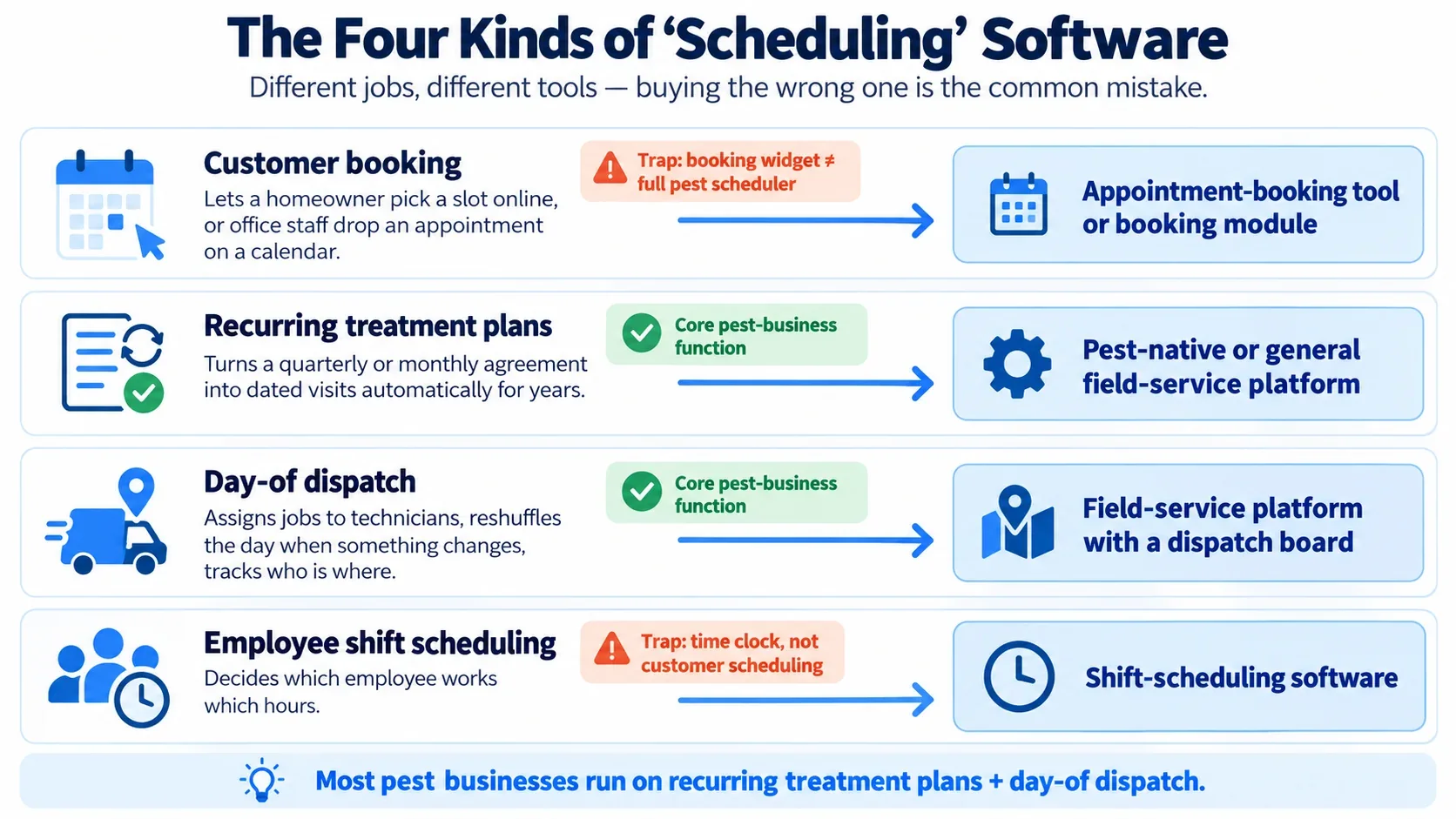
The ten options below include pest-specific systems and general field-service software. Compare their recurring-visit features, dispatch tools and routing costs at the plan level, not just the advertised starting price.
GorillaDesk
GorillaDesk charges by the number of schedules a business operates. Its Basic plan starts at $49 per month and includes job scheduling, dispatching, route planning, invoicing, and a mobile app. The Pro plan starts at $99 per month and adds route optimization, subscription billing, and other features.
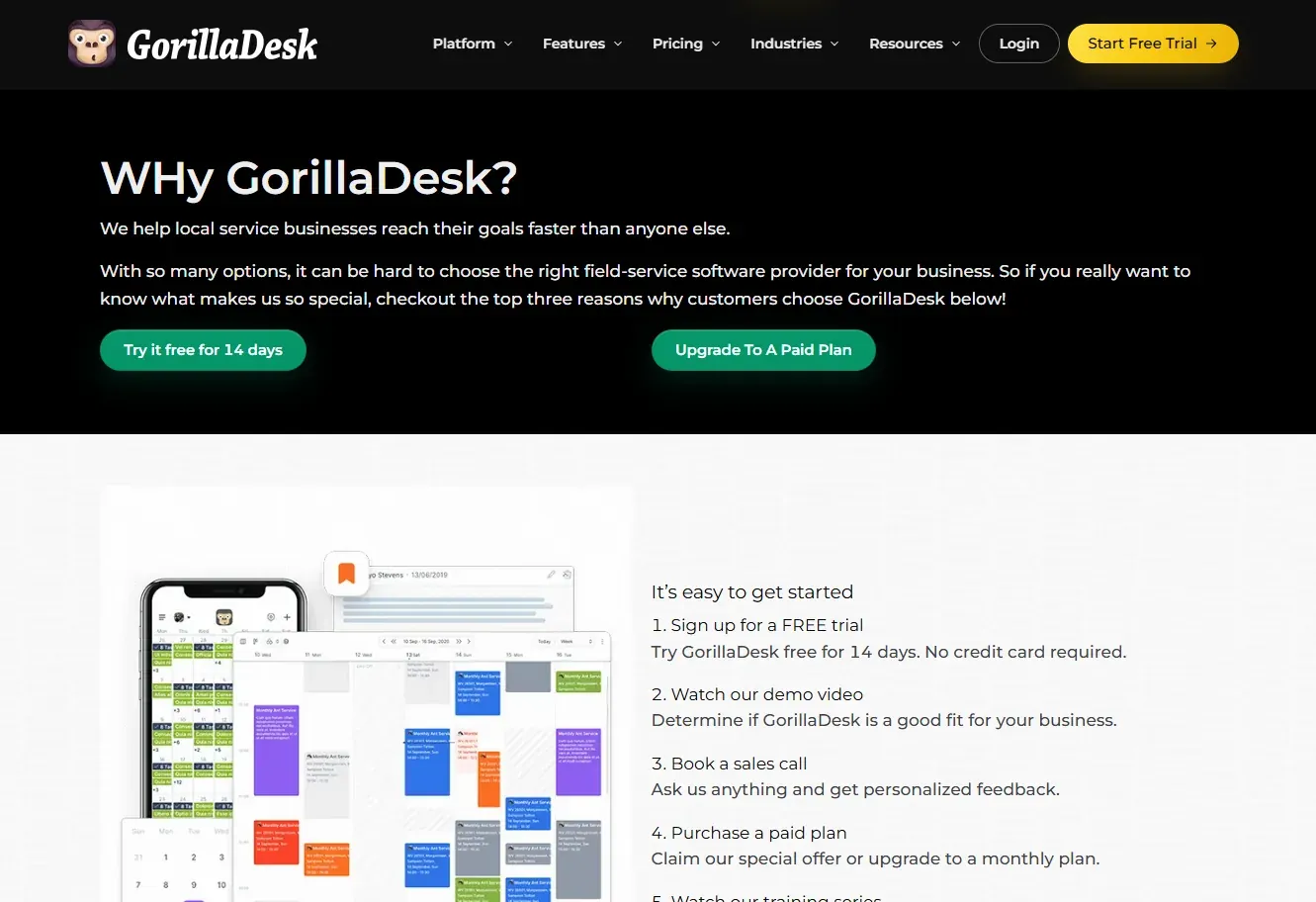
Its recurring-job system has a useful detail: after a job is completed or canceled, GorillaDesk generates the next visit according to the configured frequency. The company also documents exceptions for seasonal services and rules for avoiding overlapping treatments. Those settings are relevant when a customer receives different services on different schedules.
GorillaDesk deserves a place on the shortlist for a pest-only company that wants a published price and field-service features in the same system. Before subscribing, check how many schedules your technicians need, particularly if some work as a crew. Also test how a late completion affects the next service date.
Fieldwork
Fieldwork lists three monthly plans: Startup at $59, Business at $79, and Pro at $99, priced by field technician. Office users do not count as paid field users. That makes its pricing worth checking when several people handle calls and scheduling but only a few technicians perform treatments.
Startup includes the calendar, invoicing, reminders, and mobile access. Business adds Google Mapping and route optimization. Pro adds contracts and agreements, technician tracking, multi-office support, and other features. Fieldwork also has pest-specific functions such as chemical tracking.
The trade-off is easy to overlook: the cheapest plan is adequate for appointment management, but an operation buying Fieldwork specifically for optimized routes should budget for Business or higher. The company advertises a two-week trial without a credit card.
Pocomos
Pocomos prices its software according to active and on-hold customer count, rather than technicians or office users. Its published schedule starts at $109 per month for up to 20 such customers, $159 for 21–50, and $239 for 51–300. The pricing page says route optimization is included without a separate charge.
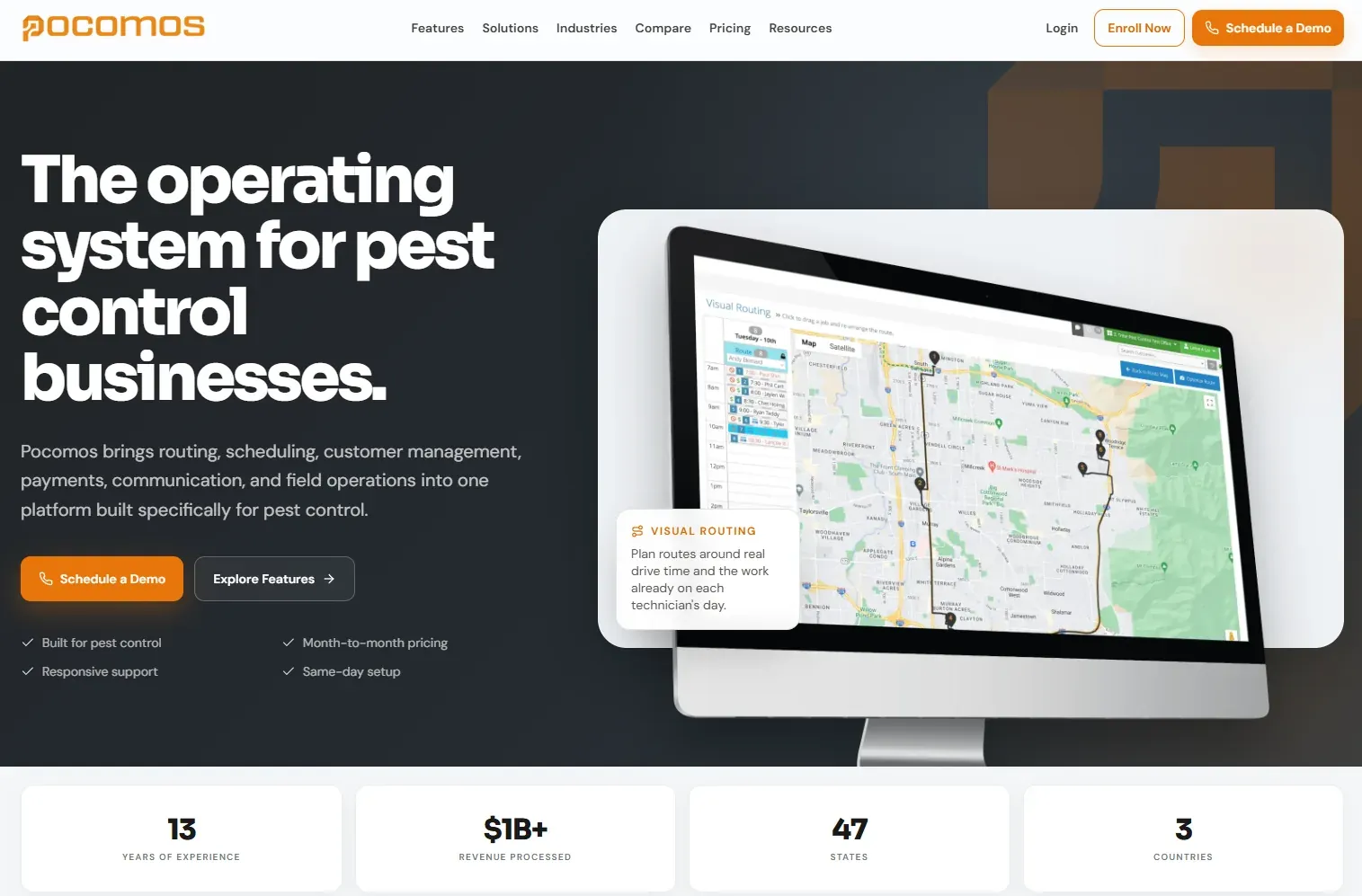
This structure changes the cost calculation. A company that hires a technician without adding many customers would not automatically move to a higher Pocomos price because of that hire. A company that grows its customer list quickly could reach the next pricing band even with the same team.
Pocomos combines scheduling with dispatching, route planning, customer records, billing, and communication. Ask for a demonstration using your customer count and service frequencies, and confirm any texting or payment-processing costs separately.
FieldRoutes
FieldRoutes focuses on scheduling ongoing pest contracts and building technician routes. Its software can highlight customers due for service, support individual or bulk scheduling, and organize work around factors such as service dates and technician skills.
These functions deserve closer attention when an office is placing a large number of repeat visits each week. A dispatcher needs to see which accounts are due, which have appointments, and which are waiting to be placed on a route. A calendar view alone may require more manual checking.
FieldRoutes does not show a standard subscription price on the product page reviewed. Request a quote with your number of active customers, technicians, and branches. During the demo, ask the vendor to show the overdue or unscheduled-service workflow using examples from your own operation.
PestPac
PestPac supports recurring treatments with different frequencies, service windows, and appointment rules. It also provides reports for missed, skipped, canceled, and unscheduled work. Its separate routing features include technician availability and territory planning.
One documented scheduling behavior is particularly useful. PestPac says an individual recurring appointment can be moved without changing the remaining series. For example, moving this month's visit from Monday to Thursday can leave next month's usual Monday appointment in place.
PestPac is worth evaluating when an office needs detailed control over recurring services and wants reporting that can identify work waiting for a date. Pricing requires a quote. Ask what the quoted package includes, since a scheduling demonstration and a route-optimization demonstration may involve different functions.
Briostack
Briostack supports predefined service sequences, including jobs that need several treatments spaced a set number of days apart. That can be useful for treatment programs where a second or third visit needs to occur within a particular window.
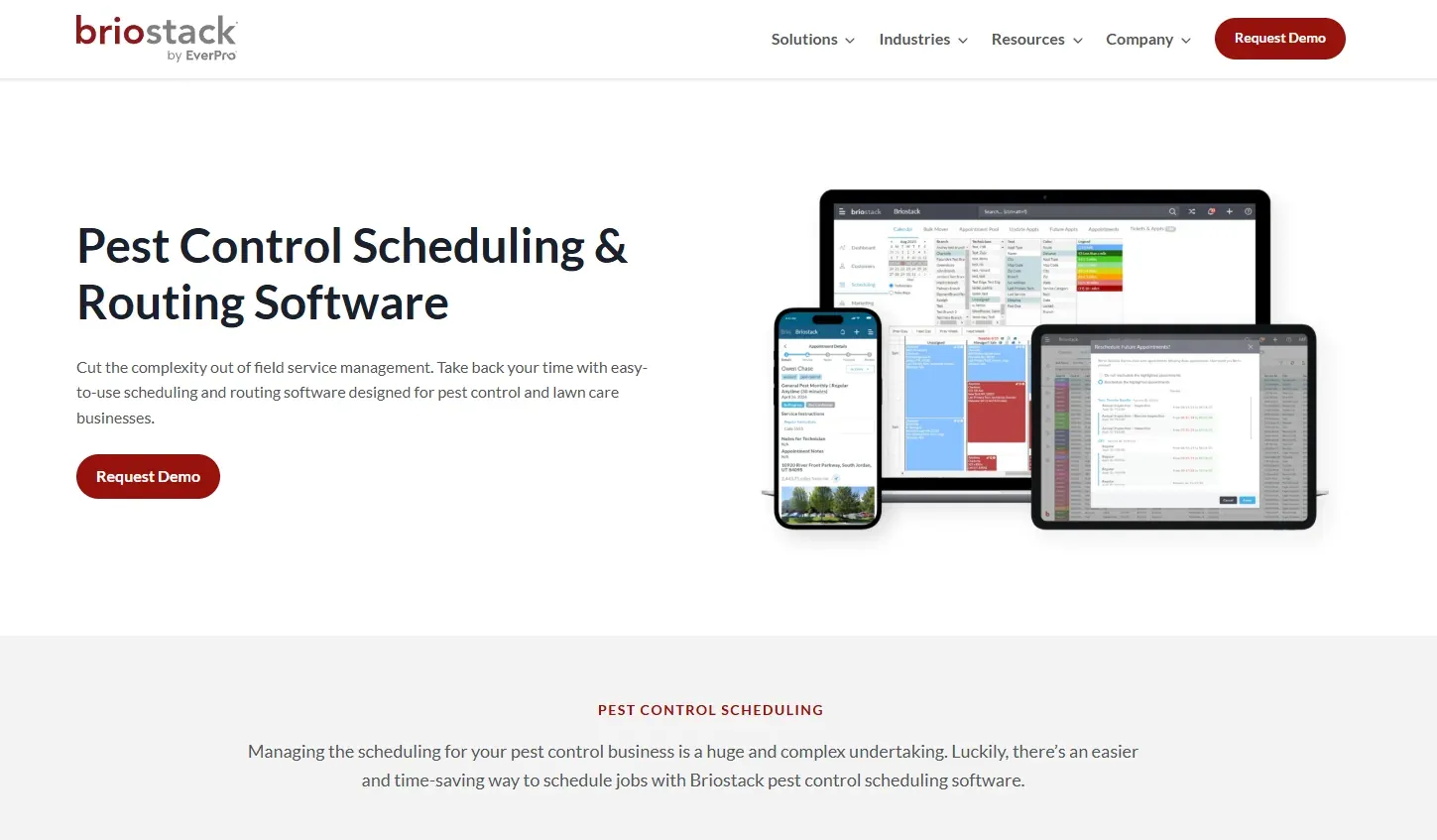
The vendor also describes bulk rescheduling by technician or branch, customer SMS updates about schedule changes, route optimization, and chemical-usage reporting through its technician app. These are practical features to test when rain cancels part of a day's route or when multiple follow-up treatments need new dates.
Briostack uses quote-based pricing. Ask the sales team to demonstrate a multi-visit service program and a bulk reschedule. Check whether the mobile app retains the service details your technicians need when working with weak cellular coverage.
Jobber
Jobber is general field-service software. It can schedule recurring jobs, generate invoices, and manage customer information for different types of work. A company that offers pest treatments alongside lawn care or property maintenance may prefer maintaining one customer record across those services.
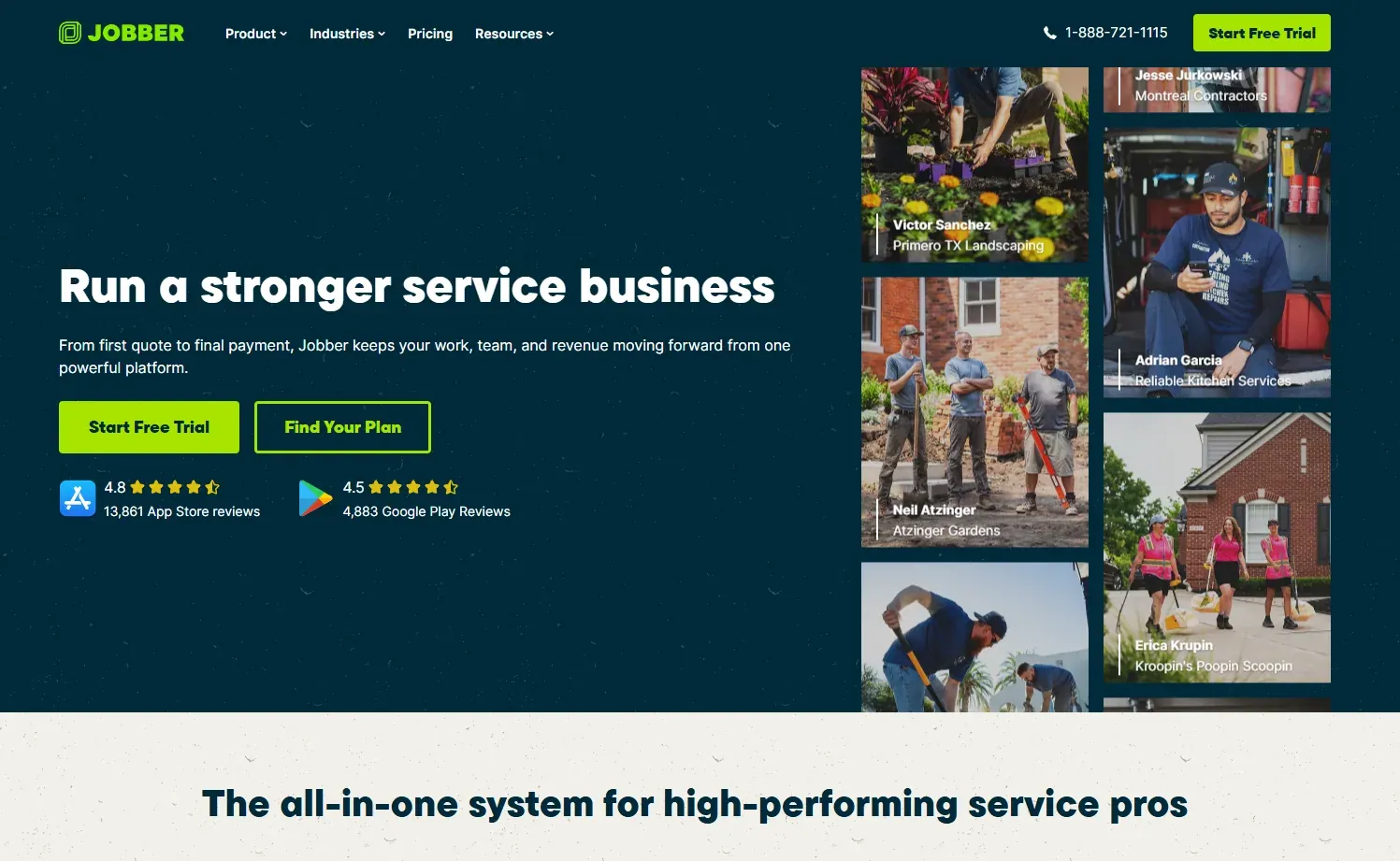
Core starts at $29 per month with annual billing, or $49 on the regular monthly rate shown by Jobber. Its documentation confirms that Core supports recurring jobs. Route optimization is available on Connect, Grow, and Plus, with Connect's regular annual-billing price listed at $99 per month. Jobber's newer route optimizer works with unscheduled-time or “anytime” visits; fixed-time appointments have different constraints.
Jobber is worth a trial when the business needs a broad field-service system. Pest operators should separately verify treatment documentation, chemical records, and state-specific reporting needs. Do not assume the standard job checklist covers every required application record.
Check: Recurring jobs and route optimization rules.
Housecall Pro
Housecall Pro starts at $59 per month when billed annually. Basic includes scheduling and dispatch. Its Max plan, listed at $299 per month on annual billing, includes Recurring Service Plans and route optimization.
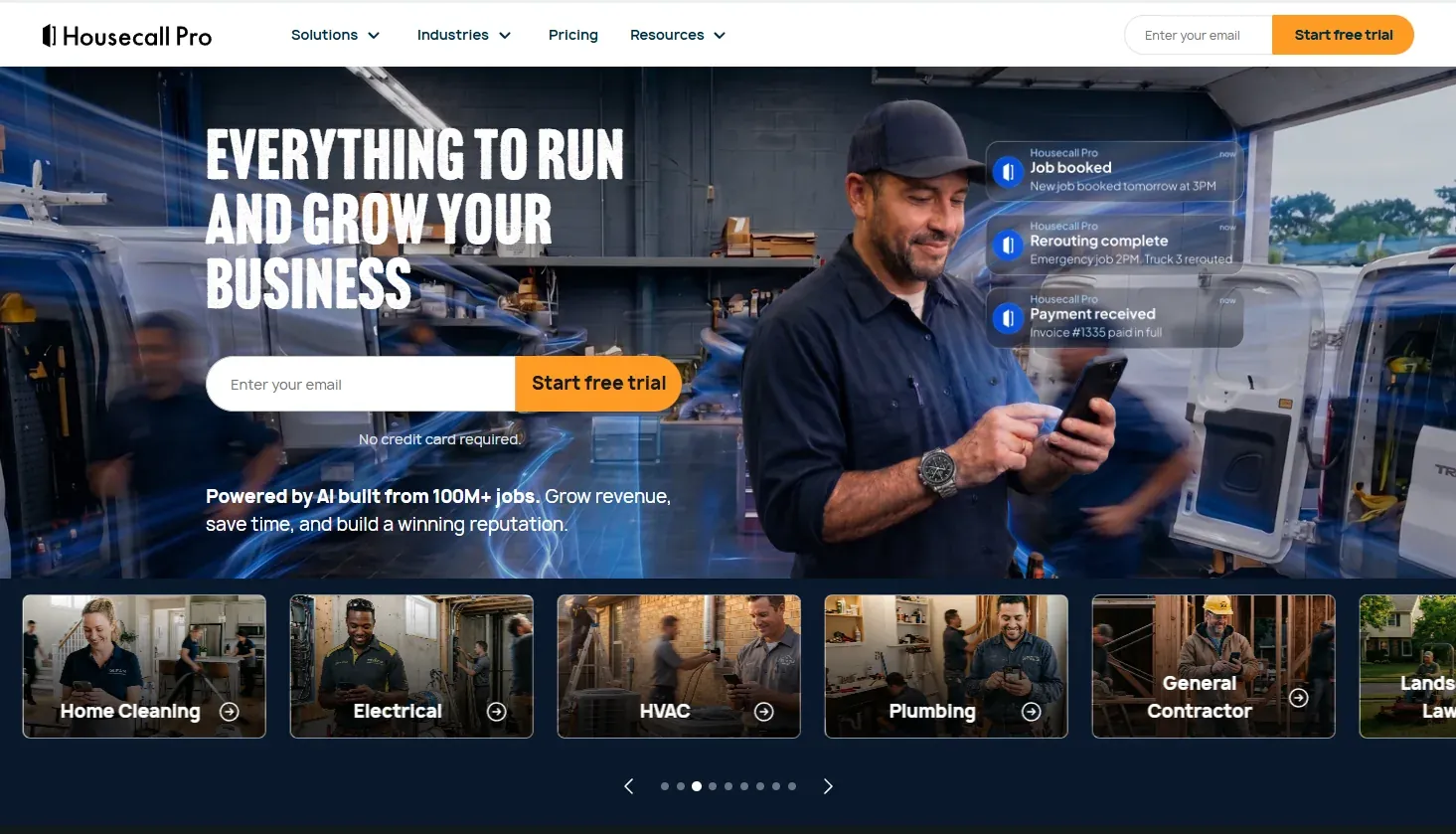
Housecall Pro added route-based scheduling in May 2026. Its documented route workflow organizes work under routes and then assigns employees to those routes. That gives dispatchers a way to group work by territory or service pattern, instead of building every technician's day from individual appointments.
The distinction between ordinary scheduling and Recurring Service Plans matters here because the latter is listed on Max. A pest company considering Housecall Pro should ask how monthly or quarterly treatments are generated on its proposed tier and whether an individual reschedule changes future dates.
QuoteIQ
QuoteIQ starts at $29.99 per month for Essentials. That tier includes job scheduling, customer records, estimates, invoices, and recurring billing functions. Its scheduling documentation also describes recurring job visits and the option to move one appointment without changing the remaining series.

The higher tiers are important if technicians will use dispatch features. QuoteIQ places route optimization, dispatching, and customer self-booking on Elite, published at $299 per month. Its regular Elite tier includes ten users; the entry tier includes one. Customer-facing booking links are therefore a different purchase decision from using the internal calendar.
QuoteIQ can make sense for a small business that wants estimates and scheduling together and does not need specialized pest reporting. Compare its Elite price against pest-focused alternatives if route optimization or team dispatch is the main reason for switching software.
ServiceM8
ServiceM8 has a permanent free plan with recurring work scheduling: $0 for one user and 30 new jobs a month. It includes scheduling, recurring jobs, online booking and card payments, making it a practical starting point for a solo operator. Paid plans run from $29 to $349 per month and are priced by monthly job volume rather than per user, so hiring another technician does not itself create a per-seat fee.
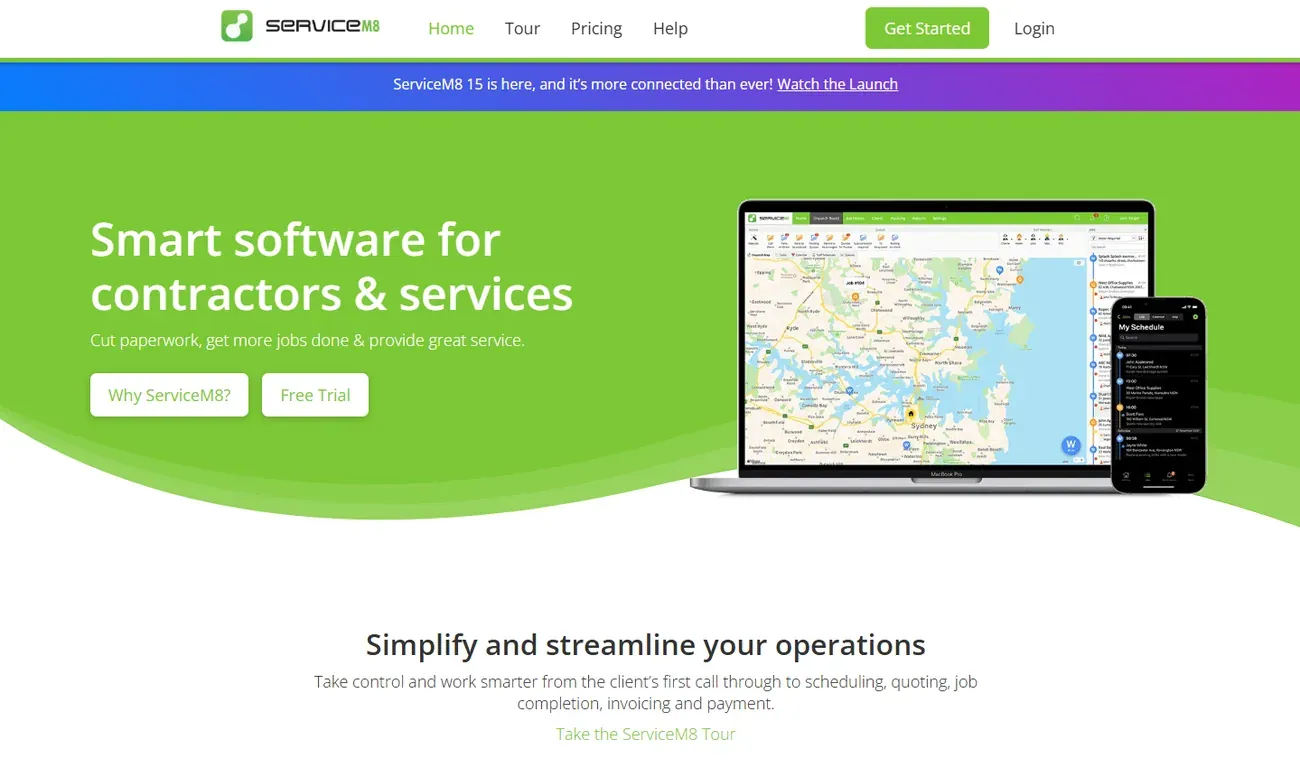
Two limits affect the fit. ServiceM8 has a dispatch map and an Auto Routing add-on that can sequence a technician’s stops, but it is a general field-service system, not a pest-specific route and chemical-record platform. The full mobile app is built for iOS; Android technicians use ServiceM8 Lite with fewer features. It is worth considering for a solo or very small operation using Apple devices that wants to start free and can track its pest-specific treatment records separately.
What to check before buying scheduling software
The most useful comparison starts with your service agreements and a real week's work. A short product demonstration can show whether the software handles the cases your office deals with regularly.
How recurring treatments are scheduled
Pest businesses often have different schedules for general pest service, mosquito treatments, termite monitoring, and follow-up inspections. Those schedules may have different rules even when the same customer receives more than one service.
Ask the software vendor how it creates the next visit. Some platforms generate future appointments from a fixed series of dates. Others create or unlock the next appointment after the current job reaches a particular status. Both can support recurring work, but the difference matters after a canceled or delayed appointment.
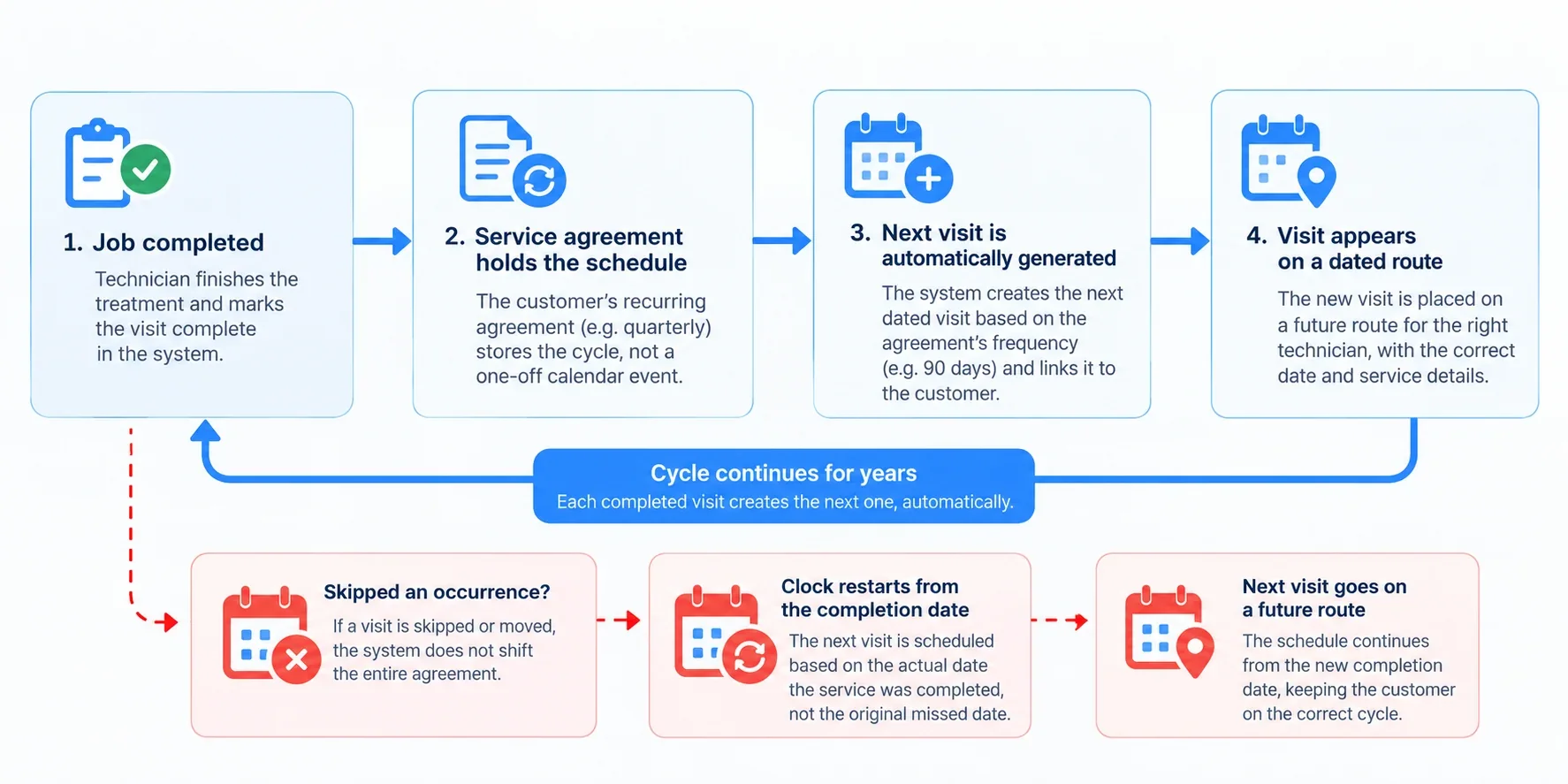
Pro tip: Use one simple test. Set up quarterly service beginning on January 10. Move the April visit to April 24, then check the July appointment. Depending on the agreement, July 10 or July 24 might be correct. You need a setting that follows your company's actual service terms and makes overdue work visible to the office.
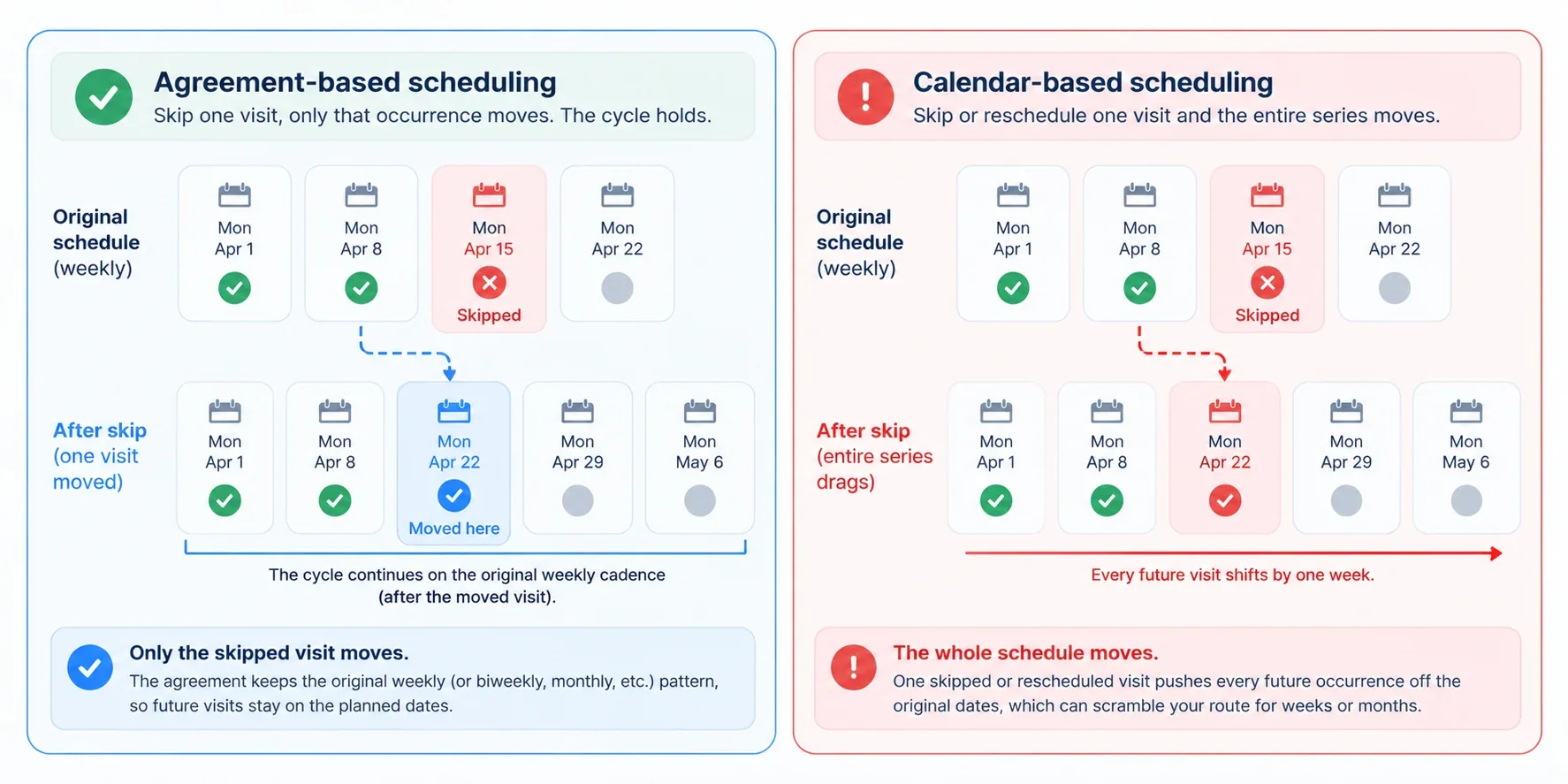
Also check whether billing follows the service dates. A customer may pay monthly even when the technician visits quarterly. Recurring invoices and recurring visits should be configurable separately if that is how your plans work.
What happens to visits that are due but unscheduled
An appointment calendar shows the jobs already assigned a date. The office also needs to find customers who are due for treatment but have not been booked. Otherwise, a canceled quarterly visit can be missed among completed jobs and future appointments.
Pro tip: Ask for a list or report showing customers due within the next 30 days, customers past due, and canceled visits still waiting to be rescheduled. PestPac, for example, documents reports for unscheduled, missed, skipped, and canceled orders. The exact report names differ between products, so inspect the screen instead of relying on a feature label.
Rescheduling when the day's plan changes
Weather delays, access problems, and technician absences create different scheduling tasks. A useful dispatch board should let office staff find affected jobs and assign new dates or technicians without rebuilding every appointment individually.
Test one day with two technicians and ten scheduled stops each. Mark one technician unavailable, then see how the other technician's route can absorb the work. Confirm what happens to appointments that cannot fit, whether affected customers can be notified, and whether their future recurring service remains correct.
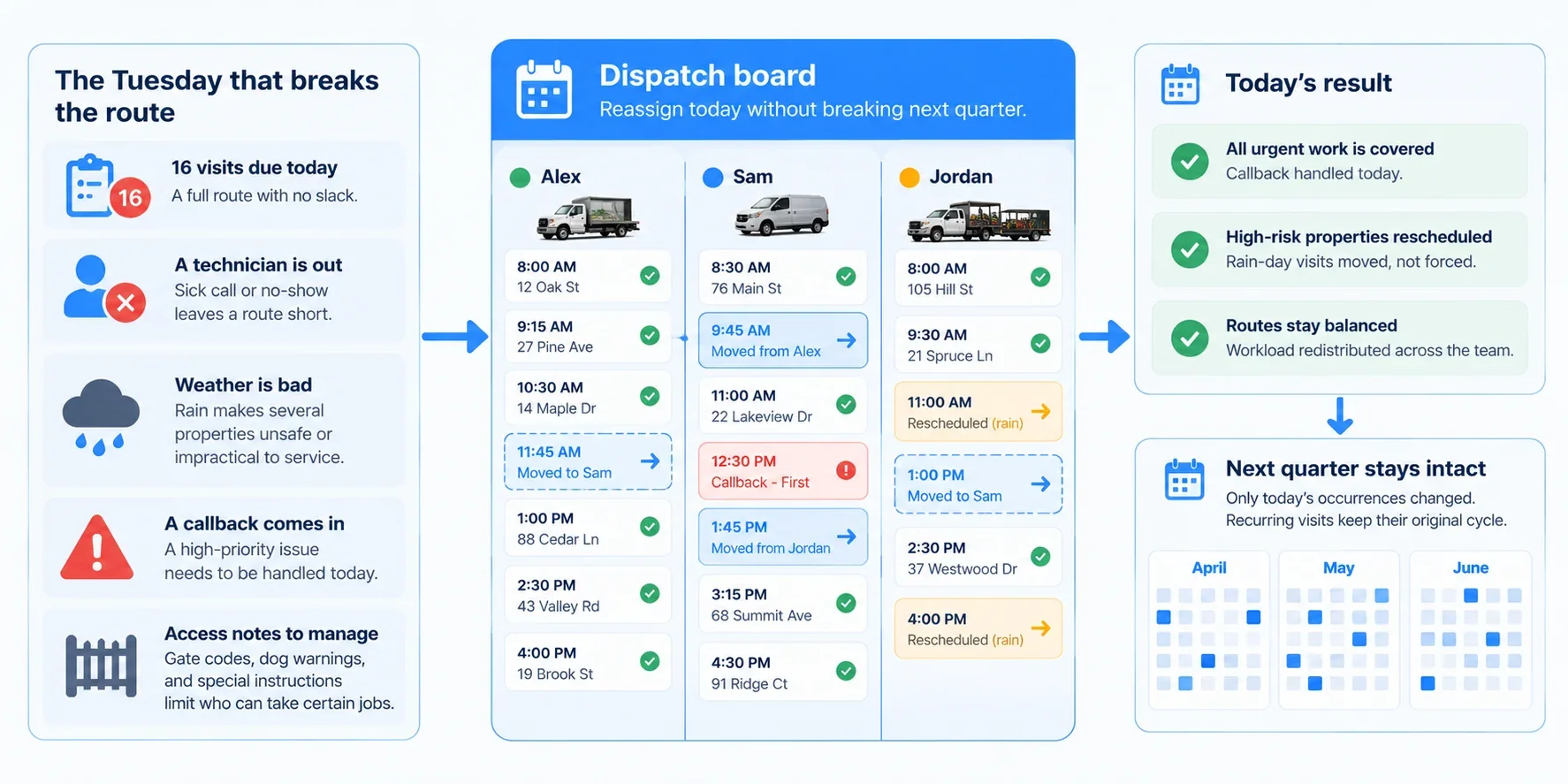
For a deeper discussion of stop sequencing and route density, see RankBeaver's pest control routing software comparison.
Information available to the technician
An appointment is only useful when the technician can see what needs to be done. The field app should display the service type, treatment history, entry instructions, customer contact details, and any relevant safety or access notes. A commercial account may require a particular arrival window or authorization before work begins.
If your company records pesticide applications, inspect the exact fields available in the mobile app and the export or report produced afterward. Requirements vary by jurisdiction and treatment type. The presence of a generic notes field does not establish that a product meets your recordkeeping obligations.
Whether customers receive accurate updates
Appointment confirmations, reminders, and rescheduling notices should use the latest job information. Test a reminder for a visit that is moved after the first confirmation has already gone out. The customer should receive the updated date, and the technician should see the same information.
SMS pricing also belongs in the comparison. Some products include basic notifications but charge separately for texting volume, phone features, or automation. Ask for the cost at the number of messages your company actually sends.
Is there free pest control scheduling software in 2026?
Yes. ServiceM8 has a genuinely free plan that includes recurring job scheduling. No free general-purpose option should be assumed to handle the full pest-specific combination of recurring route management and pesticide application records, so compare the limits and verify what your business must document.
| Free option | What is included | Where it falls short for pest work |
|---|---|---|
| ServiceM8 Free | Scheduling, recurring jobs, online booking and card payments at $0; one user and 30 new jobs per month | No built-in pest-specific chemical records; full mobile app on iOS, Android Lite is reduced-feature. Auto Routing add-on available; verify its fit for your routes. |
| ReachOut Suite Free | Calendar, work orders, inspections, invoices, and up to 25 jobs per user monthly | Recurring jobs and route optimization are on paid plans |
| SchedulingKit Free | One user, one event type, and up to 50 bookings monthly | No pest-specific treatment history or route management; recurring bookings are on a paid tier |
| Homebase Basic | Employee shift scheduling and time tracking for one location with up to ten employees | Schedules staff shifts rather than customer treatment visits |
| Google Calendar | Basic appointment calendar and recurring events | No built-in pest service agreements, dispatch board, or treatment records |
ReachOut's pricing page shows a permanent free plan with a 25-job monthly limit, while its paid Standard plan adds recurring jobs and route optimization. SchedulingKit's pricing page lists 50 monthly bookings for its free plan. Its separate marketing page says unlimited bookings, so the pricing-page limit should be confirmed with the vendor before relying on it. Homebase is free for basic employee scheduling at one location with up to ten staff members.
A solo operator with a small customer list can try ServiceM8 Free for recurring bookings, while keeping pesticide application records in a separate compliant system. ServiceM8 may also award bonus job credits when customers pay by card, but the standard free allowance is 30 new jobs a month. If your business needs pest-specific reporting or multiple technicians, test the full workflow before relying on the free plan.
How much should a pest control business budget?
Calculate the cost of the plan that covers your actual scheduling work. Monthly entry prices can leave out the route optimizer, user access, recurring billing, or customer messaging that prompted the purchase.
For example, GorillaDesk charges by schedule, Fieldwork by field technician, and Pocomos by active or on-hold customer count. As a business adds technicians or customers, those pricing models can produce different bills. Ask each vendor to quote your current size and a realistic expansion scenario, such as adding two trucks or a few hundred accounts.
A useful quote should state the subscription tier, included users or schedules, route limits, training or setup fees, SMS charges, contract term, data-export options, and the price of any required add-ons. Do not estimate your total from the vendor's lowest advertised price.
If collecting payments is a separate concern, RankBeaver's pest control billing software guide compares invoice and recurring-payment features.
A practical way to test software before switching
Use a trial or vendor demo to enter a small sample of real work. You do not need to migrate every customer to discover whether the scheduling logic suits your operation.
- Create one monthly service agreement and one quarterly agreement. Check how the system produces future appointments.
- Reschedule a single visit. Confirm that later dates follow the terms of the agreement.
- Cancel an appointment and leave it without a new date. Find it again using the due or unscheduled-work view.
- Assign a full day to two technicians. Move several jobs after one technician becomes unavailable.
- Open the same jobs in the technician's mobile app. Check service notes and treatment-record fields.
- Generate the customer's reminder, service report, and invoice. Confirm that each uses the correct visit details.
- Export the sample customers and appointment records. Check whether you can retrieve the information if you later switch providers.
Pro tip: Keep track of any step that requires a workaround or manual spreadsheet. Those extra steps are easier to measure during a trial than after the company has moved its entire customer list.
Frequently asked questions
Q.1 What is the best pest control scheduling software for a small business?
GorillaDesk and Fieldwork are useful starting points for a small pest-focused business because they publish their pricing and provide pest-related scheduling features. ServiceM8 Free is another option for a solo operator on Apple devices who can handle chemical records separately. Jobber may suit companies that also handle lawn care or other field services. Compare the tier that includes the recurring jobs and routing you actually need.
Q.2 Can pest control software schedule quarterly treatments automatically?
Yes. GorillaDesk, PestPac, FieldRoutes, and several other platforms support recurring treatment schedules. They differ in how future visits are generated and what happens after a service is delayed or canceled. Test those cases against your customer agreements before subscribing.
Q.3 Is free pest control scheduling software available?
Yes. ServiceM8 Free includes recurring jobs, online booking and scheduling for one user with 30 new jobs a month; some extra credits can be earned through card payments. ReachOut Suite offers a free basic field-service plan, and SchedulingKit offers a free booking plan. No free general system should be assumed to cover all pest-specific routing and chemical-application record requirements. ServiceM8 has an Auto Routing add-on, but its full mobile app is built for iOS.
Q.4 What is the difference between scheduling and routing software?
Scheduling assigns a service to a date and technician. Routing determines the order of stops for the day. Dispatching lets the office assign or change work while technicians are in the field. A pest control platform may provide all these functions, although they can be restricted to different subscription plans.
Q.5 Can scheduling software keep records of chemicals used during treatment?
Some pest-specific platforms include chemical or material tracking, including GorillaDesk, Fieldwork, and Briostack. Check the fields, service reports, and record exports against your jurisdiction's requirements. A basic scheduling calendar generally does not provide a complete pesticide application record.
Which option should you try first?
For one or two trucks doing primarily pest control, start by comparing GorillaDesk with Fieldwork’s Business plan. Add Pocomos if customer-based pricing suits your company. If you work solo on Apple devices, ServiceM8 Free is worth trying for recurring bookings, provided you manage treatment records separately. If you also schedule lawn care or other home services, test Jobber against your mixed service calendar.
For operations coordinating several recurring routes, request demonstrations from FieldRoutes, PestPac, and Briostack. Ask each vendor to show a missed-visit report, one-off rescheduling within a recurring agreement, and a day of reassigned technician work. These screens will tell you more about the daily scheduling process than a general product presentation.
Need more pest control leads in your service area?
RankBeaver works with pest control businesses on local search visibility, Google Business Profile optimization, and website content. If your scheduling process is in place and you want to bring in more local inquiries, book a strategy call.